
Vandaag of morgen in huis

Kwaliteit gegarandeerd

Welkomstaanbiedingen ontgrendelen: GRATIS bezorging | Tot 80% korting | Gratis 30 dagen JoyPlus-proefperiode
Download de app
Buying a 4K webcam sounds straightforward, until you discover that many models mainly advertise their high resolution. A sharp image is of little use if autofocus is slow, your face moves out of frame or the microphone does not sufficiently suppress background noise. For home workers, students, streamers and businesses, choosing the right webcam is therefore about more than just 4K.
The Insta360 Link 2 4K webcam is aimed at users who want to combine video, framing and audio in one device. However, there are a few potential pitfalls you should check before buying.
A 4K sensor captures more detail, but that does not automatically mean the image will remain clear in every room. A dark home office, backlighting from a window or changing light levels can cause noise and colour differences. So do not look only at resolution; also consider the sensor size, HDR support and exposure controls.
According to the product description, the Insta360 Link 2 uses a 1/2-inch sensor and supports HDR. These are verifiable product specifications, but the final image quality also depends on your lighting, software and internet connection.
A webcam with AI tracking or auto-framing sounds practical, but these features may depend on the software, operating system or situation in which the camera is used. Check that the camera is actually compatible with your computer and video platform.
For the Link 2C, the product information lists support for Microsoft Teams, Zoom and Twitch, among others. At the same time, it states that the model is currently not compatible with ARM-based Windows systems or Windows Hello facial recognition. Check this before buying if you use a specific laptop.
Terms such as ‘AI noise cancellation’ do not indicate how much background noise is actually removed. According to Insta360’s product description, the webcam has a microphone with AI noise cancellation. Treat this as a product feature, not a guarantee of interference-free recording in every environment. A quiet room, correct positioning and, if necessary, a separate microphone are still relevant for professional-quality audio.
A 4K webcam for PC and Mac can deliver a detailed image, but also pay attention to the supported frame rate. A higher fps value makes movement smoother, for example during demonstrations or livestreams. According to the product specifications, the Insta360 Link 2 supports H.264 and MJPEG. They also state that 4K and 1080p at 60 fps in portrait mode do not support H.264. This may be important if you work with specific recording or streaming software.
A webcam with autofocus is useful if you regularly change position or hold documents up to the camera. The Link 2 uses PDAF, or Phase Detection Auto Focus. The product information also states that AI tracking and auto-framing are available. With a webcam featuring auto-framing, you should consider the space around you: a busy background or multiple people can affect the automatic framing.
According to the product specifications, the Insta360 Link 2 has a fixed field of view of 79.5° DFOV and 67° HFOV. This is relevant for a desk setup: your face and upper body will generally fit in the frame without showing an unnecessarily wide view of the room.
HDR can help with scenes containing both light and dark areas, but it is not a substitute for good lighting. The product description also mentions gesture control, which can be used to control features such as tracking or framing. Check whether you find these controls practical in your working environment; hand movements can sometimes be recognised unintentionally.
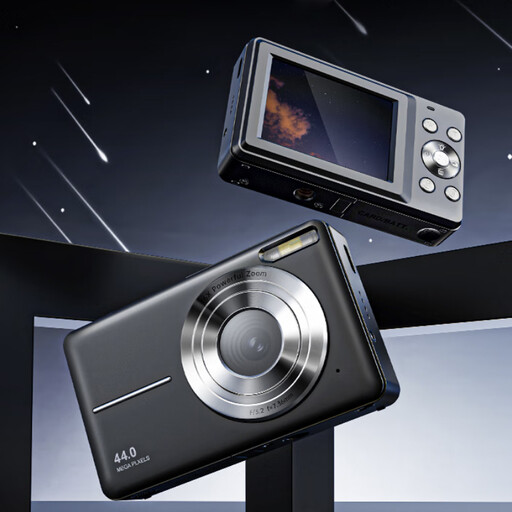
Why it suits this profile: An accessible choice for anyone mainly looking for a simple camera with webcam functionality for occasional video calls.
The product information explicitly mentions webcam functionality and autofocus. However, the stated maximum video resolution is 1920 × 1080p, so this is not an equivalent 4K alternative.
Webcam functionality, autofocus and 16× digital zoom according to the product listing.
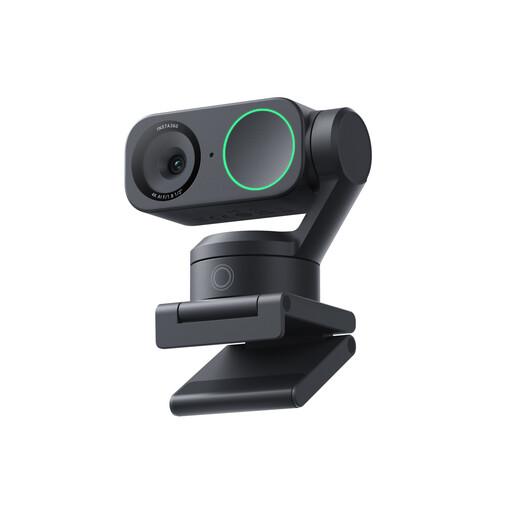
Why it suits this profile: Suitable for users looking for 4K video, AI tracking, HDR and automatic framing in a single webcam for Zoom or video calls.
The product specifications list the 1/2-inch sensor, PDAF autofocus, AI tracking and HDR separately. This allows you to compare these features directly.
4K resolution, 1/2-inch sensor, AI noise cancellation and gesture control according to the product description.
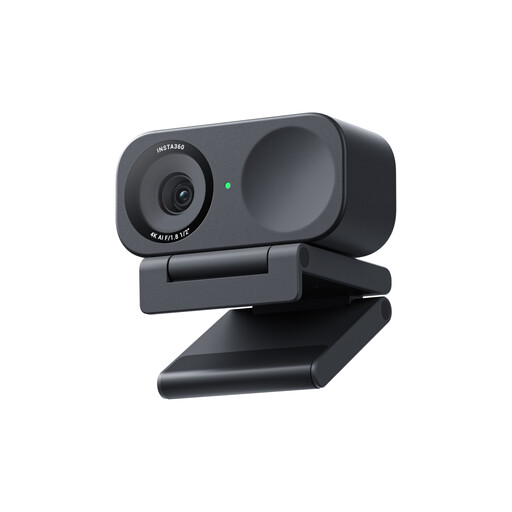
Why it suits this profile: A good fit for streamers, content creators and professionals who use different recording features and software controls.
The listed physical privacy switch means your privacy does not depend solely on software settings. However, check compatibility with your Windows system in advance.
Auto-framing, DeskView, Whiteboard Mode, 4K Portrait Mode and compatibility with Teams, Zoom and Twitch according to the product listing.
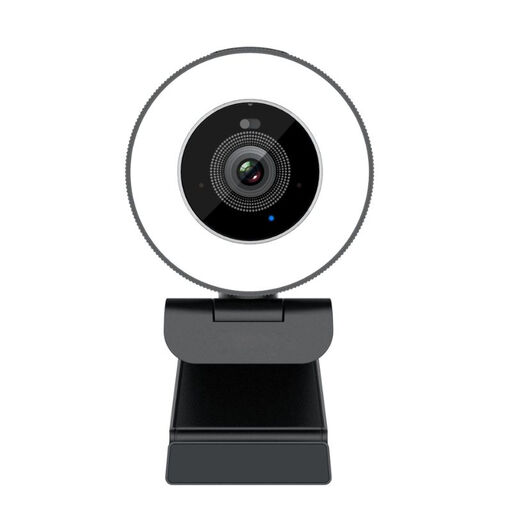
Why it suits this profile: A suitable option for users looking for a conventional 4K webcam with autofocus and a privacy cover.
The product name and listing mention autofocus, dual built-in microphones and a privacy cover. AI tracking or auto-framing is not listed as a feature here.
4K UHD, autofocus, built-in dual microphones and a physical privacy cover according to the product information.
We have put together a complete, up-to-date list of products that fully meet these strict selection criteria and the applicable European safety regulations.
According to the product information, the Link 2 is designed for use with Zoom, among other platforms. Microsoft Teams, Zoom and Twitch are explicitly mentioned for the Link 2C. Also check the requirements of your operating system and video platform, particularly with ARM-based Windows devices.
Not always. Full HD may be sufficient for standard video calls. 4K is particularly useful if you want a more detailed image, also use the camera for streaming or regularly zoom in and crop the image. However, you will need sufficient light, a suitable computer and enough bandwidth.
The supplied product information does not mention a mandatory subscription for AI tracking. However, the available features may depend on Link Controller, the firmware and the platform you use. Check the current software terms before making a purchase decision.
