
Vandaag of morgen in huis

Kwaliteit gegarandeerd

Welkomstaanbiedingen ontgrendelen: GRATIS bezorging | Tot 80% korting | Gratis 30 dagen JoyPlus-proefperiode
Download de app
A smartphone gimbal can make your videos more stable, but not every model is right for every creator. Especially with an Insta360 Flow 2 Pro smartphone gimbal, it is important to look beyond terms such as AI, tracking and professional image quality. First, check how the features work with your phone, apps and filming style.
Tracking can depend on the operating system, app and phone model. Apple DockKit, for example, is designed for compatible iPhones and iOS apps. A feature described as working in more than 200 iOS apps does not automatically mean that every Android app offers the same capabilities.
Pay attention to:
A foldable phone gimbal with an integrated selfie stick and tripod is practical for travelling and vlogging. However, product bundles can differ. Check the box contents before ordering. A remote control, AI tracker, phone holder or protective case may be included, while an additional selfie stick or microSD card is sold separately.
The stated usage time depends on tracking, lighting, Bluetooth, phone charging and the app being used. For a full day of filming, battery capacity is not the only important factor. Also consider:
3-axis stabilisation corrects movement in three directions: tilt, roll and pan. This helps with walking videos, travel footage and vlogs. However, a gimbal will not automatically make your footage smooth in every situation. A steady walking style, good phone balance and correct mounting are still important.
Also check the maximum phone weight and the width of the magnetic or mechanical holder. A case may prevent the smartphone from being secured properly.
For solo content, AI tracking is particularly useful when you regularly step out of shot to start a scene. 360° tracking or unlimited pan rotation gives the gimbal greater freedom of movement. For group videos, multi-person tracking is useful when several people need to remain in the frame.
According to Insta360’s product information, the Flow 2 Pro supports native tracking via Apple DockKit in more than 200 compatible iOS apps. The same product information also mentions an AI Tracker for various platforms and devices. Always check the latest compatibility list before making a purchase decision.
An integrated tripod saves space in your bag. An integrated selfie stick is useful for wide travel shots and vertical videos for social media. A teleprompter function, remote control or built-in spotlight can offer extra value, but only if you use these features.
When choosing a portable smartphone stabiliser, consider the folded size, weight and how you will store the gimbal. A compact model that stays at home is less useful than a slightly heavier model that you actually take with you.
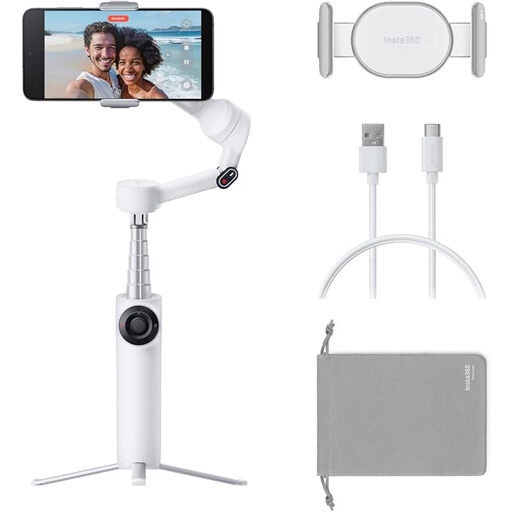
Why it suits this profile: The Flow 2 combines a foldable design with an integrated tripod, selfie stick and remote control. This makes the move from smartphone video to a gimbal straightforward.
The product information mentions support for iPhone and Android, multi-person tracking, gesture control and pet tracking. However, check support for your specific phone.
3-axis stabilisation, an integrated tripod and a stated battery life of up to 10 hours according to the product description.
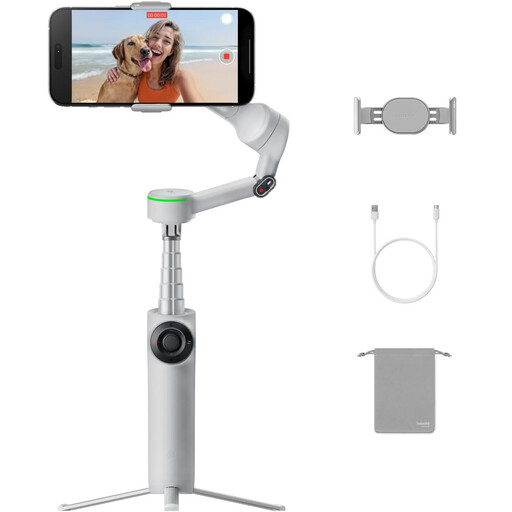
Why it suits this profile: This AI smartphone gimbal is designed for creators who livestream, travel and regularly film alone with a compatible iPhone or Android smartphone.
The product description mentions Apple DockKit, tracking in more than 200 compatible iOS apps, an AI Tracker and 360° unlimited pan tracking. App compatibility still needs to be checked.
3-axis stabilisation, built-in spotlight, tripod, selfie stick, teleprompter and power bank according to the product specifications.
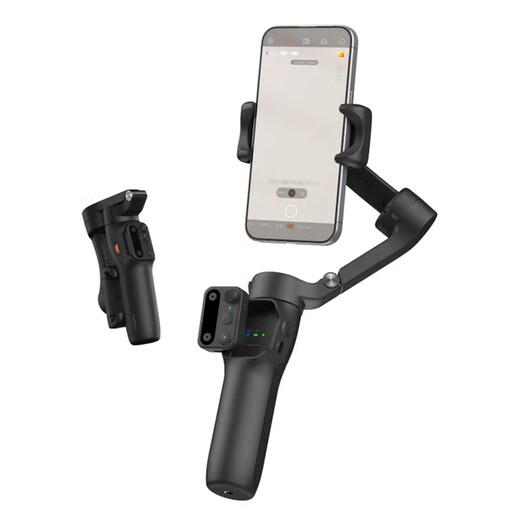
Why it suits this profile: For vloggers, travel photographers and livestreamers making long recordings, this model offers a foldable design and remote control.
The listed specifications mention 3-axis stabilisation, a separate remote control and support for horizontal and vertical filming. Compatibility with every app is not guaranteed.
Up to 11 hours of battery life according to the product information, plus panorama, timelapse and slow-motion modes via the hohem Joy app.
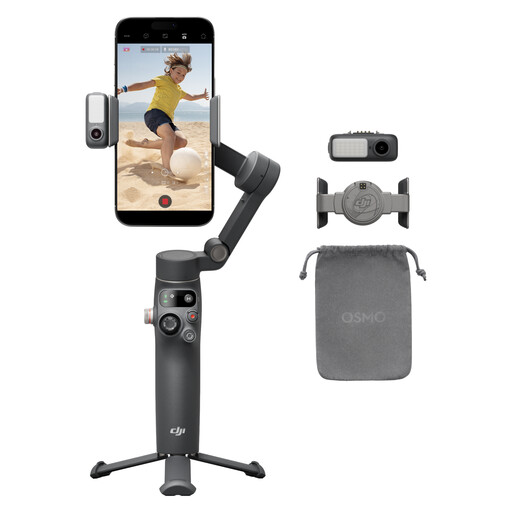
Why it suits this profile: This model is ideal for creators who want to use a 3-axis gimbal with an integrated extension rod, tripod, tracking and lighting for vlogs and social media.
The product information lists the DJI Mimo app, ActiveTrack 7.0 and automatic app launch after pairing. Check beforehand that your phone and preferred apps work with it.
Integrated extension rod and tripod, up to 10 hours of use according to the product description, and a multifunctional module with tracking and lighting.
We have put together a complete, up-to-date list of products that fully meet these strict selection criteria and the applicable European safety regulations.
Use this quick checklist before ordering:
According to the product information, the Flow 2 Pro is designed for various platforms and devices. Apple DockKit is specifically linked to compatible iOS devices. Android support may vary depending on the phone, app and firmware. Therefore, check the latest compatibility list before purchasing.
Not always. Native tracking via Apple DockKit can work in compatible iOS apps. Other features, such as AI editing, FlashCut or certain tracking modes, may depend on the Insta360 app or an AI Tracker. The available features depend on your device and software.
Its lifespan depends on the hinges, motors, battery use and storage conditions. Store the gimbal in a dry, dust-free place, avoid dropping it and charge the device according to the safety instructions. During long-term storage, it is advisable to check the battery regularly. A replaceable accessory or separate phone holder may also be more practical than replacing the entire system when only one component wears out.
