
Student who prints feedback occasionally
Wants to print documents at home without spending a lot upfront, and takes the cost of replacement cartridges into account. The Consumentenbond recommends looking at ink costs as well as the purchase price.


If you only print feedback occasionally, compare the purchase price of a cartridge printer with the cost of replacement ink. If you print regularly, consider an ink tank printer too. The Consumentenbond says an ink tank printer may be worth considering if you print more than 10 pages a month, but this isn’t a fixed tipping point for every model or usage pattern. Also check whether you need colour, scanning, automatic double-sided printing and connectivity with your devices.
Wants to print documents at home without spending a lot upfront, and takes the cost of replacement cartridges into account. The Consumentenbond recommends looking at ink costs as well as the purchase price.
Prints course materials or feedback regularly and compares cartridge and ink tank models based on their own print volume and costs over the period of use. The Consumentenbond says an ink tank printer may be worth considering if you print regularly.
Has limited space or prints from several devices. Check the dimensions and connectivity options of the exact model; Canon and Brother, for example, list Wi-Fi and USB on specific printers.
Choose this if: you mainly print occasionally and a lower upfront cost matters to you.
Consider: replacement cartridges can add up if you print more; compare costs for the exact model.
Choose this if: you or your housemates print regularly and want to factor in the cost of refill ink.
Consider: the initial cost is usually higher; an inkjet printer may also need maintenance if it’s used infrequently.
Choose this if: you print a fairly predictable amount each month and the plan’s terms suit your needs.
Consider: the printer needs to be connected to the internet; according to the Consumentenbond, subscription cartridges stop working when you cancel.
| Consideration | What to look for | Who is this important for? |
|---|---|---|
| Upfront cost and occasional use | Compare the printer and replacement cartridges for the exact model, taking your expected monthly print volume into account. | If I only print feedback occasionally, I want to weigh the upfront cost against the ink I’ll need later. Around 31% of consumers put purchase costs first. |
| Ink costs when printing regularly | Compare cartridge and tank models over the same period and for the same expected number of pages. | If I print feedback or study materials regularly, I focus on the total cost of replacement ink. Around 31% of consumers prioritise running costs. |
| Space and connectivity | Measure the available space, including room for the paper feed; check Wi-Fi or USB and compatibility with your device and network. | In a small shared home, the printer needs to fit, and I want to send print jobs from my own devices. Around 23% of consumers focus mainly on space and connectivity. |
| Document features | Check whether the exact model supports colour, scanning and automatic — not just manual — double-sided printing. | If colour highlighting, handwritten notes or multi-page feedback matter, I want to choose the features I’ll actually use. Around 15% of consumers prioritise document features. |
A cartridge printer with a low purchase price could cost more than expected if you print more. Compare the cost of replacement ink and paper for the way you use it, too.
Work out your expected print volume and compare the printer and ink over the same period of use.
Replacement ink and paper are extra costs on top of the printer itself; what you’ll need depends on the model and how you use it.
Canon describes yield tests using standardised documents printed continuously. Your documents and printing habits may be different.
Use yield figures to compare models under the same test conditions, not as a guarantee of how many pages you’ll print.
With manual duplex printing, you have to reload the paper yourself. HP lists manual double-sided printing for the Smart Tank 5100 series and automatic double-sided printing for the 7000 series.
Check the duplex feature of the exact model, not just the model range or a general filter.
According to the Consumentenbond, ink can dry out and clog print heads in inkjet printers. This is more of a consideration if you don’t print often.
Take how often you print into account, and follow the maintenance instructions for the exact model if you have printing problems.
Canon’s PIXMA range in the Netherlands includes both cartridge and ink tank models. Compare the version that suits your print volume.
The EcoTank ET-2950 is an A4 ink tank model to compare if you print regularly and want scanning, copying or duplex printing.
The DCP-J1310DW is a cartridge inkjet model to compare if you’re looking for an all-in-one printer with automatic double-sided printing.
The Smart Tank 5105 is an ink tank model for printing, scanning and copying.
This selection of Joybuy products features inkjet printers for printing and document tasks such as marking student work. Compare the type of ink, features, connections and space available for each model.
 No image available
An option to compare if you’re looking for a refillable ink system and automatic double-sided printing.
The product description also mentions an automatic document feeder and dual-band Wi-Fi.
 No image available
A cartridge inkjet to include in your comparison if you also want to scan and copy.
The product description lists A4, a 60-sheet paper feed, USB 2.0 and two included cartridges. The title lists 4800 × 600 DPI.
 No image available
An option to compare if you’re looking for refillable ink and automatic double-sided printing.
The product description also mentions Wi-Fi and printing, scanning and copying.
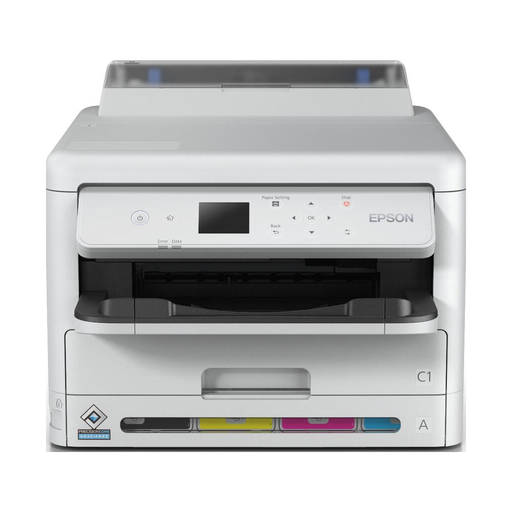 No image available
An option to compare if you want to print double-sided and need Wi-Fi or Ethernet.
The product description lists an A4 colour inkjet printer weighing more than 15 kg, and recommends two people for lifting it. Bear in mind where you’ll put it in a small home.
 No image available
An option to compare if you want automatic double-sided printing as well as scanning and copying.
The title lists A3. The product description mentions Wi-Fi, Wi-Fi Direct, Ethernet and USB; the device weighs 15.3 kg.
It depends on your print volume and the prices of the printer and its ink. The Consumentenbond says an ink tank printer may be worth considering if you print more than 10 pages a month; this isn’t a fixed tipping point for every model or pattern of use.
For the EcoTank and Expression printers mentioned, Epson recommends running a nozzle check first, then cleaning the print head via the maintenance menu if needed. Check the ink level beforehand; the steps and features available vary by model.
According to the Consumentenbond, these cartridges stop working when the subscription ends, and you’ll need to install standard cartridges. So compare the terms and costs outside the subscription too before choosing a printer model.
For a consumer purchase in the Netherlands, the seller is responsible for the legal guarantee if the product doesn’t meet what you could reasonably expect. ACM ConsuWijzer lists free repair, replacement or, depending on the situation, a refund. The manufacturer’s warranty period alone doesn’t determine how long your statutory rights apply.