Choose a printer based on the types of prints you need and how often your group will print. If you regularly print lots of photos, a photo-focused ink tank printer could be a good fit. If you’ll be printing both photos and documents, or only printing occasionally, a cartridge all-in-one may be more suitable. Also check the paper types supported, scanning and connectivity features, and the total cost of the printer, ink and paper. Assess privacy and usage rights for sharing photos separately.
Who is this for?
Photo album makers
You mainly want to print recognisable photos to remember special moments. First decide on your preferred photo size and paper, then compare photo print quality. Consumentenbond recommends checking the photo print score when choosing a printer; Canon and Epson describe photo-focused models that can print borderless photos up to A4.
Organisers of large print runs
You expect to print more often and are weighing the purchase price against ink consumption and maintenance. Consumentenbond discusses ink tank printers as an option for regular printing; compare costs based on the number of prints you expect to make.
People putting together booklets and invitations
You’re combining photos and text, and may also want to scan or copy printed memories. Check the features of the exact model; Canon and Brother describe all-in-ones with document-handling features.
Which choices determine the printer?
First decide on the print size and how many prints you expect to make. Then consider whether your group will mainly print photos or also needs to scan and copy documents.
| What to consider |
What to look for when buying |
Who this matters to |
| Photo size and photo prints |
Check your preferred size, borderless printing and support for the specific photo paper you plan to use. Where possible, compare ratings for photo prints. |
If I’m making photos for an album or A4 pages, I first want to know whether the size and paper are suitable. Around 36% of consumers consider photo prints and photo size their top priority. |
| Ink and paper costs |
Compare the printer, compatible ink and paper for the same expected number of photos and pages. Manufacturers may use different test conditions for their yield figures, so they are not automatically comparable. |
When printing several copies for the group, I want to weigh up the total project cost, even if an ink tank printer costs more to buy. Around 29% of consumers prioritise running costs for larger print runs. |
| Document features |
Check the scanning and copying features, document feeder, Wi-Fi and paper sizes. Check separately which paper types support automatic double-sided printing. |
If the booklet also includes text or we want to digitise printed photos, it’s worth considering one device for these tasks. Around 21% of consumers prioritise a mix of photo and document tasks. |
| Occasional use |
Consider how often you’ll use the printer, the type of ink and the maintenance instructions. Consumentenbond points out that inkjet print heads can dry out when used infrequently. |
If the group only prints for occasional activities, I want to avoid leaving the printer unused for long periods. Around 14% of consumers prioritise occasional use. |
Pitfalls when buying for group printing
-
Comparing purchase prices alone
For a print run, you also need to factor in compatible ink and paper. Yield claims from different manufacturers are not necessarily a like-for-like comparison of the cost per photo.
Compare the total cost for the same estimated number of photos and pages, and check which ink is compatible with the exact model.
-
Confusing automatic double-sided printing with double-sided photo prints
Automatic double-sided printing may apply to plain paper without being available for photo paper. Canon states that the PIXMA TS7750i offers automatic double-sided printing on plain A4 paper; double-sided printing on the PIXMA G650 is manual.
For booklet pages, check both the duplex feature and support for the paper you want to use.
Turning the paper over manually can add extra handling for a larger print run.
-
Buying an ink tank printer for one project, then leaving it unused for a long time
An ink tank printer is also an inkjet printer. Consumentenbond warns that the print head can dry out if the printer is used infrequently.
Factor in how often you expect to use it after the project, and allow time for a test print and to follow the maintenance instructions before distributing the prints.
-
Assuming school photos you’re given can be shared freely
Recognisable people and photos taken by other creators can raise separate privacy and copyright issues. The rules for a school publication do not automatically determine what consent or legal basis applies to every community group.
Before sharing, establish who took the photos, who appears in them, who will receive the publication, and what consent or other legal basis applies to this use.
Which printer brands are worth considering?
Canon
Canon describes both photo-focused PIXMA models with refillable tanks and cartridge models with document features.
- Canon says the PIXMA G650 prints borderless photos up to A4 and uses six dye-based inks.
- Double-sided printing on the G650 is manual. Canon says the PIXMA TS7750i offers automatic double-sided printing on plain A4 paper and uses two cartridges. These model specifications are not a judgement on all Canon printers.
Epson
Epson describes the EcoTank ET-8500 as a photo-focused A4 all-in-one with refillable ink tanks.
- Epson lists six inks, scanning and copying features, and borderless A4 photos.
- Epson’s stated yield is a manufacturer claim based on test conditions. Don’t use it as a directly comparable cost per photo unless the same calculation basis is used.
Brother
The Brother DCP-J1360DW is an inkjet all-in-one for printing and document tasks.
- Brother lists automatic double-sided printing, Wi-Fi and a document feeder.
- These features alone don’t prove that its photo quality is on a par with a dedicated photo printer.
HP
HP describes the ENVY Inspire 7924e as a cartridge all-in-one for photos and documents.
- HP lists scanning and copying features, automatic double-sided printing and borderless photos.
- HP warns that it uses dynamic cartridge security. Check which cartridges the exact model accepts.
Joybuy products for this topic
This selection includes colour inkjet printers for printing and document tasks, plus one separate Epson ink product. For each printer, check the supported photo size and paper; for the ink product, check that it’s compatible with the exact printer model.
 No image available
HP Smart Tank 7305 Wireless All-in-One Color Printer
An option to consider if your group also wants to scan or copy documents as well as print.
The product name lists wireless printing, double-sided printing, a copier and a scanner.
Joybuy
 No image available
Canon PIXMA MG2556S
An A4 inkjet printer to consider for a project involving documents and photos. Check first that it supports your preferred photo paper.
The product name lists A4 and a resolution of 4800 × 600 DPI. Resolution alone doesn’t tell you what a photo print will look like.
Joybuy
 No image available
Epson WorkForce Pro WF-C5390DW
The product name describes an A4 colour inkjet printer. Only consider this model after checking that it’s suitable for the photos you plan to print.
The product name lists 4800 × 1200 DPI and Wi-Fi; these specifications alone don’t provide a comparison of photo quality.
Joybuy
 No image available
HP Smart Tank 7005 Wireless All-in-One Color Printer
An option to consider if your group wants to combine colour printing with scanning and copying.
The product name lists wireless and double-sided printing, a copier and a scanner.
Joybuy
 No image available
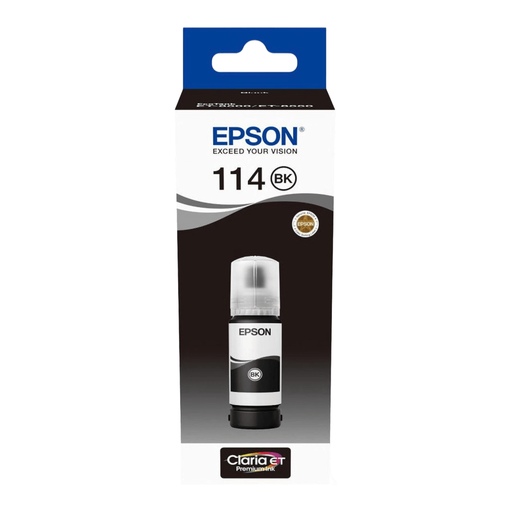
Epson 114 Pigment Black Ink Tank (Original Epson)
This is an Epson ink product, not a printer. Before buying, check that it’s compatible with the exact printer model your group uses.
Joybuy
Frequently asked questions
What size does the printer need to handle for a keepsake booklet?
First decide whether you’re making individual 10 × 15 cm photos or layouts on A4 pages. Then check the exact model’s paper sizes, borderless printing and support for your preferred paper. Canon lists borderless photos up to A4 for the PIXMA G650.
What should you do before a large print run if the inkjet printer has been unused for a long time?
Allow time for a test print and follow the model’s maintenance instructions if needed. Consumentenbond points out that inkjet print heads can dry out when used infrequently, which can cause printing problems.
Which costs and rights should you consider after buying?
As well as the printer, budget for compatible ink and photo paper, and check the terms of any services based on the number of prints you expect to make. For consumer purchases in the Netherlands, statutory protection applies to products that meet reasonable expectations, with no fixed statutory warranty period; if a product is faulty, the retailer is your first point of contact. Don’t automatically assume the same consumer rights apply if an association is the purchaser.
Can the group print and share recognisable school photos without checking first?
Not without first assessing the privacy basis and usage rights for the specific situation. For recognisable images taken and published by a school, the Dutch Data Protection Authority says consent is required: from parents for pupils under 16, and from the pupil themselves from the age of 16. The GDPR also applies when an organisation publishes photos; the group’s exact role and how the photos are shared must be taken into account. For copyright-protected photos taken by others, making a private copy for personal use is not the same as having permission to share those photos.


