What should you look for?
First, measure the space needed with the paper feed and output in use. Then work out how many agendas you print and whether you want automatic double-sided printing. Finally, compare ink costs with how often you print.
| What to consider |
What should you check? |
Who should pay particular attention? |
| Desk space required |
Compare the available width and depth with the printer itself, as well as the space needed for open trays, paper and controls. |
If my desk has very little free space, I want to know how much room the printer takes up while printing. Around 33% of consumers prioritise where they can put it. |
| Printing several agendas |
Check whether A4 double-sided printing is automatic and whether the paper tray suits the size of your print run. |
If I print agendas for several attendees, I want to spend as little time as possible turning paper over and reloading it by hand. Around 27% of consumers prioritise smooth processing. |
| Ink costs for your usage |
Compare compatible cartridges, your expected page count and any subscription terms. |
If I print infrequently, I want to know what ink and maintenance costs to expect based on how I use the printer. Around 27% of consumers put these ongoing costs first. |
| Easy occasional printing |
Check the connection to your computer or phone, and whether manual double-sided printing is practical. |
If I only print an agenda now and then, I want a connection and controls that suit my workspace. Around 13% of consumers prioritise ease of occasional use. |
Inkjet printers at Joybuy
This Joybuy selection includes inkjet printers for agendas, from A4 models to one listed as A3. Compare paper handling and the space needed in use with your workspace and print run.
 Image unavailable
Brother MFC-J6760DW A3 inkjet printer
Worth considering if you want to print A3 agendas as well as A4 ones. Check that the printer fits on your desk with the paper feed and output in use.
The product name lists A3, 1200 × 4800 DPI and 31 ppm.
Joybuy
 Image unavailable
HP Smart Tank 7305 wireless all-in-one colour printer
Consider this model if you print double-sided agendas and several copies. First, check that the paper tray and the space needed in use suit your print run.
Wireless all-in-one colour printer; the product name lists double-sided printing.
Joybuy
 Image unavailable
Canon PIXMA MG2556S A4 inkjet printer
One to compare for A4 agendas and smaller print runs. Check that the paper capacity and your preferred way of printing double-sided suit your needs.
The product name lists A4 and 4800 × 600 DPI.
Joybuy
 Image unavailable
HP Smart Tank 7005 wireless all-in-one colour printer
Worth comparing if you print double-sided agendas regularly. Check that the paper handling and space needed on your desk suit your print run.
Wireless all-in-one colour printer; the product name lists double-sided printing.
Joybuy
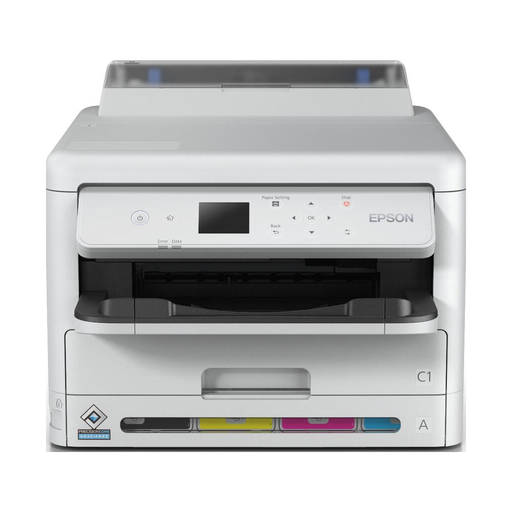 Image unavailable
Epson WorkForce Pro WF-C5390DW A4 inkjet printer with Wi-Fi
Worth considering for double-sided A4 agendas, but plan its position carefully: the product information lists a weight of over 15 kg and recommends lifting it with two people.
The product name lists A4, Wi-Fi and 4800 × 1200 DPI.
Joybuy
Frequently asked questions
How can you check whether a printer will fit on a small desk?
Measure more than just the space for the printer body: allow room for paper feed, output and controls too. Canon Netherlands gives the dimensions of the PIXMA TS7650i with its trays closed, so measure the space needed in use for the exact model separately.
What if an inkjet printer is barely used for weeks?
Allow for possible ink use during cleaning. Consumentenbond explains that ink can dry out when a printer is used infrequently, and that an inkjet printer may use ink to clean its print head. So printing only a few agendas doesn’t necessarily mean you’ll use little ink.
Do you need an ink subscription to print agendas?
Not simply because of the type of printer. Compare the terms of any available subscription with compatible individual cartridges and your expected page count. The best option depends on how you use the printer and the subscription terms.
What guarantee applies to a purchase by a private individual in the Netherlands?
According to the Dutch Government, the seller must provide a solution if a product is faulty; the Netherlands has no fixed statutory guarantee period. The manufacturer’s guarantee is an additional benefit. This information on consumer rights does not necessarily apply to a business purchase.
Where can a private individual take an old printer?
According to the Dutch Government, when buying a similar new appliance, a private individual can return the old printer to the shop free of charge, including when buying online. You can also take it to your local council. According to that source, this take-back scheme does not apply to business equipment.


