
Vandaag of morgen in huis

Kwaliteit gegarandeerd

Welkomstaanbiedingen ontgrendelen: GRATIS bezorging | Tot 80% korting | Gratis 30 dagen JoyPlus-proefperiode
Download de app
Your printer is low on ink, right when you need to print an important document. Finding the right replacement ink cartridges can be a hassle. Which number do you need? Is a multipack more cost-effective? And what's the difference between all the options?
As a Joybuy Product Recommendation Officer, I'm here to help you make the right choice. In this article, we'll provide practical tips for choosing printer ink and highlight some popular ink cartridges for widely-used printers. This way, you can get back to printing in no time.
The right cartridge choice depends on your printer, your printing habits, and your budget. Here are a few key points to get you started.
Printer manufacturers like Canon, Brother, and Epson produce their own genuine cartridges. These are specifically designed for their printers and, according to the manufacturers, offer the most reliable performance and consistent print quality. For example, Canon states that its genuine cartridges deliver an average of 35% more high-quality prints than imitation cartridges. While alternatives are available, we will focus here on the original options recommended by the printer manufacturer for hassle-free operation.
The most common mistake is buying a cartridge that isn't compatible with your printer. Each printer series uses specific cartridge numbers. You can find the correct number in several places:
Always double-check this number before making a purchase. Our product descriptions provide a clear list of compatible printer models.
If you print regularly and multiple colours run out at the same time, an ink multipack is often a cost-effective choice. These packs contain all the necessary colours (black, cyan, magenta, and yellow) and are typically cheaper than buying each cartridge individually. Do you primarily print in one colour, like black for text documents? Then a single cartridge or a high-capacity XL cartridge might be a smarter investment. Products like the Epson 405XL offer individual inks, which the manufacturer claims can be up to 50% more efficient than tri-colour cartridges.
Based on product specifications and compatibility, we've compiled a few recommendations for you.
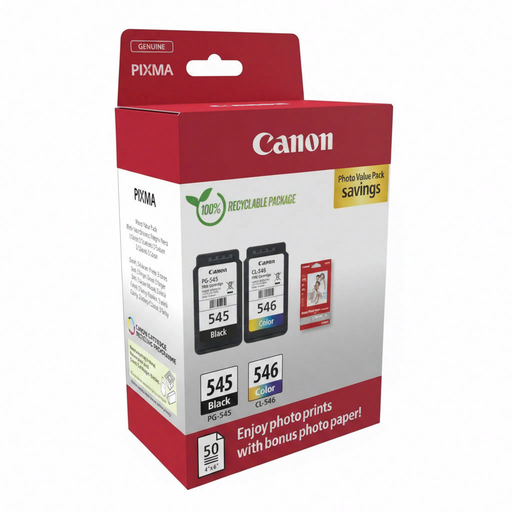
Why It Stands Out This Canon ink cartridge multipack is a complete solution for home users. It includes not only a black (PG-545) and a colour (CL-546) cartridge but also 50 sheets of glossy photo paper. According to Canon, the genuine ink delivers reliable results and vibrant colours, ideal for both documents and printing lab-quality photos.
Pros
Who Is It For? This pack is ideal for home users with a compatible Canon PIXMA printer who are looking for an all-in-one solution for printing documents, schoolwork, and the occasional photo.
View the Canon 8287B008 Multipack
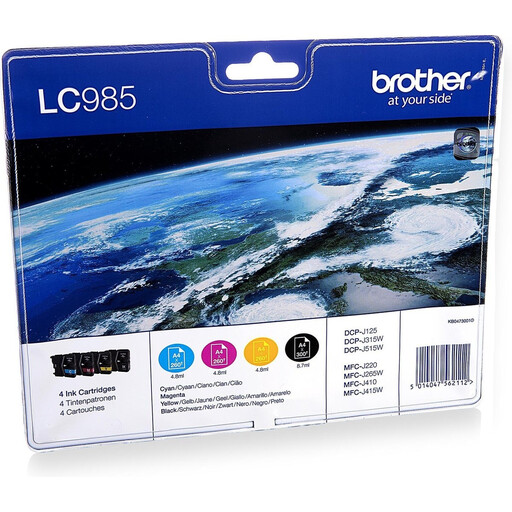
Why It Stands Out This Brother ink cartridge set is a value pack containing four individual cartridges (black, cyan, magenta, yellow). Brother states that its 'Colour Rich Innobella' technology ensures vibrant colours and high print quality. According to the brand, using genuine Brother ink guarantees optimal performance and protects your printer. It's a cost-effective solution for those who print regularly.
Pros
Who Is It For? Suitable for users of compatible Brother printers in a small office/home office (SOHO) or at home, who need reliable performance and excellent value for their print volume.
View the Brother LC985VALBP Multipack
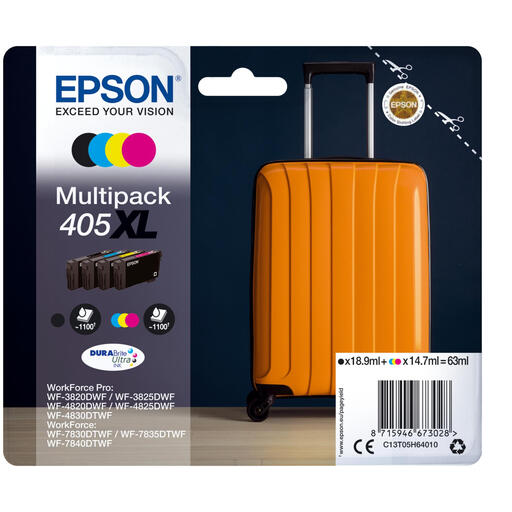
Why It Stands Out The Epson ink cartridge 405XL set is designed for users who print frequently and demand high-quality documents. The DURABrite Ultra ink is pigment-based, which, according to Epson, results in documents that are water, smudge, and highlighter resistant. The XL capacity means you can print up to 1,100 pages, lowering the cost per page. Since these are individual ink cartridges, you only replace the colour that has run out.
Pros
Who Is It For? Perfect for business users and demanding home users with a compatible Epson WorkForce printer who are looking for long-term savings on ink cartridges without compromising on professional document quality.
View the Epson 405XL Multipack
Don't see your specific cartridge, or are you looking for an individual colour like yellow ink? No problem. We have a wide range of ink cartridges for various brands and models. Discover more options that suit your printer and printing needs.
View our full range, from Yellow Ink to complete multipacks
Genuine cartridges are produced by your printer's manufacturer (like Canon, HP, Epson). They are designed to work seamlessly with that brand's specific models. Manufacturers state this guarantees the best performance, reliability, and print quality. Third-party cartridges are made by other companies and can be a cheaper alternative, but their compatibility and quality may vary.
The easiest way is to check your printer's model number and compare it with the cartridge's compatibility list. You can also look at the number on the old cartridge you are replacing. This information is always clearly listed on the product page.
