
Vandaag of morgen in huis

Kwaliteit gegarandeerd

Welkomstaanbiedingen ontgrendelen: GRATIS bezorging | Tot 80% korting | Gratis 30 dagen JoyPlus-proefperiode
Download de app
Your printer is out of ink. It often happens at the exact moment you need to print an important document. The search for the right replacement ink cartridge can be overwhelming, with countless model numbers and options to navigate. As a Joybuy Product Recommendation Officer, I'm here to help you make the right choice. This guide is designed to provide you with practical information so you can quickly find the correct printer ink for your device.
Before you buy an ink cartridge, there are a few key points that will make the process much simpler. Paying attention to these details will help you avoid the wrong purchase and ensure your printer is up and running again in no time.
This is the most crucial step. Every printer is designed for specific cartridges. The model number of the required cartridge for your printer is usually printed on the old cartridge itself. You can also find it in your printer's manual or through the printer software on your computer. Without the correct number, it's highly likely the cartridge won't fit or be recognised.
Original ink cartridges are produced by your printer's manufacturer, such as HP or Epson. They are specifically engineered to work seamlessly with your printer model. This ensures consistent print quality and reliability. While alternatives exist, original cartridges offer the guarantee of compatibility established by the manufacturer.
Many cartridges are available in a standard and an XL or high-capacity ink cartridge version. A high-capacity cartridge contains more ink and can therefore print more pages. Do you print regularly, for a small business or home office, for example? Then an XL cartridge is often more cost-effective per page in the long run. For occasional use, a standard cartridge may be sufficient.
Based on product specifications and popularity, we have selected a few top choices for different printer types.
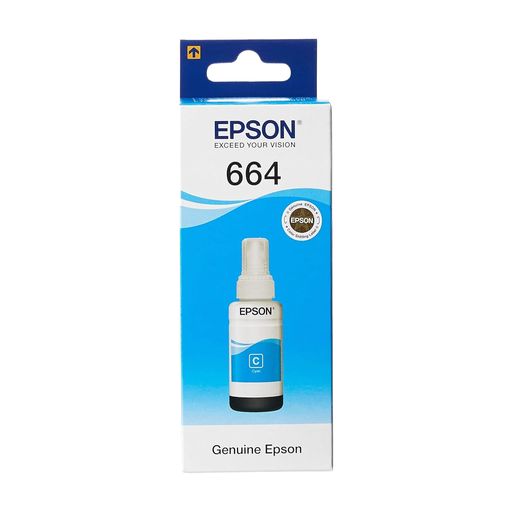
Why This Product Stands Out This is not a traditional cartridge, but an ink bottle designed specifically for Epson EcoTank printers. Its main advantage is the enormous print volume. According to Epson, this bottle can print up to 6,500 pages, which significantly lowers the cost per page.
Advantages
Who Is This For? For users of a compatible Epson EcoTank printer who print in very high volumes and want to keep printing costs as low as possible. Ideal for home offices and small businesses.
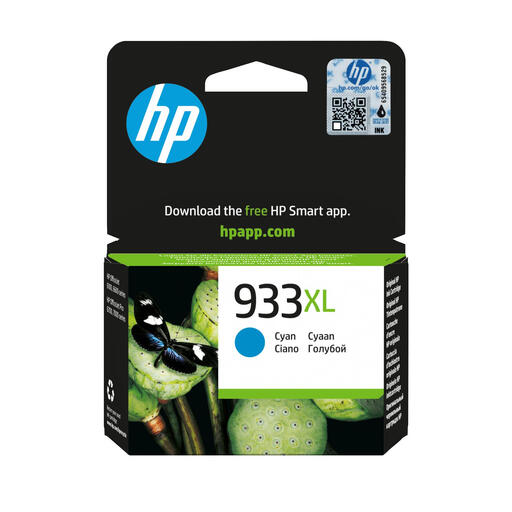
Why This Product Stands Out This original HP ink cartridge is an XL version, which means it has a high capacity. It is designed for users who print regularly and expect reliable results. The cartridge delivers the professional print quality you expect from HP.
Advantages
Who Is This For? Small business users and home office workers with a compatible HP OfficeJet printer who are looking for a reliable cartridge that lasts longer than the standard version.
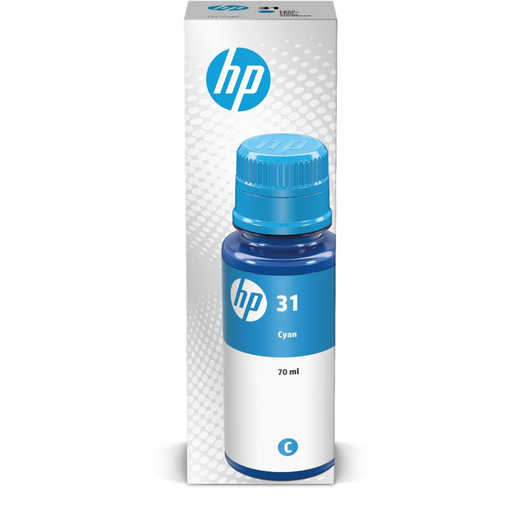
Why This Product Stands Out Like the Epson ink above, the HP 31 is an ink bottle for printers with a refillable ink tank system, such as the HP Ink Tank and Smart Tank series. According to HP's specifications, this bottle delivers an impressive page yield of up to 8,000 pages.
Advantages
Who Is This For? Users of HP printers with an ink tank who seek maximum efficiency and an extremely high print volume. This is the choice for those who print very frequently and in large quantities.
Is the specific cyan ink you're looking for not listed here, or do you need a different type of cartridge for your printer? Our assortment is much broader than this selection. Browse the full category for more options that match your printer.
Discover More Original Cyan Ink
The most reliable method is to check the model number on the old cartridge. It is always printed on it. If you no longer have the old cartridge, you can look up your printer's model number in the manual or on the manufacturer's website to find the compatible cartridges.
A traditional ink cartridge is a sealed plastic container with ink and often an integrated printhead, which you replace in its entirety. An ink bottle is used to refill the fixed, refillable ink tanks of a printer (like an Epson EcoTank or HP Smart Tank). This system is often more economical for high-volume printing.
