Who is this choice relevant for?

Colour-critical design reviewer

If you review material images, renders or print work, pay attention to colour settings and calibration. EIZO describes the ColorEdge CG2700X as having an integrated calibration sensor, while Adobe explains why a suitable monitor profile matters.

Designer who wants a single workspace

If you want to see a design alongside reference material and tool panels without a second monitor, compare screen size, resolution and text scaling. ASUS and BenQ specify a 31.5-inch 4K workspace for the models mentioned.

Laptop user with a compact workspace

Check that video works over your chosen connection, and consider power delivery and how the screen will fit on your desk. ASUS and LG list different USB-C power delivery ratings for the models discussed; check these against your laptop’s requirements.

What should you look for when choosing?

31.5-inch 4K with a wide colour gamut

A good fit if: you want to view your design, references and panels on one spacious screen. BenQ and ASUS specify 3840 × 2160 pixels and a wide P3 colour gamut for the models mentioned.

Bear in mind: the desk space required, and your choice of colour mode, profile and output target. Manufacturer specifications are no substitute for a suitable colour workflow.

27-inch 4K with built-in calibration

A good fit if: regular colour checking matters more to you than having the largest possible screen. EIZO specifies an integrated calibration sensor and 3840 × 2160 pixels for the ColorEdge CG2700X.

Bear in mind: it has a smaller physical workspace than the 31.5-inch models mentioned. Assess text and panels from your usual viewing distance.

31.5-inch 4K with an adjustable clamp arm

A good fit if: you want to reposition your only screen regularly. LG describes the 32UN880P-B as having an adjustable stand with a C-clamp.

Bear in mind: whether the clamp fits your desk and the specified 60 W power delivery. LG lists typical DCI-P3 coverage of 95% for this model.

Consideration What to check before buying Who should consider this?
Colour assessment Compare the stated colour gamut with your output target, and check the calibration and profile options. If colour reproduction is crucial for material images or print preparation, I want to tailor my settings to my workflow. Around 36% of consumers say colour accuracy is their main concern.
Workspace on a single screen Compare screen size and resolution, and assess window layout and text scaling from your usual viewing distance. If I want to see my design, references and panels at the same time, the usable space on my only screen is crucial. Around 29% of consumers prioritise workspace.
Connection and power Check video output, power delivery, ports and the supplied cable for the exact model. If I want to connect and power my laptop through the monitor, the connection needs to be compatible with my laptop. Around 21% of consumers put connectivity first.
Positioning and adjustability Check the adjustment options, stand or clamp, available desk space and potential reflections. If my screen needs to sit in a particular position, I want to know whether the stand or clamp and its adjustability will suit my desk. Around 14% of consumers give positioning the highest priority.

Things to consider when buying

  • Assuming colour gamut coverage means lasting colour accuracy

    A stated colour gamut or factory calibration does not automatically tell you how your screen, profile and output will work together.

    Choose a colour mode that suits your output target, and plan for calibration and profile management if your work is colour-critical.

    Profiling and recalibration can take extra time.

  • Assuming all USB-C ports offer the same one-cable solution

    Your laptop must be able to output video through the connection, and the power delivery must meet its power requirements.

    Check your laptop’s video support and compare its charging requirements with the specifications of the exact monitor model. Also check which cables are included.

    Depending on the connection, you may need a different cable, an adapter or a separate laptop charger.

  • Choosing based on screen size alone

    A 31.5-inch screen takes up more physical space than a 27-inch model, and a C-clamp will not necessarily fit every desk.

    Measure your available space and check the stand or clamp, viewing distance, adjustability and potential reflections.

Relevant brands to consider

BenQ

The Creative Pro PD3225U is an example of a large 4K screen with colour modes and Thunderbolt.

  • BenQ specifies a 31.5-inch screen, 98% P3, a calibration report and 85 W power delivery via Thunderbolt for this model.
  • These are manufacturer specifications, not an independent measurement of your individual unit or a guarantee of a suitable colour workflow.

ASUS

According to ASUS, the ProArt PA329CRV combines a 31.5-inch 4K workspace with colour modes and USB-C.

  • ASUS lists 98% DCI-P3, factory calibration and 96 W USB-C Power Delivery for this model.
  • Check that your laptop supports the required features; these specifications do not automatically apply to the entire ProArt range.

LG

The UltraFine Ergo 32UN880P-B is an option if you need to reposition a large screen regularly.

  • LG lists a C-clamp, adjustability, 31.5-inch 4K resolution and 60 W USB-C power delivery.
  • The stated 95% DCI-P3 is a typical value; check that the clamp and power delivery suit your setup.

EIZO

The ColorEdge CG2700X is designed for colour management in design and image editing, with a 27-inch 4K format.

  • EIZO specifies an integrated calibration sensor and over 99% Adobe RGB for this model.
  • Its physical workspace is smaller than that of the 31.5-inch models mentioned; suitable profiles and working conditions still matter.

Dell

The UltraSharp U3223QE is an example of a 31.5-inch 4K option with a USB-C hub and IPS Black.

  • Dell specifies 90 W USB-C power delivery and 98% DCI-P3 for this model.
  • Check the latest product information before relying on its availability.

Joybuy monitors for a single workstation

These Joybuy products are suited to viewing designs and references on a single screen. For each model, compare the stated screen specifications with your preferred workspace and colour workflow.

Dell UltraSharp U3226Q 32-inch 4K UHD 120Hz QD-OLED monitor

Dell UltraSharp U3226Q 32-inch 4K UHD 120Hz QD-OLED monitor

Suited to anyone who wants to view design details and references on one screen and does colour-critical work.

32 inches; 4K UHD; QD-OLED; 120 Hz.

View at Joybuy

INNOCN 40C1U 40-inch 5K ultrawide monitor, 5120 × 2160, 21:9

INNOCN 40C1U 40-inch 5K ultrawide monitor

Suited to anyone who wants to view a design, references and panels side by side on one screen.

40 inches; 5120 × 2160; 21:9.

View at Joybuy

BenQ PD3225U 32-inch 4K monitor

BenQ PD3225U 32-inch 4K monitor

Suited to anyone who wants to view designs and references on one screen and values digital colour checking.

32 inches; 3840 × 2160 pixels; 4K UHD.

View at Joybuy
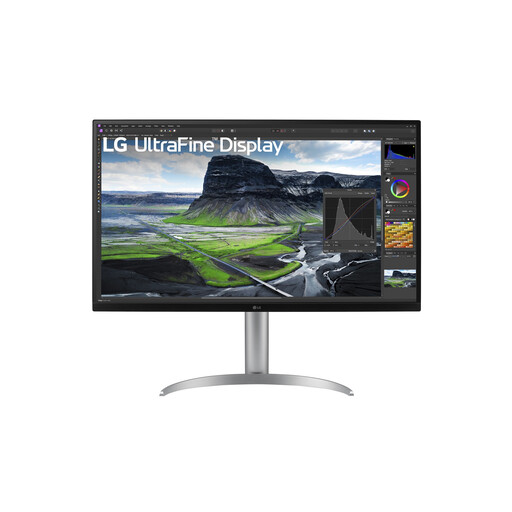
LG 32UQ850V-W 31.5-inch 4K monitor

LG 32UQ850V-W 31.5-inch 4K monitor

Suited to anyone who wants to view design details and references on one screen and adjust the screen position.

31.5 inches; 3840 × 2160 pixels; 4K UHD.

View at Joybuy

MSI MAG 322UP QD-OLED E16 31.5-inch 4K UHD monitor

MSI MAG 322UP QD-OLED E16 31.5-inch 4K UHD monitor

Suited to anyone who wants to assess designs and references on one screen and values a wide colour gamut.

31.5 inches; 4K UHD; QD-OLED; 165 Hz; USB-C power delivery is specified as 15 W and, according to the product information, does not replace a separate laptop charger for most laptops.

View at Joybuy

Frequently asked questions

Is 4K alone enough for reliable colour assessment?

No. Resolution helps with displaying detail, but colour-critical work also requires calibration, a suitable monitor profile and profiles that match the file and output. Adobe explains why colour management matters; a 4K specification alone does not prove colour accuracy.

Can I connect my laptop with a single USB-C cable?

That depends on your laptop’s video output and power requirements. ASUS specifies USB-C DisplayPort Alt Mode video and 96 W Power Delivery for the PA329CRV; LG lists USB-C video and 60 W power delivery for the 32UN880P-B. Check that your laptop supports the required video output and how much power it needs.

How should I set up my monitor for long periods of screen work?

Adjust the screen height and your workspace to suit you, and minimise reflections. According to Arboportaal, specific regulations apply to employees who work with display screens for more than two hours a day. The applicable requirements depend on the working situation and are not a universal product specification for every private buyer.

What do the energy label and running costs mean?

According to the European Commission, energy labelling rules also cover computer monitors, with consumption shown in kWh per 1,000 hours. Compare the label for the exact model; actual costs also depend on how many hours you use it and your electricity tariff.

What warranty and cooling-off period apply to online purchases in the Netherlands?

For a consumer purchase, your statutory guarantee applies alongside any manufacturer’s warranty; if a product is faulty, the seller is responsible for providing an appropriate solution. According to ACM ConsuWijzer, online consumer purchases generally come with a cooling-off period of up to 14 days after delivery, subject to legal exceptions. Do not assume the same consumer rights apply to a business purchase.
