
Vandaag of morgen in huis

Kwaliteit gegarandeerd

Welkomstaanbiedingen ontgrendelen: GRATIS bezorging | Tot 80% korting | Gratis 30 dagen JoyPlus-proefperiode
Download de app
Keeping an eye on things when you're not home provides peace of mind. Whether you want to check if your pet is tearing up the sofa, your baby is sleeping soundly, or simply secure your home, a good indoor Wi-Fi security camera is a practical solution. However, the market offers countless options, each with its own specifications and features.
This guide is designed to help you make an informed choice. We'll highlight several popular models and explain what to look for, so you can find a camera that perfectly suits your needs.
Before we dive into the products, here are a few key considerations. These will help you better understand the specifications of an indoor IP camera.
Resolution determines how sharp the image is. A camera with 2K (about 3MP) or 4MP resolution delivers significantly more detail than a standard HD camera. This is especially useful when you need to zoom in on a situation.
Additionally, night vision is crucial. Many cameras use infrared (IR) for black-and-white images in the dark. However, a camera with colour night vision offers a major advantage: you can distinguish the colours of clothing or objects, providing more context during an event.
A static camera has a fixed field of view. A pan-tilt camera can be remotely rotated (pan) and tilted (tilt), allowing you to survey a much larger area of the room. Some models even offer a full 360-degree camera view, leaving you with virtually no blind spots. This is ideal for larger spaces or if you want to track a moving target, like a pet.
Modern indoor cameras are more than just a lens. The accompanying indoor camera with app is your command centre. Look for features such as:
Below is a selection of cameras with various specifications and functionalities, based on their product features.
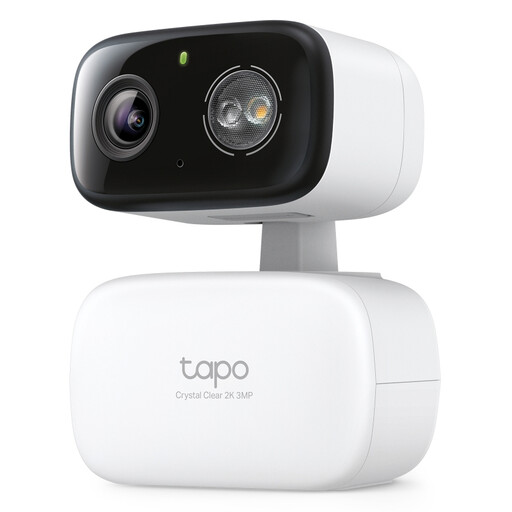
Why it stands out: The Tapo C216 combines a sharp 2K resolution with a full 360° horizontal range. According to the manufacturer, the camera offers smart AI detection that distinguishes between people and crying babies, and can automatically track moving objects.
Key Features:
Who is it for? For users who want complete coverage of a room, such as new parents wanting to use the camera as an advanced baby monitor with camera, or pet owners who want their pet camera to follow their furry friends.
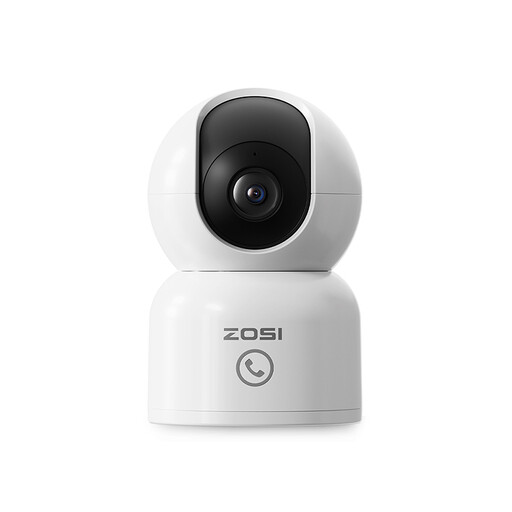
Why it stands out: This camera from ZOSI features a unique 'One-Touch Call' button. It allows children or elderly people at home to press the button on the camera to instantly send a call notification to your phone. This makes it more than just a security camera.
Key Features:
Who is it for? Ideal for families who want to stay in touch with children or elderly relatives at home. The call function adds an extra layer of communication and security.
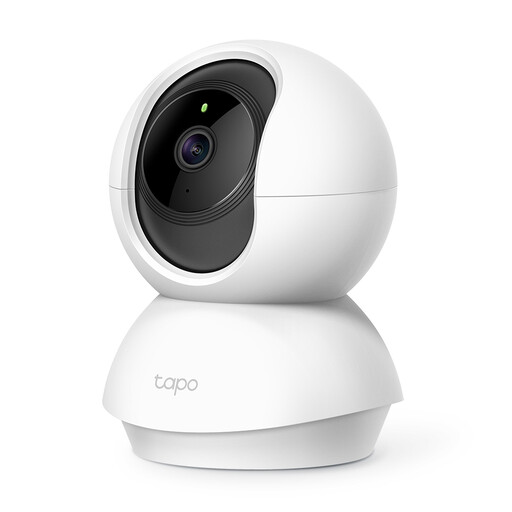
Why it stands out: The Tapo C210 is a reliable and accessible pan-tilt camera. It offers many of the core features you need, such as a sharp 3MP resolution and a wide range of motion, in a compact design.
Key Features:
Who is it for? For those looking for a solid all-round indoor camera without paying a premium for the most advanced extras. An excellent choice for general home security or as a pet camera.

Why it stands out: This camera is specifically designed to film through glass without reflections. According to the manufacturer, its anti-glare technology prevents overexposure from sunlight or lamps, a common problem with standard cameras. The installation requires no drilling.
Key Features:
Who is it for? Perfect for residents of apartments or rental properties who want to monitor the outside (like a driveway or front garden) without installing an outdoor camera.
A standalone indoor Wi-Fi security camera offers flexibility and is easy to install. However, if you're looking for a whole-home solution with multiple cameras and a central recording unit, a complete camera system might be a better choice.
Explore our range of home security DVR systems for more comprehensive solutions.
Not always. All the cameras mentioned above support local storage via a microSD card (usually not included). This means you can record and review footage without monthly fees. Manufacturers often offer optional cloud subscriptions for extra features, such as longer storage or more advanced AI analytics.
These terms are often used interchangeably. An indoor IP camera is any camera that connects to a network (Internet Protocol) to transmit footage. A Wi-Fi camera is simply an IP camera that does this wirelessly via your Wi-Fi network. In practice, most people mean the same thing by both terms: a camera you can view via an app on your phone.
Choose a camera with built-in privacy features, such as the ability to physically cover the lens or set digital privacy zones. Additionally, always use a strong, unique password for both your Wi-Fi network and your camera app account. Where possible, enable two-factor authentication for an extra layer of security.
