
Vandaag of morgen in huis

Kwaliteit gegarandeerd

Welkomstaanbiedingen ontgrendelen: GRATIS bezorging | Tot 80% korting | Gratis 30 dagen JoyPlus-proefperiode
Download de app
Peace of mind about your home's security is priceless. Whether you want to check if the kids got home safely, keep an eye on your pet, or simply know that everything is okay when you're away, an indoor security camera provides the perfect solution. However, the market is flooded with options, specifications, and models, which can make choosing the right one a challenge.
As a Product Recommendation Officer at Joybuy, I'm here to help you cut through the noise. In this article, I'll provide practical guidance and present a selection of cameras that stand out for their specifications and ease of use, with a focus on models without a subscription.
Before we dive into the products, here are a few key points to base your decision on.
Resolution determines how sharp the image is. 1080p (Full HD) is sufficient for many situations, but higher resolutions like 2.5K or 4K offer significantly more detail. This can be useful for identifying faces or zooming in on specific events. Also, pay attention to night vision. Most cameras use infrared for clear black-and-white images in the dark, but some advanced models offer colour night vision for extra clarity.
A static camera only covers part of the room. A pan-tilt camera, also known as a 360-degree camera, can be remotely rotated (pan) and tilted (tilt). This allows you to monitor an entire room with a single indoor Wi-Fi camera, which is both cost-effective and practical. You can easily control the camera via the companion app on your smartphone.
Modern cameras are more than just a lens. A smart indoor camera with motion detection can distinguish between people, pets, or other movements. Some models even offer specific alerts for a baby's cry, making them suitable as an advanced baby monitor with a camera and app.
A major advantage is the option for an indoor camera without a subscription. These models store footage locally on a microSD card. You have full control over your data and are not tied to monthly fees for cloud storage.
Based on the criteria above, we've curated a list of popular choices for you. These models offer a great balance of functionality, ease of use, and price.
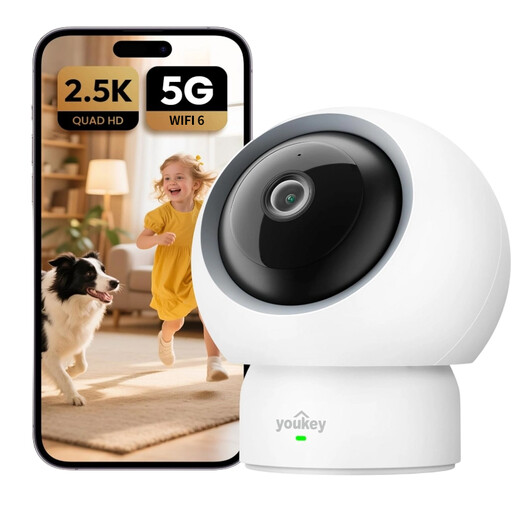
Why It Stands Out The UNIVIEW Youkey P310 stands out with its sharp 2.5K QHD resolution and highly specific detection capabilities. According to the manufacturer, the camera can not only detect people and pets but also recognise the sound of a crying baby. The addition of Wi-Fi 6 support ensures a more stable and faster connection.
Key Features
Who It's For This camera is an excellent choice for new parents looking for a reliable monitor for the nursery, or for pet owners who want to keep an eye on their furry friends. The combination of high resolution and smart detection makes it a versatile pet camera and baby monitor in one.
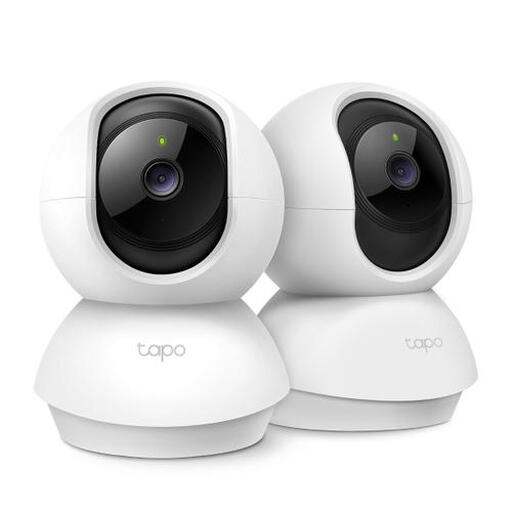
Why It Stands Out TP-Link is a well-known name in networking equipment, and the Tapo C200P2 is a prime example of their focus on user-friendliness and reliability. This camera offers solid 1080p Full HD image quality and full 360-degree coverage. It's a no-nonsense indoor IP camera that does exactly what it promises.
Key Features
Who It's For This model is ideal for anyone looking for an affordable and reliable indoor Wi-Fi camera for general surveillance. If you want a straightforward solution to monitor a room without needing the absolute highest resolution or advanced AI features, the Tapo C200P2 is a solid choice.
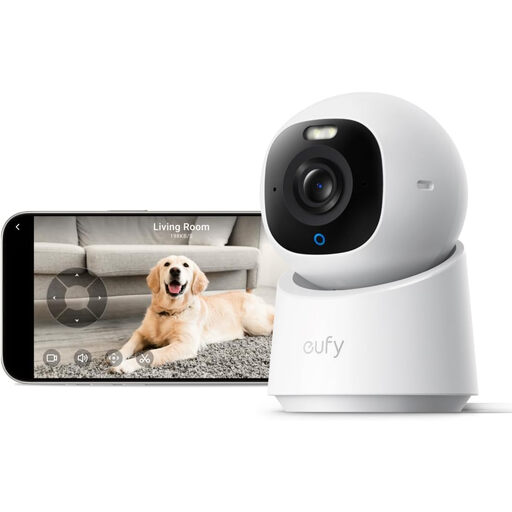
Why It Stands Out The eufy Indoor Cam E30 sets a new standard with its 4K UHD resolution, delivering exceptionally sharp images. According to the manufacturer, Anker, the camera features advanced AI that can automatically track moving objects (people or pets). Furthermore, the built-in spotlight enables colour night vision.
Key Features
Who It's For This camera is aimed at the tech enthusiast and anyone who desires the highest possible image quality. If you value crystal-clear detail, smart tracking, and integration with your smart home ecosystem, the eufy E30 is an excellent consideration.
Didn't find exactly what you're looking for here? No problem. For a broader overview of different styles and specifications, you can browse our full range of Black Home Surveillance Systems.
1. Do I need a subscription for an indoor security camera? No, it's not always necessary. All the models recommended above function fully without a subscription by storing footage locally on a microSD card (usually sold separately). This gives you control over your recordings and saves you from monthly fees. However, cloud storage is available as an optional service from some brands.
2. What about privacy with an indoor Wi-Fi camera? Privacy is a key consideration. Opt for cameras with a 'privacy mode', like the UNIVIEW P310, which can physically turn away or cover the lens. Additionally, always ensure you set a strong, unique password for both your Wi-Fi network and the camera app account.
3. Can I also use an indoor camera as a baby monitor? Absolutely. Many modern indoor cameras are very well-suited as a baby monitor with a camera and app. Features like two-way audio (to hear and soothe your baby), night vision, and alerts for sound or motion make them a versatile alternative to traditional baby monitors. Models with specific detection for a baby's cry are especially useful for this purpose.
