
Vandaag of morgen in huis

Kwaliteit gegarandeerd

Welkomstaanbiedingen ontgrendelen: GRATIS bezorging | Tot 80% korting | Gratis 30 dagen JoyPlus-proefperiode
Download de app
An indoor security camera can help you keep an eye on things at home while you’re at work, doing the shopping, or away on holiday. Yet the range on offer often seems simpler than it really is. A camera packed with features isn’t automatically right for your living room, nursery, or pets.
The main pitfalls usually aren’t about how the camera looks, but about storage, Wi-Fi, night vision, and notifications. Below, you’ll find out what to look for and which models suit different situations.
A higher resolution can show more detail, but the image is also affected by the lens, lighting, compression, and the stability of your Wi-Fi. For example, a 4K camera might be less practical if your router can’t handle the video stream properly or if the app is slow to respond.
So, alongside 4K or 1080p, also pay attention to:
A security camera without a subscription can store footage locally on a microSD card. That doesn’t always mean every feature is available at no extra cost. Some brands offer cloud storage, longer history, or additional notifications as a paid option.
Check before you buy:
A motion detection camera can react to people, pets, sounds, or any movement in the frame. Sunlight, shadows, and passing cars can therefore trigger notifications. According to the product descriptions of some brands, AI can distinguish between people and animals, but this still depends on the settings, environment, and software.
So, set up motion zones and don’t point the camera at a busy window, radiator, or television.
An indoor Wi-Fi security camera usually works on 2.4 GHz Wi-Fi. That range often travels better through walls, while 5 GHz can offer higher data speeds in suitable conditions. Dual-band models support both frequencies, but check that the camera actually connects to your network during setup.
A security camera with an app should do more than just let you watch live. Look for:
Use a strong, unique password and keep the app and firmware up to date.
A 360-degree security camera rotates horizontally, but the vertical viewing angle varies by model. A camera with 360° horizontal rotation and limited vertical movement can still miss part of the ceiling or floor.
Automatic tracking can follow a moving person or pet. However, check whether the camera then turns away from the area you want to keep under constant watch. For a cot, a fixed viewing direction can sometimes be clearer than continuous tracking.
A camera with night vision usually uses infrared light. Some models also mention colour night vision with a built-in spotlight. According to the product information from the relevant brands, this can produce a colour image in low light, but the results depend on the amount of ambient light and where you place it.
A camera with two-way audio has a microphone and speaker. That’s handy for talking to a pet or warning someone in the house. For a baby monitor with a camera, it’s wise to check whether cry detection notifications are available and whether the camera isn’t placed right next to a speaker, to limit echo.

Why this fits the profile: This model offers 1080p video, horizontal and vertical pan/tilt control, an app, and local storage. That makes it suitable for anyone wanting to get started without complicated setup.
The product listing mentions motion zones, notifications, and storage on a microSD card up to 128 GB. This lets you set notifications more precisely and limit cloud usage.
1080p resolution, night vision up to 9 metres, two-way audio, and control via Android and iOS app.
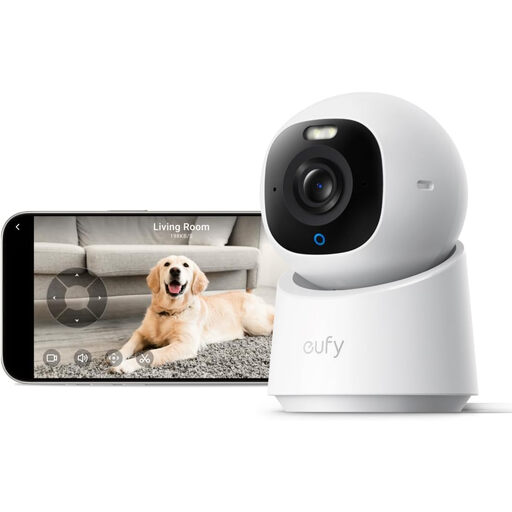
Why this fits the profile: For anyone who values high image resolution, wide coverage, and smart detection features, this model is a targeted choice for indoor spaces.
The product description mentions local storage via an SD card and use without mandatory monthly fees. Note: the card is sold separately and HomeKit supports a maximum of 1080p according to the listing.
4K UHD, 360° pan and tilt, automatic recognition and tracking of people and pets, plus colour night vision according to the product information.
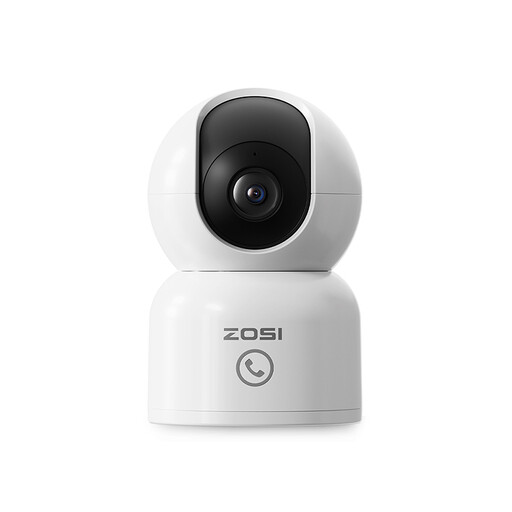
Why this fits the profile: This model is aimed at families and pet owners looking for a baby monitor with camera or pet camera with automatic tracking and remote access.
The product listing mentions privacy zones and local storage up to 256 GB. This lets you exclude sensitive parts of the room and decide for yourself where recordings are kept.
2.5K/4MP image according to the product information, 360° tracking, night vision up to 10 metres, app control, and two-way audio.
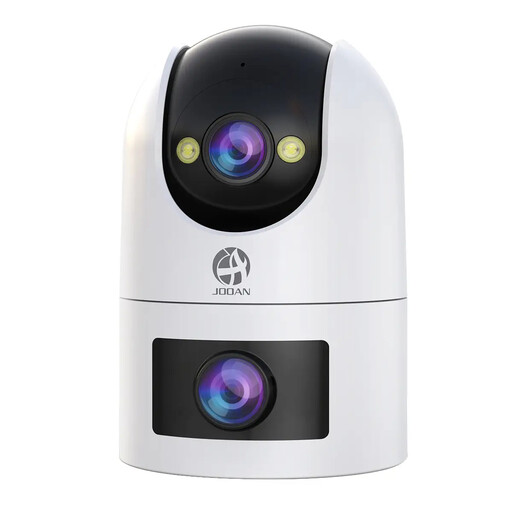
Why this fits the profile: The dual lens is interesting for anyone who wants a fixed overview and a movable viewing direction at the same time, for example in a larger living space.
According to the product description, the camera combines a fixed lens and a PTZ lens. Local storage and cloud storage are also possible; cloud use is not free.
Support for 2.4 and 5 GHz Wi-Fi, two-way audio, motion and sound detection, night vision modes, and microSD storage up to 256 GB.
Place the camera on a stable surface or fix it carefully to the wall. Avoid damp rooms, direct water, and cables that children can reach. Only point the lens at areas you have a legitimate reason to film.
Inform housemates, babysitters, or visitors when they are being recorded on a regular basis. Use privacy zones or a privacy mode for areas that don’t need to be in shot, such as a changing area. Also check that the camera doesn’t unnecessarily film the public highway or your neighbours’ home.
We’ve put together a full, up-to-date list of products that fully meet these strict selection criteria and comply with current European safety regulations.
For live viewing and remote notifications, an internet connection is usually required. Some models can record locally on a microSD card. Exactly how it works without the internet varies by brand and app, so check this in the product information.
The purchase price depends on resolution, pan/tilt range, storage, and smart features. With local storage, you may only pay for the camera and a separate memory card. Cloud storage, longer recording history, or additional features can involve recurring costs.
The lifespan depends on continuous use, heat, power supply, firmware, and the quality of the adapter. Choose a dry spot, use the supplied or approved power supply, and regularly check for software updates. A camera that records 24 hours a day puts more strain on storage and the power supply than a model that only activates on motion.
