
Vandaag of morgen in huis

Kwaliteit gegarandeerd

Welkomstaanbiedingen ontgrendelen: GRATIS bezorging | Tot 80% korting | Gratis 30 dagen JoyPlus-proefperiode
Download de app
An indoor security camera lets you keep an eye on your home, office or retail space remotely. However, the difference between a camera that remains useful day after day and one that quickly disappoints isn’t always obvious from the product photo. Pay particular attention to Wi-Fi range, storage and detection features.
A 4K camera can capture more image detail than a 1080p model, but only if the lens, lighting and Wi-Fi connection can handle it properly. In low light, a lower resolution with good night vision can be more practical than a high resolution that suffers from noise or lag.
So don’t focus solely on the number of pixels. Also check:
A camera with motion detection doesn’t always react only to people. Pets, shadows, passing cars or changing light conditions can trigger notifications. With a camera that offers person detection or pet detection, it’s important to check whether these features work locally on the device, are set up via the app, or depend on a cloud service.
According to the product specifications of some models, detection zones and notification settings can be adjusted. How well they work in practice depends on placement, lighting and your network connection.
A security camera without a subscription can be appealing, but first check which features are available without a subscription. Sometimes live viewing and microSD storage are included, while longer cloud storage or advanced notification features cost extra.
A security camera with local storage usually uses a microSD card, which often needs to be bought separately. Check the maximum capacity and whether a card is actually included.
A fixed camera only looks in one direction. In a living room, hallway or retail space, a 360-degree camera with pan and tilt can capture more of the room. Pay attention to the difference between:
A wide field of view doesn’t automatically eliminate all blind spots. A cupboard, wall or high-mounted object can still block the view.
A security camera with night vision often lists a range in metres. This is a technical indication; the actual visibility depends on the room, reflective surfaces and existing lighting. Infrared night vision typically produces a black-and-white image. Some models also use a built-in spotlight for colour images in low light.
Don’t place a camera directly opposite a window or lamp. Backlighting can make faces and details less clear.
A Wi-Fi security camera usually works on 2.4 GHz; some models also support 5 GHz. 2.4 GHz generally offers greater range, while 5 GHz can provide a fast connection over shorter distances with a compatible router. Check whether the camera works with your network and whether installation is done only through a specific app.
Most indoor cameras run on a mains adapter and are therefore not fully wireless. Place the cable safely out of reach of young children and pets. Update the app and firmware regularly and change the default password immediately after installation.
With a camera that uses local storage, footage is saved on a memory card. This can reduce your reliance on cloud storage. A cloud option can be handy for remote access, but check the terms and any subscription costs.
Only point the camera at areas where you have permission. Do not film bathrooms, other people’s bedrooms or neighbours’ property. Inform housemates, employees or visitors where necessary and be mindful of GDPR and the rules around camera surveillance.

Why it fits the profile: A straightforward choice if you want 1080p video, app control and basic features without needing a more advanced model straight away.
The product specification mentions local microSD storage up to 128 GB, so you don’t have to rely solely on a paid cloud service.
1080p resolution, 360° horizontal movement, infrared night vision up to 9 metres and two-way audio according to the product information.
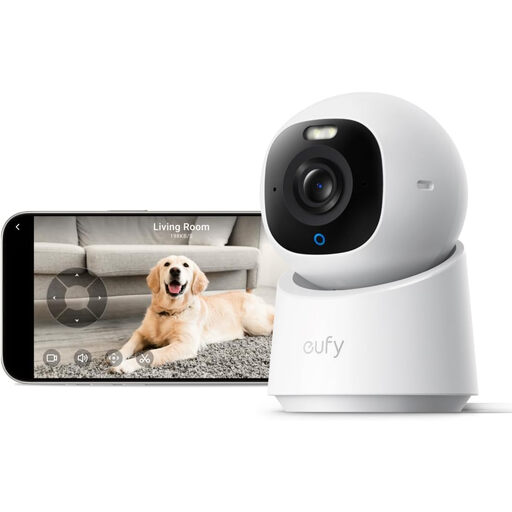
Why it fits the profile: Ideal if you place a high value on excellent image resolution, wide coverage and automatic recognition features.
According to the product description, this model supports local storage via a separately available SD card and features are available without a monthly subscription.
4K UHD, 360° pan and tilt, colour night vision, two-way audio and, according to the product specification, detection of people and pets.
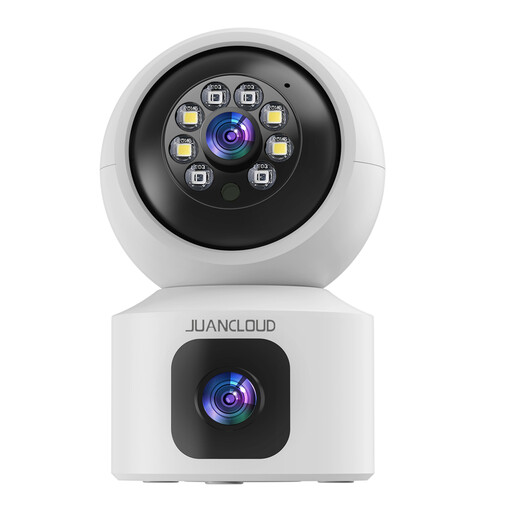
Why it fits the profile: Handy if you want to monitor one room broadly, such as a living room, nursery, office or a room with pets.
The dual lens is designed to combine a fixed view with a moving view. This means you don’t have to install two separate cameras straight away.
According to the product data, the model offers 2K video, night vision, two-way audio, dual-band Wi-Fi and local SD storage alongside an optional cloud option.
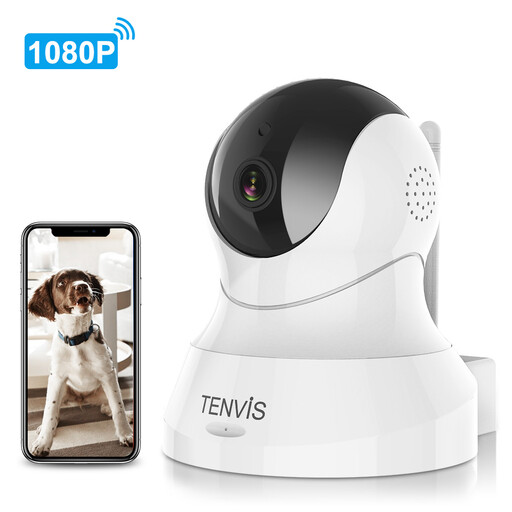
Why it fits the profile: A practical option if you’re looking for a baby monitor with a camera, a pet camera or simple surveillance of a small space.
The stated pan and tilt ranges make it clear how much the camera can move. That’s more concrete than just a general claim about wide coverage.
1080p video, 355° horizontal and 120° vertical movement, motion alerts, night vision and a camera with two-way audio according to the product information.
We’ve put together a full, up-to-date list of products that fully meet these strict selection criteria and comply with current European safety regulations.
For live viewing and remote notifications, a Wi-Fi or internet connection is usually required. Some models can store footage locally on a microSD card. The camera can then continue recording when the cloud connection is temporarily unavailable, but app features may be limited.
The lifespan depends on continuous use, heat, dust, power supply and software support. Use the supplied adapter, ensure adequate ventilation and don’t place an indoor model in a damp room. Check for firmware updates regularly and replace a damaged cable immediately.
Monthly costs can be zero if you choose local storage and use the basic features without a subscription. Cloud storage, longer video history or additional smart features may require a paid subscription, depending on the provider. Check the current product terms before you buy.
