
Vandaag of morgen in huis

Kwaliteit gegarandeerd

Welkomstaanbiedingen ontgrendelen: GRATIS bezorging | Tot 80% korting | Gratis 30 dagen JoyPlus-proefperiode
Download de app
Peace of mind is priceless. Whether you're at work and want to check if the dog isn't destroying the sofa, on holiday and need to keep an eye on your home, or simply want to see if the baby is sleeping soundly. An indoor security camera is a simple way to get that reassurance. But the market is flooded with options, specifications, and subscriptions.
This article is designed to be a practical guide. We'll skip the marketing jargon and focus on what truly matters. We'll help you understand the features you actually need, so you can choose a camera that fits your specific situation, whether you're looking for a pet camera, a baby monitor with a camera, or a general Wi-Fi camera for your living room.
Before we look at specific models, it's helpful to know which features make a real difference. Here are three key points to consider.
A camera's resolution determines how sharp the image is. For most situations, Full HD (1080p) is sufficient to recognise faces or details. Models with a higher resolution, such as 2K or 4K, offer even more detail, which can be useful for zooming in on specific events.
Just as important is a good camera with night vision. Most cameras use infrared (IR) LEDs to provide a clear black-and-white image in the dark. Some more advanced models even offer colour night vision, often with the help of a built-in spotlight.
A static camera has a fixed viewing angle. This can be perfectly fine for a small room or a specific entryway. However, if you want to monitor an entire room, a pan-tilt camera is a practical choice. These cameras can be remotely rotated (pan) and tilted (tilt), giving you a 360-degree camera experience. This allows you to survey an entire living room or playroom with a single camera, saving on costs and installation time.
How and where is your footage stored? Many brands offer cloud storage, often for a monthly fee. A popular alternative is local storage via a microSD card. You make a one-time purchase of a card, and the footage is saved directly on the camera. This gives you complete control over your data and helps you avoid subscription fees.
Additionally, a user-friendly camera with an app is essential. Through the app on your smartphone, you can view live footage, receive motion alerts, and communicate via two-way audio. Check that the app is well-designed and offers the features that are important to you.
Based on the criteria above, we have selected a few popular choices with different features for you.
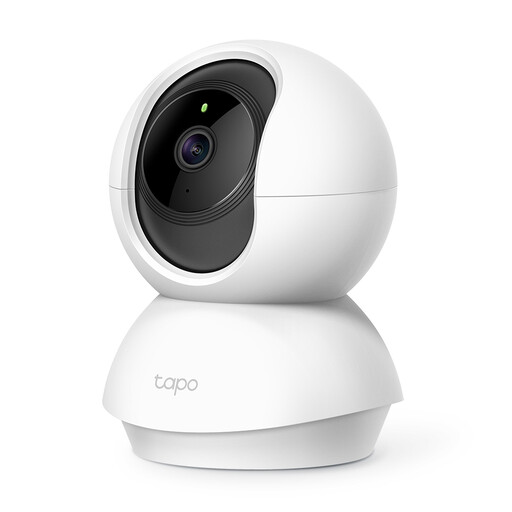
Why this model stands out: The Tapo C210 is a versatile and accessible choice that offers a lot of functionality for its price. It's a reliable all-rounder that combines the most important features: a rotating lens, clear video, and the option for local storage.
Pros:
Who is this a good choice for? This is an excellent entry-level camera for anyone looking for a reliable and affordable solution. It's ideal for monitoring a living room, a children's playroom, or if you want to start with home security without a large initial investment.
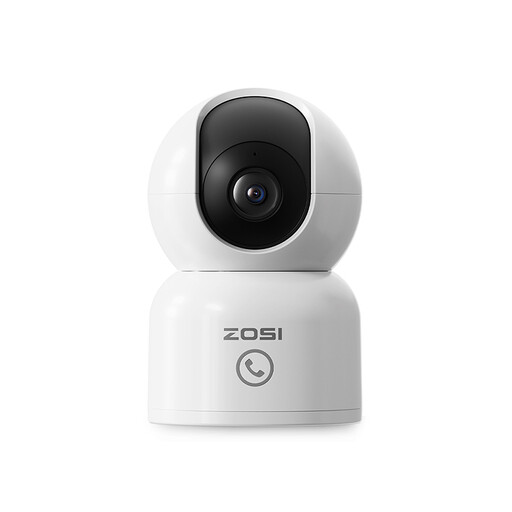
Why this model stands out: The ZOSI camera distinguishes itself with smart features specifically aimed at families and pet owners. The "One-Touch Call" button is a unique addition that enables direct communication from the camera to the app.
Pros:
Who is this a good choice for? Perfect for parents who want to use the camera as an advanced baby monitor with a camera, or for pet owners who want to use their pet camera to see what their furry friend is up to. It's also highly suitable for caregivers thanks to the simple call function.
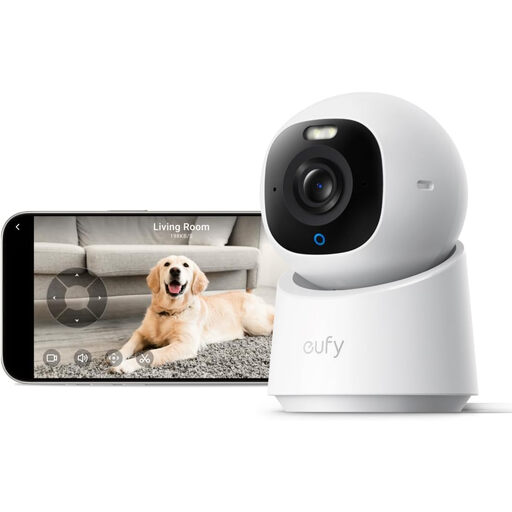
Why this model stands out: The eufy E30 is aimed at users who demand the highest image quality and advanced smart features. Its 4K Ultra HD resolution and colour night vision provide exceptionally detailed video, day and night.
Pros:
Who is this a good choice for? For the tech enthusiast who demands the best image quality and values smart, privacy-friendly features. It's also a great option for users who are already invested in a smart home ecosystem like Apple HomeKit.
The models above are popular choices, but perhaps you're looking for something slightly different. Maybe a more compact model, a battery-powered camera, or a specific bundle. For a broader overview of all available options, you can browse our full collection.
Explore our full range here: indoor security camera content.
No, it's not always necessary. Many cameras, including the models mentioned above, offer the option for local storage on a microSD card. This allows you to avoid monthly subscription fees. A subscription is often an optional extra for features like long-term cloud storage or more advanced AI notifications.
A pan-tilt camera has built-in motors that allow the lens to move horizontally (pan) and vertically (tilt). You control this movement via the app on your phone. This enables you to look around a room live or follow a moving object without having to physically reposition the camera.
Yes, most modern Wi-Fi cameras are designed for easy installation. Typically, you follow these steps: plug the camera into a power outlet, download the corresponding app on your smartphone, and follow the on-screen instructions to connect the camera to your Wi-Fi network. This process usually takes no more than a few minutes.
Joybuy Product Recommendation Officer
