
Vandaag of morgen in huis

Kwaliteit gegarandeerd

Welkomstaanbiedingen ontgrendelen: GRATIS bezorging | Tot 80% korting | Gratis 30 dagen JoyPlus-proefperiode
Download de app
Keeping an eye on things has never been easier. Whether you want to check if the dog is on the sofa, ensure the baby is sleeping soundly, or simply secure your home when you're away, an indoor security camera provides peace of mind. However, the selection is vast, and the specifications can be overwhelming.
That's why we at Joybuy have compiled the most relevant information for you. In this article, we'll help you understand the features that truly matter, so you can find a model that fits your needs and budget, without any unnecessary frills.
Before making a choice, it's wise to consider a few key features. These will determine how well the camera works for you in practice.
The resolution determines how sharp the image is. Full HD (1080p) is sufficient for most situations to recognise faces or details. Some models offer a higher 2K or 3MP resolution for even sharper images. Just as important is night vision. Infrared LEDs ensure the camera can record clear black-and-white images even in a completely dark room. Pay attention to the distance the night vision can cover; for an average living room, 8 to 10 metres is often enough.
A standard camera has a fixed viewing angle. This can be perfectly fine for a small space or a specific entryway. However, if you want to survey an entire room without blind spots, a pan-tilt camera is a better choice. You can remotely rotate (pan) and tilt it via the app. Such a 360-degree camera offers maximum flexibility, whether you use it as a pet camera or to monitor a larger living area.
Footage needs to be stored somewhere. This can be done in two ways: in the cloud (often with a paid subscription) or locally on a microSD card. Many people prefer a security camera without a subscription. With local storage on an SD card, you have no monthly fees, and your footage remains private and under your control. Most cameras automatically overwrite the oldest footage when the card is full.
Based on the criteria above, we have selected a few models that are popular for their functionality and value for money.

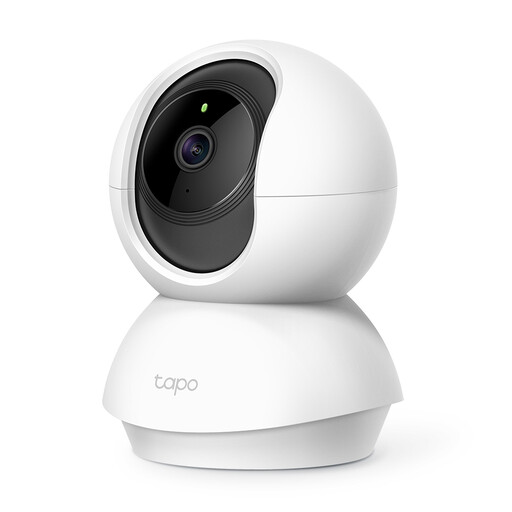
TP-Link Tapo C200 Spherical Indoor IP Security Camera
Why it stands out: The Tapo C200 is a versatile all-rounder that offers many features at an accessible price. The combination of a 360-degree rotational range and Full HD image quality makes it a solid starting point for anyone looking for a reliable indoor Wi-Fi camera.
Pros:
Who is it for? Ideal for users seeking an affordable and complete solution. Perfect as a baby monitor with a camera and app or for keeping an eye on pets, thanks to its pan/tilt function.
TP-Link Tapo C210 Dome IP Indoor Security Camera
Why it stands out: The Tapo C210 builds on the C200 with a key upgrade: a higher image resolution. The 3MP sensor provides sharper and more detailed images, which can be useful when zooming in.
Pros:
Who is it for? For those who want that little bit of extra detail in the image, for example, for monitoring a retail space or a larger living room where zooming in is useful.
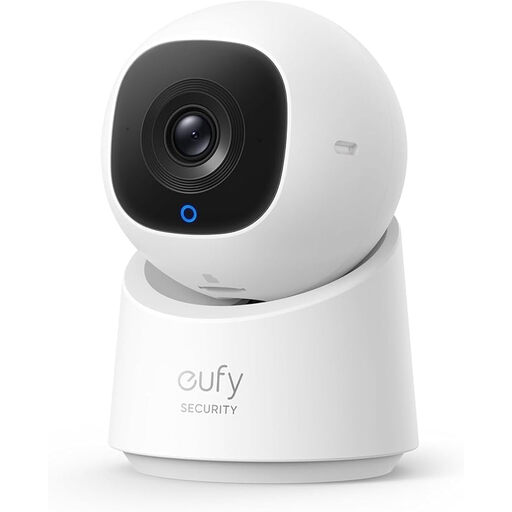
eufy Security Indoor CAM C220 2K Smart Security Camera
Why it stands out: This smart indoor camera from eufy combines a very sharp 2K resolution with smart AI features. The camera can recognise and automatically track people, making it a step more advanced than standard models.
Pros:
Who is it for? For users looking for the latest technology who see the added value in smart features like person detection and auto-tracking. Ideal for securing a space with a lot of movement.
The models mentioned above are designed for ease of use and are powered via an adapter. This means you need to place them near a power outlet. Are you looking for a camera that you can place anywhere, without worrying about cables? Then a battery-powered model might be a better option.
Discover our selection of the best battery-powered security cameras for complete wireless flexibility.
Is a subscription-free indoor security camera possible? Yes, absolutely. All the models mentioned above support local storage via a microSD card. This means you can record and review all footage without any monthly subscription fees. You simply purchase an SD card once and insert it into the camera.
What is the difference between an IP camera and an indoor Wi-Fi camera? These terms are often used interchangeably. An indoor IP camera is a camera that transmits images over a network (Internet Protocol). An indoor Wi-Fi camera is an IP camera that connects wirelessly to your Wi-Fi network. Therefore, most modern consumer indoor cameras are both.
How do you install an indoor camera with an app? The installation is typically very straightforward. You plug the camera into a power outlet, download the manufacturer's corresponding app (like the Tapo or eufy app) on your smartphone, and follow the steps in the app. Usually, the app scans a QR code on the camera, and you connect to your Wi-Fi network. The camera will be ready to use within minutes.
