
Vandaag of morgen in huis

Kwaliteit gegarandeerd

Welkomstaanbiedingen ontgrendelen: GRATIS bezorging | Tot 80% korting | Gratis 30 dagen JoyPlus-proefperiode
Download de app
Keeping an eye on things when you're not home provides peace of mind. Whether you want to check if your pet is tearing up the sofa, see if the children are sleeping soundly, or simply secure your home, an indoor security camera is a simple and affordable solution. However, the market is flooded with options, specifications, and marketing jargon.
As a Joybuy Product Recommendation Officer, my job is to help you make an informed choice. In this article, we'll highlight the most important features and present a selection of popular models based on their specifications and capabilities.
Before making a choice, it's helpful to understand a few key specifications. This will help you determine which indoor camera is right for your situation.
Resolution determines how sharp the image is. Full HD (1080p) is sufficient for most indoor situations. However, if you want to zoom in on details without significant loss of quality, a camera with 2K or 4K resolution is worth considering.
A good camera with night vision is just as important. Most models use infrared LEDs to provide a clear black-and-white image even in complete darkness. Some more advanced cameras even offer colour night vision.
Footage needs to be stored somewhere. There are two common methods:
Many cameras offer both options, allowing you to choose for yourself.
A static camera has a fixed viewing angle. A pan-and-tilt security camera can be remotely rotated and tilted, allowing you to survey an entire room. Some models offer a full 360-degree camera view.
Modern smart cameras go beyond simple motion detection. They can distinguish between people, pets, and other movements. Features like automatic tracking follow a moving object, which is useful if you're using a pet camera or keeping an eye on the kids. Integration with a security camera with an app and smart home platforms like Google Home or Alexa makes operation even easier.
Below is a selection of cameras that stand out for their specifications and features.

Why it stands out: The TP-Link Tapo C200 is a popular indoor Wi-Fi camera due to its excellent balance of price and functionality. With a 360-degree horizontal range and a sharp 1080p resolution, it provides a complete view of any room. The two-way audio allows you to communicate with anyone at home.
Pros:
Who is it for?: This model is an excellent starting point for anyone looking for a reliable and affordable indoor camera. Ideal for student rooms, apartments, or as a simple baby or pet monitor.
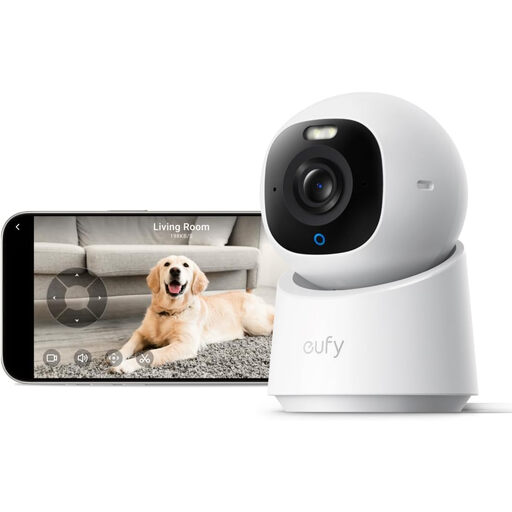
Why it stands out: The eufy Indoor Cam E30 takes image quality to the next level with its 4K UHD resolution. According to the manufacturer, Anker, the built-in AI ensures accurate detection and automatic tracking of people and pets. The integrated spotlight even enables colour night vision.
Pros:
Who is it for?: This smart home camera is aimed at the tech enthusiast who desires the highest image quality and advanced tracking features. It's also well-suited for larger spaces where zooming without quality loss is important.
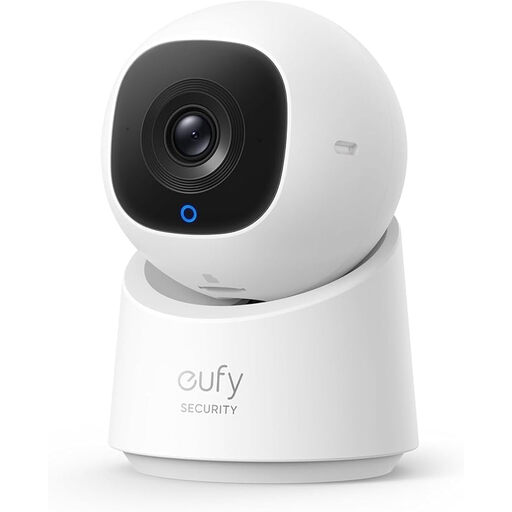
Why it stands out: The eufy C220 offers a great balance between standard Full HD and premium 4K models. With 2K resolution, it delivers sharper images than 1080p, which helps in identifying details. Like the E30, it features AI detection and 360° coverage. A handy addition is the privacy mode, which physically retracts the lens with the press of a button.
Pros:
Who is it for?: This is a solid all-rounder for most households. A great choice for parents who want reliable person detection, or for anyone seeking better-than-Full-HD image quality without paying a premium price.
The models above are powered by a mains adapter. Are you looking for a camera you can place anywhere without worrying about a power outlet? A battery-powered model offers more flexibility.
Check out our full range of battery-powered night vision security cameras for more options that suit your specific needs.
A camera without a subscription is a model that supports local storage. All three recommended cameras (TP-Link Tapo C200, eufy E30, and eufy C220) offer the option to save footage to a microSD card. You make a one-time purchase for the card and have no recurring fees for video storage thereafter.
Yes, you are allowed to place a camera in your own home for personal purposes. However, it is important to respect the privacy of others, such as housemates, guests, or cleaning staff. Ensure the camera does not film public roads or a neighbour's property. Features like the privacy mode on the eufy C220, where the lens physically retracts, help to ensure privacy when you are at home.
An indoor Wi-Fi camera, also known as an IP camera, connects to your home's wireless network. This allows you to watch live footage, review recordings, and receive notifications via a dedicated security camera with an app on your smartphone, wherever you are. Installation is typically straightforward: you plug the camera into a power outlet, follow the steps in the app to connect it to your Wi-Fi, and it's ready to use.
