
Vandaag of morgen in huis

Kwaliteit gegarandeerd

Welkomstaanbiedingen ontgrendelen: GRATIS bezorging | Tot 80% korting | Gratis 30 dagen JoyPlus-proefperiode
Download de app
Keeping an eye on things has never been easier. Whether you want to check if your baby is sleeping soundly, make sure your pet isn't getting into mischief, or simply want a greater sense of security at home, an indoor security camera is the perfect solution. However, the market is vast, and the specifications can be overwhelming.
As a Joybuy Product Recommendation Officer, I'm here to help you get started. In this article, I'll filter the information and provide practical guidance to help you find a model that fits your needs, without getting lost in marketing jargon.
Before we look at specific models, it's important to know which features really matter. Here are three key points to help you make your choice.
The resolution determines how sharp and detailed the image is. A higher resolution, like that of a 4K security camera, allows you to zoom in further without significant loss of quality. This is useful for recognising a face or seeing exactly what's happening in the background. Also, pay attention to the quality of the night vision. Good infrared night vision ensures you have clear images even in a completely dark room.
Modern cameras are more than just a lens. A camera with motion detection sends you a notification via an app as soon as there is activity. More advanced models use AI to distinguish between people, pets, and other movements. Want to see an entire room? Then opt for a 360-degree camera. It can pan and tilt (Pan-Tilt-Zoom or PTZ), ensuring you don't miss a single corner. All these functions are typically controlled via a smart camera with an app on your smartphone.
An indoor Wi-Fi camera connects wirelessly to your home network, which makes installation a breeze. Technically, this is also an indoor IP camera, as it transmits images via the Internet Protocol (IP). A key consideration is the storage of your footage. Many cameras offer the option to store recordings locally on an SD card. This means you have no subscription fees. Cloud storage is an alternative where your footage is securely stored on an external server, often for a monthly fee.
Based on functionality and ease of use, we've highlighted a few interesting models for you.
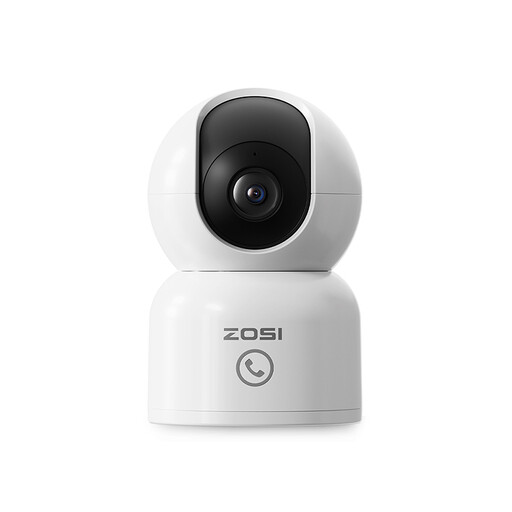
Why This Model Stands Out The ZOSI camera distinguishes itself with a unique "One-Touch Call" button. This allows children or elderly people at home to send a call notification to your phone with a single press. This makes it more than just a security camera; it's a communication device.
Key Features
Who Is It For? Ideal for families looking for an affordable and versatile solution. The camera functions excellently as a baby monitor or a pet camera, with the added benefit of the convenient call feature.
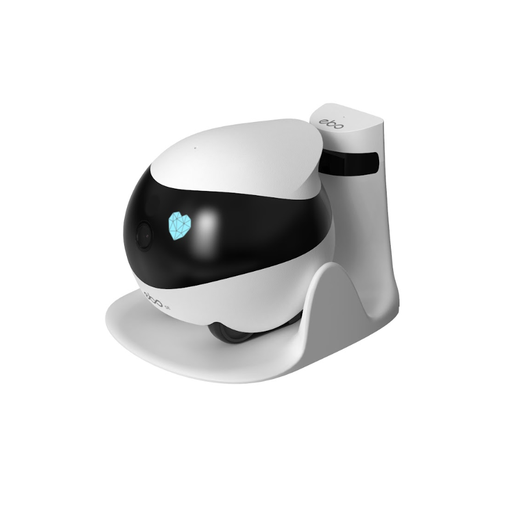
Why This Model Stands Out This isn't a standard camera, but a roving robot. You can remotely control the ENABOT SE throughout your house. The automatic patrol function lets it make its rounds independently, and it automatically returns to its charging station.
Key Features
Who Is It For? Perfect for the pet owner who wants to interact with their animal, or for the tech enthusiast looking for an innovative way to secure their home.
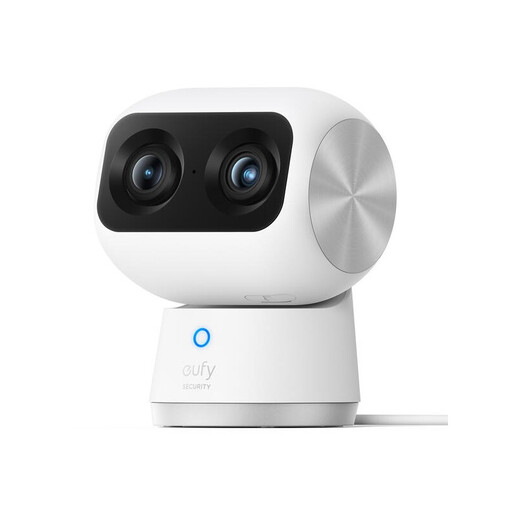
Why This Model Stands Out The eufy S350 sets a high bar with its dual cameras. A wide-angle lens and a telephoto lens work together to provide 4K UHD resolution and 8x hybrid zoom. This ensures exceptionally sharp images, even when you're fully zoomed in.
Key Features
Who Is It For? For users who make image quality their top priority. If you want to see details from afar in a large living room or use the camera as an advanced baby monitor, this is a strong contender.
If you haven't found the perfect model here, or if you're specifically looking for a camera to keep an eye on your dog or cat, there are many more options available to suit different situations and budgets.
Check out our full range of Smart Pet Cameras and find the perfect match for your home.
What's the difference between an IP camera and a Wi-Fi camera? In practice, these terms are often used interchangeably. An IP camera is any camera that transmits images over a network (Internet Protocol). An indoor Wi-Fi camera is a type of IP camera that connects wirelessly to your network. Virtually all modern consumer cameras for indoor use are Wi-Fi IP cameras.
Do I need a subscription for an indoor security camera? Not necessarily. Many cameras, including the models mentioned above, offer the option for local storage on an SD card. This allows you to avoid monthly subscription fees. Cloud storage is an optional service that offers extra convenience and backup capabilities but is usually not required for basic functionality.
Can a security camera also be used as a baby monitor? Yes, definitely. Many indoor cameras are very well-suited to be used as a baby monitor. Look for features like clear night vision, two-way audio (to soothe your baby), and app notifications for sound or motion. The image quality and reliability of a modern security camera often surpass those of a traditional baby monitor.
