What should you look for when buying?
For recorded lectures in a quiet library, a good seal, wearing comfort and compatibility with your device each matter in their own way.
The percentages below show the relative importance of each purchase priority for consumers choosing in-ear monitors for this listening task.
| What to consider |
What to look for |
Who is this important for? |
| Following speech |
Try the eartips with a speech recording at a moderate volume. Treat isolation figures as manufacturer claims, not as results that apply to every fit. |
I want to follow what’s being said without turning up the volume whenever a recording sounds quiet. Around 28% of consumers put speech intelligibility and a good seal first. |
| Comfort during long sessions |
Check which sizes and materials are included with the exact version, then try the fit during a listening session that reflects how you’ll use them. |
When listening to several lectures in a row, I want eartips that stay comfortable and create a good seal. Around 22% of consumers put wearing comfort ahead of other purchase priorities. |
| Listening volume |
Start quietly and turn the volume up only if needed to follow the recording. Use any volume warnings or listening data available on your device. |
I want to be able to manage my listening volume and duration, even when studying for a long time. Around 17% of consumers put managing their listening exposure first. |
| Connection |
Compare the plug on the version you’re considering with the port on your laptop, phone or player. Check whether you’ll need an adapter. |
I want to connect my in-ear headphones directly to the device I use to play lectures. Around 17% of consumers prioritise compatibility with their own device. |
| Parts and returns policy |
Look for a replacement cable using the full model name and connector. Before opening any seal, read the applicable returns policy. |
If I use my headphones regularly, I want to know whether I can replace worn eartips or a damaged cable with compatible parts. Around 16% of consumers prioritise maintenance and replaceability. |
Products at Joybuy
This selection includes wired earphones with USB-C or 3.5 mm connections, as well as wireless in-ear headphones. Check which connection is compatible with your playback device for each model.
 No image available
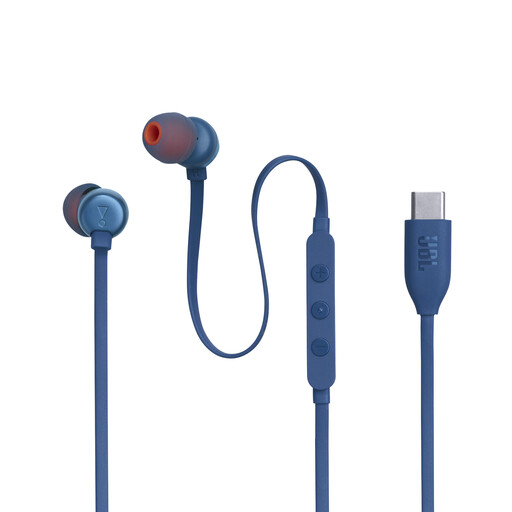
JBL Tune 310C wired in-ear headphones, blue
A wired option if you’re looking for a USB-C connection and a choice of eartip sizes. Check that your device supports USB-C audio.
The product description lists silicone eartips in three sizes, a microphone and three-button controls, including EQ options.
Joybuy
 No image available
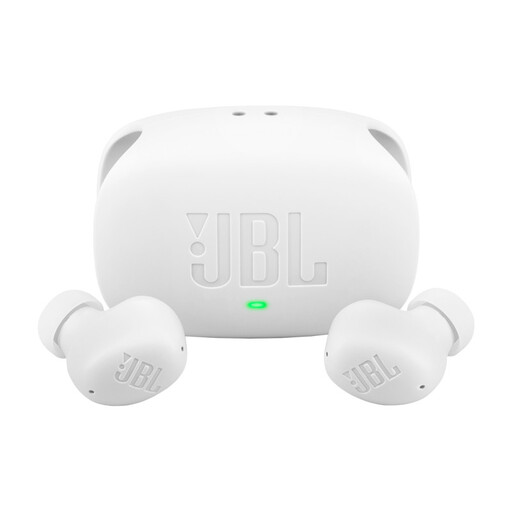
JBL Wave Buds 2, white
A wireless option if you want to switch between two devices; you’ll need a Bluetooth device to use them.
The product description lists multipoint, active noise cancelling and Smart Ambient. These features don’t guarantee clearer lecture recordings; the stated maximum playback time is 40 hours with ANC off.
Joybuy
 No image available
Samsung Galaxy Buds4 Pro True Wireless, black
A wireless option if you want to adjust sound settings; check that your playback device supports Bluetooth.
The product description lists ANC and an adjustable 9-band equaliser. The stated playback time is up to 7 hours without ANC; these features aren’t an independent assessment of speech intelligibility.
Joybuy
 No image available
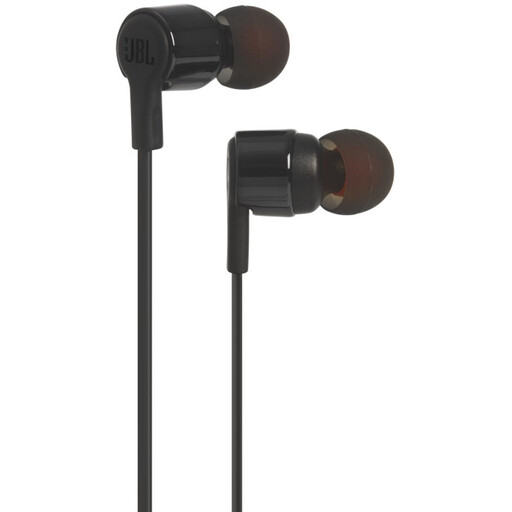
JBL Tune 210 wired in-ear headphones
A wired option if your player has a compatible 3.5 mm connection and you want to try different fits.
The product description lists several eartip sizes, a microphone and 8.7 mm drivers.
Joybuy
 No image available
Bose Noise Cancelling Wired Earbuds, black
A wired option with USB-C if your playback device has a compatible connection; check in advance that it supports USB-C audio.
The product description lists noise cancelling, a microphone and in-line controls, along with three sizes of eartips and two sizes of stability bands. These features don’t guarantee a personal fit or better speech intelligibility.
Joybuy
Frequently asked questions
How can you start listening to a long recorded lecture safely?
Start at a low volume and turn it up only as much as you need to follow the recording. The World Health Organization highlights the importance of sound levels, listening duration and repeated exposure. VeiligheidNL says a good fit can help you avoid turning up the volume to drown out background noise.
How should you maintain the eartips and cable?
Follow the cleaning instructions for the exact model and search for replacement parts using the model name and connector. A detachable cable won’t necessarily fit every connection; FiiO, for example, lists incompatible versions with a 0.78 mm 2-pin connector.
Can you always return in-ear headphones bought online after trying them on?
Don’t assume you can try them out as much as you like. When you buy from a business at a distance in the Netherlands, you generally have a 14-day cooling-off period, but exceptions may apply. The Dutch government outlines the general rules; check the terms for the specific product and seller before opening any seal.
Who should you contact about a faulty product?
Report the problem to the seller. According to the Dutch government, the seller can’t simply refer you to the manufacturer.
Which Dutch product regulations are relevant to in-ear monitors?
The applicable product regulations depend on the version. The Dutch Ondernemersplein says the Radio Equipment Directive is relevant to devices that use Bluetooth, among other things; don’t apply this Bluetooth-specific conclusion to every wired-only monitor. Check the conformity information for the exact version.


