What should you look for when choosing?
First decide how much isolation suits your working environment, then consider the fit and connection you need. More isolation can also reduce the sound of conversations outside the recording, while a less isolating listening style lets more office noise through.
| What to consider |
What should you check? |
Who should pay particular attention? |
| Speech clarity |
Try different ear tips and listen to a familiar speech recording at a comfortable volume. |
If I want to follow a lecture while colleagues are talking, speech clarity comes first; around 36% of consumers put this concern top of their list. |
| Fit for long listening sessions |
Check which ear tip sizes are included and try the wearing style that suits you. |
If I listen at my desk for a long time, I want to be able to find a comfortable fit; around 29% of consumers make fit their top priority. |
| Connection and cable |
Check the audio connection on your device and the exact connector on any replacement cable. |
If I want to use a wired set with my own device, the connection needs to be compatible; around 21% of consumers put connection and cable replacement first. |
| Keeping in touch with colleagues |
Decide whether you need to stay available while listening; consider taking breaks or choosing a less isolating option. |
If I need to keep noticing alerts or colleagues, staying available matters; around 14% of consumers make this their main concern. |
Joybuy products
These wired in-ear headphones from Joybuy are selected for listening at your desk. Above all, check that the connection is compatible with your audio source.
 No image available
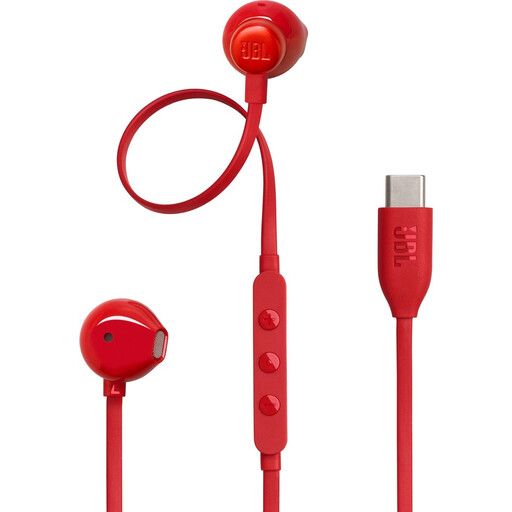
JBL Tune 305C wired USB-C earphones, red
An option if you use a compatible USB-C audio source and want to adjust the sound for speech.
The product information lists a vocal EQ preset, microphone and in-line controls. Check whether your device supports USB-C audio.
View at Joybuy
 No image available
Bose Noise Cancelling Wired Earbuds, black
A wired USB-C option to consider if you’re looking for a model with a stated noise-cancelling feature.
The product information lists an in-line microphone and controls, three sizes of ear tips and two sizes of stability wings. Check compatibility with your USB-C audio source.
View at Joybuy
 No image available
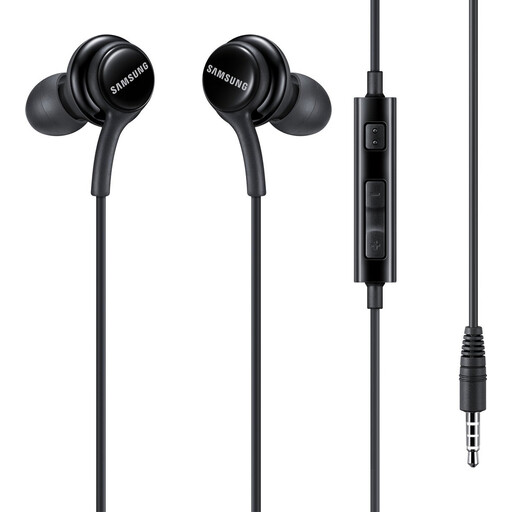
Samsung EO-IA500 in-ear headset with 3.5 mm connection, black
A wired option if your device has a 3.5 mm audio connection.
The product information lists use for calls and an ergonomic fit for longer listening sessions. Check whether your device has a 3.5 mm connection.
View at Joybuy
 No image available
Samsung EO-IC100 wired USB-C in-ear headset, black
A wired option to consider if your device supports compatible USB-C audio.
The product information lists a built-in DAC and several sizes of ear tips. Check that your USB-C source is compatible with audio.
View at Joybuy
 No image available
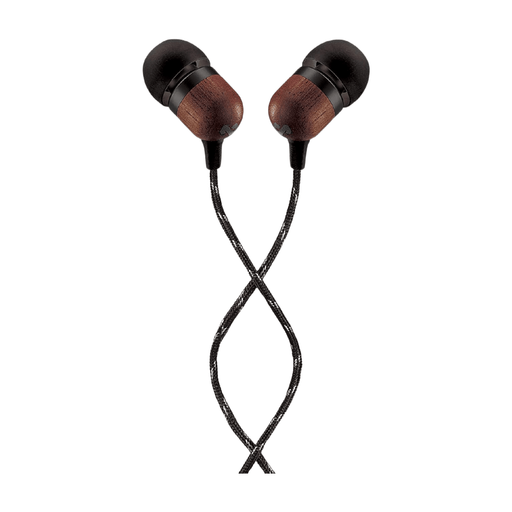
House of Marley Smile Jamaica wired USB-C earphones, black
A wired in-ear option if your audio source supports USB-C audio.
The product name lists a 9.2 mm driver, built-in microphone and tangle-resistant cable. Check the connection on your playback source.
View at Joybuy
Frequently asked questions
Should you turn up the volume if colleagues talk over the lecture?
Not automatically. First try a better-fitting set of ear tips, a different listening spot or a break. Thuisarts advises keeping the volume through earphones at a sensible level and using a volume limiter; a stated noise-reduction rating doesn’t predict what your ears will experience.
How should you fit and care for an in-ear monitor?
Follow the instructions for the exact model and try the supplied ear tips to find a comfortable seal. Check the ear tips and earphones for dirt and follow the model-specific care instructions; don’t force a fit that feels uncomfortable.
What should you do if a cable breaks?
First check whether a replacement cable with the correct connection for your model is available, as the models discussed don’t all use the same connector. If a product is faulty, contact the seller about your statutory guarantee; the Dutch government states that there is no fixed statutory guarantee period that applies to every product in the Netherlands.
Can you use an in-ear monitor instead of the hearing protection required at work?
Don’t assume so: an ordinary in-ear monitor isn’t automatically suitable as hearing protection. Arboportaal states that employers must provide hearing protection when daily exposure exceeds 80 dB(A), and employees must wear it when exposure exceeds 85 dB(A). Shure says its earphones aren’t intended as hearing protection; these limits don’t mean that a busy office automatically exceeds those levels.
Can you always return in-ear monitors bought online after trying them on?
No, that isn’t guaranteed in every case. In many cases, distance purchases come with a 14-day cooling-off period, but there are exceptions. Before buying, check which rules apply to the product and read the seller’s returns information.


