
Singer practising in a noisy home
Practises a backing part while household noise can mask the accompaniment or their own voice. A good seal and a controlled listening volume are therefore important considerations.


Start with in-ears that fit well and connect to your practice setup; then decide whether you need a wireless system. If you want to hear your microphone alongside a backing track, check how both signals reach your headphone mix. Direct monitoring can reduce the delay on your own voice, but it’s no substitute for well-fitting eartips or keeping the listening volume under control.
Practises a backing part while household noise can mask the accompaniment or their own voice. A good seal and a controlled listening volume are therefore important considerations.
Wants to hear their own voice and the accompaniment at the same time. Focusrite describes direct monitoring as a way to send the input signal to the headphone output with virtually no delay.
Weighs the freedom of movement offered by a wireless system against the extra components and Dutch frequency requirements. The Dutch Authority for Digital Infrastructure provides information about frequencies and the conditions for wireless equipment.
Start with fit and connectivity; only add an interface or wireless system if your monitor mix or the freedom of movement you want calls for it.
| What to consider | What should you check? | Who is this important for? |
|---|---|---|
| Background noise and seal | Try the available eartip sizes and check the seal in both ears; start at a low volume. | If household noise drowns out my backing track, I want an eartip that seals well so I don’t have to turn up the volume. Around 29% of consumers put sound isolation first. |
| Your own voice and the accompaniment | Check whether your microphone, playback track and headphone output work together to create a monitor mix, and whether direct monitoring is available. | If I want to hear my own voice and the backing track at the same time, my microphone needs to be included in the same monitor mix. Around 29% of consumers prioritise the monitor mix. |
| Fit during practice | Compare the available eartip sizes and materials, and check whether the earbuds feel secure and comfortable. | If I wear earbuds during a practice session, I want them to stay comfortable. Around 24% of consumers prioritise fit and comfort. |
| Connection and setup | Check which output you’ll be using and which parts of the monitoring chain you already have. | For a fixed practice setup, I want to know whether the earbuds connect to my equipment and what else I need. Around 18% of consumers put the complete setup first. |
A manufacturer’s maximum figure doesn’t tell you how much background noise a particular eartip will actually block for your ears. The World Health Organization points out that both sound level and listening time matter, so turning up the volume to make up for a poor seal isn’t a good solution.
Try different eartips carefully and start at a low volume. Don’t choose solely on the basis of the highest stated dB figure.
Earbuds don’t automatically mix your microphone with the playback track. You need a signal path that sends both to the headphone output.
Before you buy, work out how the microphone and track will reach that output, and check whether your equipment supports direct monitoring.
If your current setup doesn’t have a suitable signal path, you may need an interface, adapter or another component.
A Bluetooth adapter isn’t automatically the same as a system with a transmitter and receiver for microphone monitoring. The components and the signal path for your microphone and backing track may differ.
Check what’s included in the set you choose, and whether your microphone and playback track will reach your earbuds through the intended connection.
You may need a separate transmitter, receiver or suitable signal path; also factor in the extra components you’ll need to connect.
The wired SE215 is worth comparing if you’re looking for a choice of eartips and a replaceable cable.
The wired IE 100 PRO is worth comparing if you’re considering a slim housing and different types of eartip.
According to Mackie, the MP-120 BTA combines MP-120 in-ear monitors with a Bluetooth adapter.
The wired MO240-CK PRO is worth comparing if you’re looking for earbuds to use with an existing interface or monitor output.
These Joybuy options are wired in-ears or wired earbuds for a fixed practice setup. Check each product to make sure its connection matches the headphone output on your equipment.
 No image available
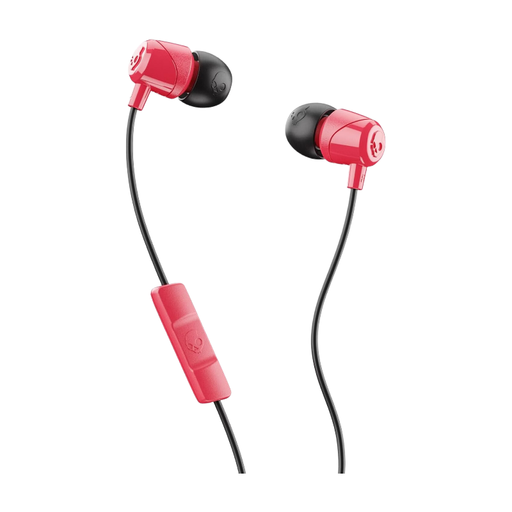
Wired earbuds for a fixed practice setup; check that the connection matches your headphone output.
 No image available
Wired in-ear earbuds for a fixed practice setup; check that the 3.5mm connection is compatible with your equipment.
The product name indicates that it has a microphone.
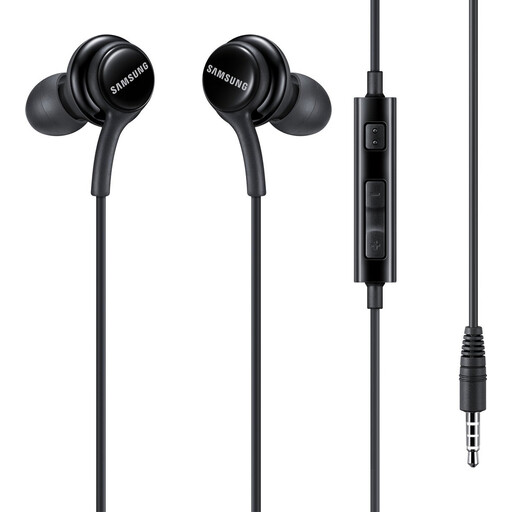 No image available
Wired in-ear headset for a fixed practice setup; check that the AUX connection matches the output on your setup.
 No image available
Wired in-ear earbuds for a fixed practice setup; check that the USB Type-C connection is compatible with the output on your equipment.
The product name indicates that it has USB Type-C.
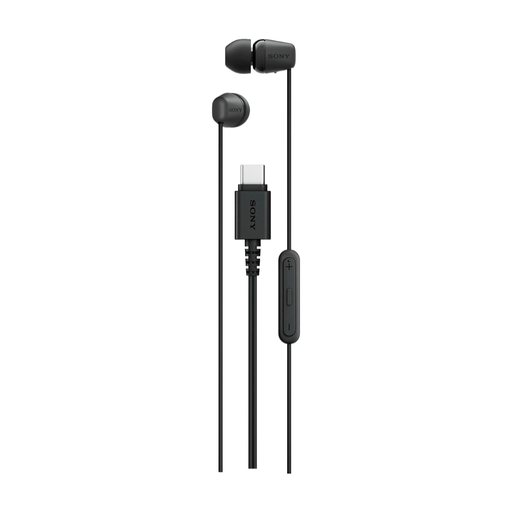 No image available
Wired in-ear earbuds for a fixed practice setup; check that the USB Type-C connection is compatible with the output on your equipment.
The product name indicates that it has USB Type-C.
Not automatically. Your microphone signal needs to be routed to the headphone mix; according to Focusrite, interfaces with direct monitoring can send it alongside the playback track with virtually no delay.
Start with a well-fitting eartip and a low playback volume; don’t turn it up to make up for a poor seal. The World Health Organization stresses that both sound level and listening time matter.
According to the Dutch Authority for Digital Infrastructure, radio IEM systems generally don’t require a licence if you use the correct frequency band and follow the relevant conditions. Check the frequency used by the specific set and the location: not all UHF frequencies are available everywhere, and some bands do require a licence.
If a product is faulty, contact the seller. According to the Dutch government, the seller must resolve the problem or involve the manufacturer.