
Listening in a noisy cabin
You want to follow spoken lessons without constantly turning up the volume, so focus on eartips that create a good seal and make speech easy to understand.


Start with a comfortable fit that makes spoken lessons easy to follow at a comfortable volume; a quoted noise-isolation rating won’t guarantee that. Wired in-ear headphones avoid having a battery in the earbuds, but you’ll need a compatible connection. Wireless in-ears let you listen without a cable, but you’ll need to consider battery life, connectivity and on-board instructions.
You want to follow spoken lessons without constantly turning up the volume, so focus on eartips that create a good seal and make speech easy to understand.
You listen to several lesson sessions and want to try different eartip sizes, so you can get a good seal without compromising on comfort.
You use your own phone or tablet and might also want to use the on-board entertainment system, so check the plugs and any adapters you may need in advance.
Choose this option: if you want to listen without a battery in your earbuds and your audio source has a compatible output.
Bear in mind: the fit determines how well they seal, and a cable can get in the way. Pause your audio to hear announcements and instructions.
Choose this option: if listening without a cable is important to you and the battery life suits your planned listening time.
Bear in mind: you may need a Bluetooth adapter to play audio from the entertainment system. Follow the airline’s rules and the crew’s instructions.
| What to consider | What to look for when buying | Who is this important for? |
|---|---|---|
| Speech clarity | Check which eartip sizes are included and listen to a speech recording at a comfortable volume before you travel. | If you want to follow every word despite cabin noise, focus on the seal and speech clarity. Around 27% of consumers prioritise speech clarity. |
| Comfort | Compare eartip sizes and materials, and try the fit during a longer listening session. | If you want to listen to several lessons without pressure points, the eartips you choose should remain comfortable. Around 27% of consumers prioritise long-term comfort. |
| Connection and listening time | Check your device’s audio output and, if you plan to use the seatback system, check the connection and facilities available on your flight. | If you want to play lessons from a particular source without interruption, the connection and listening time should suit how you plan to use them. Around 20% of consumers prioritise a reliable connection. |
| Spare parts and aftercare | Check the connector on the exact model, compatible replacement eartips and the seller’s warranty information. | If you want to know which parts fit and who to contact if something wears out or goes wrong, look for model-specific parts and aftercare. Around 13% of consumers prioritise ease of maintenance. |
| Volume and awareness of your surroundings | Choose a fit that lets you hear speech at a comfortable volume. Pause your audio for announcements and follow the crew’s instructions. | If you want to listen comfortably without missing on-board instructions, volume and awareness of your surroundings matter. Around 13% of consumers prioritise listening safely and staying aware. |
The actual seal depends on your ears and the eartips you choose. A manufacturer’s rating won’t tell you exactly how much cabin noise you’ll hear.
Compare the eartip options and try them before you travel to see if you can hear speech at a comfortable volume.
Your own device or the aircraft seat may have a different connection from the plug on your in-ear headphones.
Check both connections separately before you buy or pack your headphones.
You may need an adapter to use your own Bluetooth earbuds with the on-board entertainment system. Facilities can vary from one aircraft to another.
Decide whether you want to listen from your own device or through the seat, then check which connection you’ll need.
Models use different connectors, such as MMCX and A2DC, so detachable doesn’t automatically mean interchangeable.
Search for replacement parts using the full model name and connector, not just the brand or appearance.
The wired SE215 has a detachable 3.5 mm cable and comes with a range of eartips. It’s worth considering if you’re looking for a replaceable cable and different fit options.
The wired IE 200 comes with silicone and foam eartips in three sizes, a detachable MMCX cable and adjustable ear hooks.
The wired ATH-E40 has a 3.5 mm plug, four sizes of silicone eartips and a detachable A2DC cable.
The manufacturer describes the wired ER2SE as having a flat response and passive isolation, with a user-replaceable cable.
The second-generation M6 PRO is a wired in-ear monitor that comes with a range of eartips and two cables.
This selection includes wired in-ear headphones for compatible audio connections and wireless in-ears with noise cancellation. When choosing, check the fit, the connection on your audio source and how long you plan to listen.
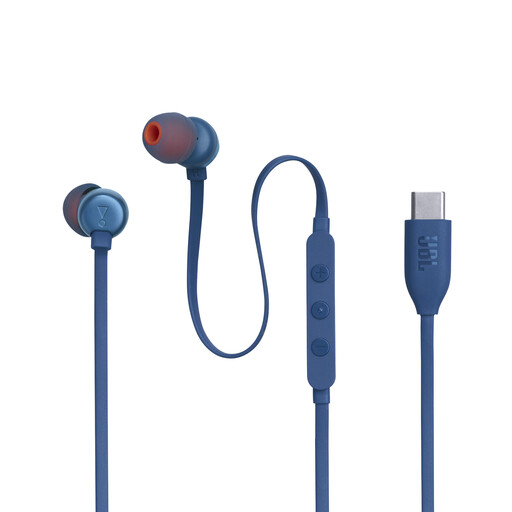 Image unavailable
A wired option if your audio source supports USB-C audio and you don’t want to use Bluetooth pairing.
USB-C connection, three sizes of eartips, remote control and built-in microphone. The product description also mentions a Vocal-EQ setting.
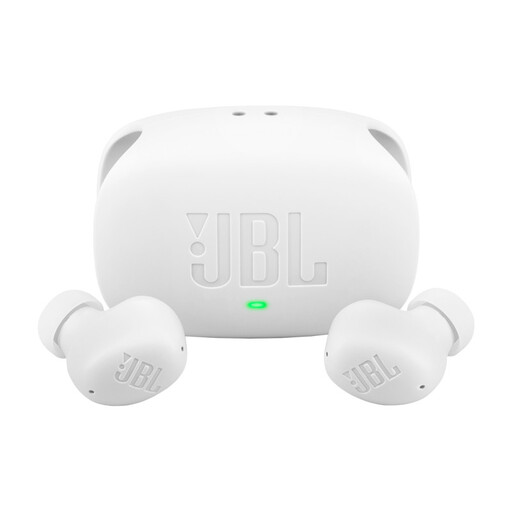 Image unavailable
A wireless option if you want to listen without a cable and compare ANC and Smart Ambient features.
The product description mentions multipoint and up to 40 hours of total playback with ANC off. You may need a Bluetooth adapter to play audio from the entertainment system.
 Image unavailable
A wireless option if you want to compare ANC and check in advance whether the stated listening time suits your lesson sessions.
The product description mentions Bluetooth 6.1 and a charging case, with up to 6 hours of playback per charge with ANC on and 26 hours in total with the case. You may need a Bluetooth adapter to play audio from the entertainment system.
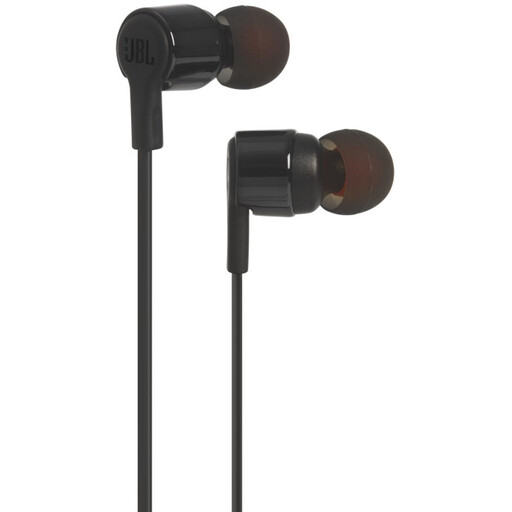 Image unavailable
A wired option if your audio source has a compatible 3.5 mm audio output.
The product title mentions a 3.5 mm connection; the product description lists several sizes of eartips. You may need a compatible output or adapter to use them with an aircraft seat or another device.
 Image unavailable
A wired option if your audio source supports USB-C audio and you want to compare the stated noise-cancelling feature.
The product description mentions USB-C audio, QuietControl noise cancellation, a remote control and microphone. It lists three sizes of eartips and two sizes of stability wings.
No. Check the connection on your flight’s entertainment system and the plug on the in-ear monitor. KLM recommends wired headphones for its entertainment system and says you’ll need an adapter for your own Bluetooth earbuds; facilities can vary from one aircraft to another.
Try the included sizes and materials with a speech recording before you travel. A good seal and a comfortable fit should go together; the number of eartips included doesn’t guarantee that one size will work for everyone.
First, try improving the fit and seal rather than continually turning up the volume. The World Health Organization points out that both sound level and listening time affect the risk to your hearing.
This varies from flight to flight. According to the European Union Aviation Safety Agency, airlines decide when portable electronic devices may be used following their own assessment. Always follow the crew’s instructions.
Contact the seller. According to the Dutch government, a product bought by a consumer must be of satisfactory quality; the Netherlands does not have a fixed statutory warranty period. A manufacturer’s warranty does not replace your rights with the seller.