
Digital silhouette illustrator
You draw outlines and show the result to a client on screen. Screen space, resolution and a colour mode suited to digital display are all relevant criteria when choosing a monitor.


For digital illustration and on-screen presentations, QHD is a sound starting point if 2560 × 1440 pixels are sufficient; Tweakers recommends 27 inches as a good starting size if you haven’t settled on a screen size yet. Choose 4K if you want to inspect outline details up close. Give colour management more weight if colour-critical print work is part of the brief, and when using a laptop, check both the video signal and the power delivery you need.
You draw outlines and show the result to a client on screen. Screen space, resolution and a colour mode suited to digital display are all relevant criteria when choosing a monitor.
Your illustration may also be printed, and you want to assess the output. Adobe describes soft proofing as a way to preview how a print might look; EIZO describes hardware calibration for a colour-managed workflow.
You draw and present from a laptop. Check that the video connection works with your computer and that the monitor’s power delivery meets your laptop’s requirements.
Choose this if: you mainly draw digitally and 2560 × 1440 pixels are enough to assess your outlines. BenQ lists this resolution and 100% sRGB for the PD2705Q.
Keep in mind: the 27-inch 4K models we looked at have more pixels. A stated colour mode also doesn’t tell you how your work will look on your client’s screen.
Choose this if: you want to inspect fine lines and small details up close, and your computer can output the resolution you need. LG and ASUS list 3840 × 2160 pixels for the 27-inch models discussed here.
Keep in mind: more pixels don’t replace checking how your work looks on the final screen or output device.
Choose this if: you need to assess a colour-critical print as well as an on-screen presentation. EIZO describes hardware calibration for the CS2400S; ASUS lists several colour spaces for the PA279CRV.
Keep in mind: the EIZO CS2400S has a resolution of 1920 × 1200 pixels, with fewer detail pixels than the QHD and 4K models discussed here. Calibration doesn’t replace a proof for your chosen print process.
| What to consider | What to look for | Who is this important for? |
|---|---|---|
| Outlines and details | Compare screen size and native resolution; check that your computer supports the video output you need. | If you want to inspect fine lines and small details closely, detail comes first. Around 36% of consumers say outline detail is their main consideration. |
| Colour suited to the output | Decide whether the client will assess an on-screen image or a colour-critical print. Compare the stated colour spaces, and for print work, also look at calibration and proofing; Adobe describes soft proofing as a useful tool. | If the illustration will also be printed, you’ll want to assess colours for the intended output. Around 29% of consumers give colour their top priority. |
| Laptop connection | Check video support, cable requirements and your laptop’s power needs against the specifications for the exact model. BenQ lists 65 W for the PD2705Q; LG lists up to 96 W for the 27UP850K-W. | If you work from a laptop and want to connect or charge it through the monitor, the connection needs to suit both devices. Around 21% of consumers prioritise laptop connectivity. |
| Setting up your screen at your workspace | Check the stand, the space available on your desk and the monitor’s adjustment options. BenQ lists 140 mm of height adjustment for the PD2705Q; LG lists height, tilt and pivot adjustment for the 27UP850K-W. | If you want to position the screen comfortably while drawing, its setup is another factor to weigh up. Around 14% of consumers say workspace setup is their main consideration. |
A stated colour space alone doesn’t determine how a print will look. The result also depends on your colour workflow and the chosen output process.
Factor print work into your choice only if it’s part of the brief. Use suitable profiles and, if needed, assess a proof for the intended print process.
Calibration and assessing a proof print take extra time in your workflow.
The monitors discussed here list different power delivery levels. A USB-C connection is suitable for a single-cable setup only if your laptop, cable and video connection also meet the requirements.
Before ordering, compare your laptop’s video output and power requirements with the specifications for the exact monitor model.
If the combination doesn’t meet your connection or charging needs, your workspace may need a different connection or a separate laptop power supply.
Ondernemersplein states that the statutory cooling-off period for consumers doesn’t apply to business-to-business purchases.
Before placing a business order, check the seller’s returns policy for that purchase.
The PD2705Q is a 27-inch QHD model for a design workspace with an sRGB focus.
According to LG, the UltraFine 27UP850K-W combines a 27-inch 4K screen with USB-C.
According to ASUS, the ProArt PA279CRV is a 27-inch 4K model with several colour modes for design work.
The ColorEdge CS2400S is an option if a colour-managed illustration or print workflow is a priority.
These Joybuy picks include QHD and 4K monitors for checking outline details, as well as models whose product information mentions colour management or laptop connectivity.
 Image unavailable
An option if you want to combine detailed inspection with a colour-managed workflow on a single screen.
32 inches, 4K UHD and 120 Hz QD-OLED. The product description lists 100% sRGB, 99% DCI-P3 and an integrated colourimeter for automatic calibration and validation.
Check that the size and connections suit your workspace and computer.
 Image unavailable
Well suited to anyone who wants to inspect small outline details on a 27-inch 4K screen.
3840 × 2160 pixels and an IPS panel. The product information lists a height-adjustable stand.
Check that your computer supports the resolution you want.
 Image unavailable
An option if you want to combine detailed 4K inspection with stated colour modes for creative work.
27 inches and 3840 × 2160 pixels. The product information lists 97% DCI-P3, 94% Adobe RGB, 98 W USB-C Power Delivery and factory calibration.
Check your own laptop’s video and charging support.
 Image unavailable
Suitable for digital illustration if QHD and an sRGB-focused workflow meet your drawing needs.
2560 × 1440 pixels. The product information lists 100% sRGB, factory calibration and 65 W USB-C Power Delivery.
Check that the video connection and power delivery suit your laptop.
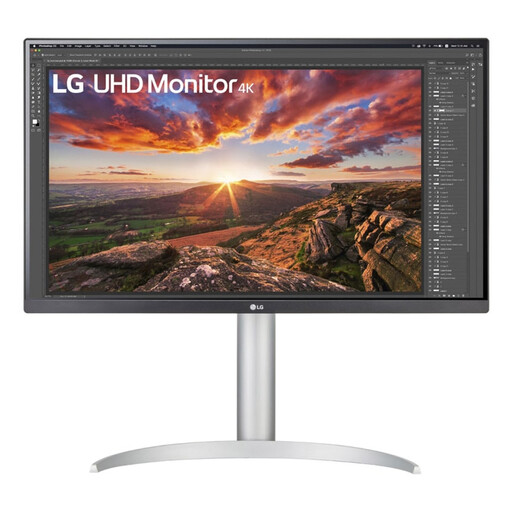 Image unavailable
An option if you want 27-inch 4K detail and a USB-C connection for your laptop.
3840 × 2160 pixels. LG lists up to 96 W USB-C power delivery for the 27UP850K-W; the product information also lists 99% sRGB and an adjustable stand.
Check that the available power delivery meets your laptop’s requirements.
No. QHD may be enough if 2560 × 1440 pixels meet your drawing and presentation needs. The 27-inch 4K models discussed here have 3840 × 2160 pixels, making them an option for checking details rather than a general requirement.
Only if your laptop port and cable support the video signal you need, and the power delivery is suitable for your laptop. BenQ lists 65 W for the PD2705Q and LG lists up to 96 W for the 27UP850K-W; check your own laptop’s requirements too.
Use a colour-managed workflow suited to the print process and assess a proof if needed. A stated colour gamut alone doesn’t guarantee a matching print; Adobe describes soft proofing as a way to preview the output.
Online consumer purchases generally have a statutory 14-day cooling-off period; according to Ondernemersplein, this rule doesn’t automatically apply to business purchases. The Netherlands Government states that the seller must provide a solution if a consumer product is faulty. For a business order, check the applicable terms separately.
Compare the energy labels for the exact models. The European Commission states that electronic displays, including computer monitors, are labelled on a scale from A to G.