
For comparing rooms at the same time
You want to see how your home office compares with other rooms while you’re working, without having to keep moving a meter around.


If you want to compare humidity levels in several rooms at the same time, choose a separate meter for each room. One meter with min/max memory or an app history may be enough to track changes, but you won’t be comparing rooms simultaneously. Place meters in similar locations and be cautious about small differences: the stated accuracy and positioning affect how you interpret the readings.
You want to see how your home office compares with other rooms while you’re working, without having to keep moving a meter around.
You want to check readings during working hours or after ventilating a room. Memory or graphs may be more useful than a current reading alone.
You want to read the temperature and relative humidity straight from a screen, without needing an app.
Choose this if: you want to check your home office and other rooms at the same time, without using your phone.
Bear in mind: readings may differ between individual sensors; a set of several meters doesn’t prove that they all measure exactly the same.
Choose this if: you mainly want to see when humidity levels change.
Bear in mind: connectivity depends on the exact model; according to Govee, the Govee H5075 uses Bluetooth, not Wi-Fi.
Choose this if: you want to monitor one room or move a meter between rooms.
Bear in mind: moving the meter won’t give you simultaneous readings; note down the room and time if needed.
| What to consider | What to look for | Who is this important for? |
|---|---|---|
| Comparing rooms at the same time | Check how many separate meters are included and whether they show temperature and relative humidity. | If I want to compare my home office directly with other rooms while I’m working, I need meters that can be read at the same time. That’s why around 40% of consumers give simultaneous comparison top priority. |
| Tracking changes over time | Check whether the model offers min/max readings, an app graph or data storage, and find out what kind of connection it requires. | If you want to see how readings change during working hours or after ventilating a room, memory or a timeline can help. Around 30% of consumers prioritise tracking changes in humidity. |
| Interpreting readings | Compare meters in similar locations and check the stated accuracy of the exact model. | If I don’t want to mistake small differences between rooms for a genuine damp problem, I pay close attention to placement and sensor information. Around 20% of consumers prioritise careful interpretation. |
| Reading values at a glance | Check that the screen is easy to read from where you normally take measurements and that the meter can stand or hang there. | If you mainly want to see current readings quickly at your desk and don’t need an app, ease of reading may matter more than a history. Around 10% of consumers prioritise checking readings directly, without an app. |
Positioning and temperature affect how you interpret relative humidity. A small difference between meters is not, by itself, evidence of a damp problem.
Start by placing the meters next to each other, then compare them in similar locations and at similar times. Be cautious when drawing conclusions from small differences.
According to Govee, the Govee H5075 uses Bluetooth and doesn’t support Wi-Fi. This model’s connection may therefore matter if you want to check readings elsewhere.
Check the connection type for the exact model and think about where you want to access the data.
A meter helps you monitor humidity, but it won’t remove the cause of damp or recurring mould. The GGD lists reducing damp, ventilating and heating as part of the solution.
Use readings to spot patterns, and investigate the possible cause if mould keeps coming back.
The ClimaTemp Thermo-Hygrometer 3er Set is designed to let you check three rooms at the same time using separate digital meters.
The Bluetooth Hygrometer Thermometer H5075 is an option if you want to combine a screen with app history.
The digital thermo-hygrometer 30.5038 is a standalone meter for one fixed measurement location.
The HG 100 is a digital option for measuring temperature and humidity in one location.
The WS85 is a digital indoor meter with a screen and clock functions for a fixed measurement location.
This selection includes meters for tracking temperature and humidity through an app history, as well as a model with an easy-to-read clock display.
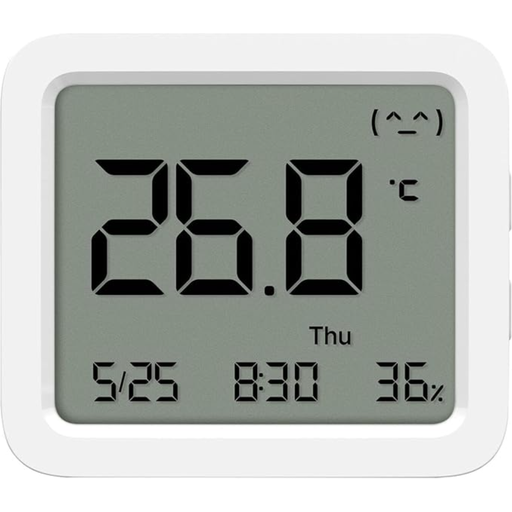 No image available
Suitable if you want to check temperature and humidity readings, then look back at changes in an app.
The product specifies an LCD screen, Bluetooth and historical data recording through the Mi Home app.
 No image available
Suitable if you want to track temperature and humidity and review your readings in app graphs.
The product description specifies updates every 2 seconds and a stated accuracy of ±0,3 °C and ±3% RH; these are product specifications, not independent test results. According to the product description, a compatible Tapo hub is required for smart features.
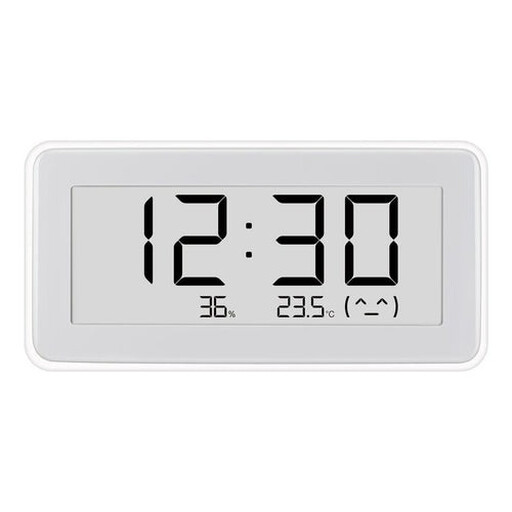 No image available
Suitable if you want to see the current temperature and humidity straight from a screen in one fixed location.
The product description specifies a digital clock display and current readings.
Place a meter where you want to assess the air in the room, and keep its position and measurement times as similar as possible. TFA recommends choosing a spot as close to the centre of the room as possible, away from a radiator, external wall or window.
No. Milieu Centraal gives 40–60% as a recommended guideline for good humidity, not a legal requirement for a home office. Consider the conditions in the room too; a meter won’t fix the cause of damp.
No. A hygrometer helps you monitor humidity, while ventilation refreshes the indoor air. According to the RIVM, fresh outdoor air replaces some of the indoor air, which can be polluted by damp, among other things.
Only when the applicable harmonised EU rules require that marking for the specific product. The product name alone doesn’t make it clear which rules apply to a particular version. A CE marking also doesn’t independently confirm measurement accuracy.
In many cases, you have a 14-day cooling-off period when buying online from a business. You’re also entitled to a product that works as it should; if there’s a problem, the retailer is your point of contact for the statutory guarantee. The Dutch Government explains these rights; check the terms that apply to your specific purchase.