What should you look for?
First, check whether one device can pick up everyone seated around the table. Then decide how you’ll connect it and test that responses from both sides remain clear.
One speakerphone in the middle of a compact table
Suitable when: everyone is within the stated pickup range of the model you choose. HP lists a range of up to 2 m and an ideal room size of up to 3 × 3 m for the Poly Sync 20 USB-A.
Bear in mind: these specifications don’t tell you how quiet voices at the edge of your table will sound.
An expandable setup for a longer table
Suitable when: speakers are too far apart for one centrally placed device. EMEET describes linking two OfficeCore M0 Plus devices using a daisy-chain cable.
Bear in mind: this setup requires a second compatible device and the right cable, so check you have the correct components in advance.
A wired or wireless connection that suits your device
Suitable when: you can match the connection to your computer or phone. AnkerWork lists USB-C for connecting the PowerConf S3 to a computer and Bluetooth for a phone; EPOS lists USB or 3.5 mm for the EXPAND 20.
Bear in mind: connections vary by model and variant. Once connected, select the correct microphone and speaker in your calling app too.
| What to consider |
What to look for when buying |
Who is this important for? |
| Voices from every seat |
Compare the greatest distance with the model specifications, and test with both quiet and loud voices. |
If I’m sitting at the far end of a long table, I want my voice to reach the online participant; around 36% of consumers prioritise being heard clearly from every seat. |
| Speaking at the same time |
Check whether the exact model lists full-duplex audio, and test the call while people on both sides speak at the same time. |
When responses come quickly, I don’t want one speaker to drop out as soon as someone else starts talking; around 29% of consumers prioritise uninterrupted group conversation. |
| Connection to your calling device |
Check the port or wireless connection on both your device and the speakerphone variant you’ve chosen. |
If I’m joining from a laptop, phone or tablet, I want to know in advance which connection will work; around 21% of consumers focus mainly on a hassle-free connection. |
| Using it in different locations |
Check the stated battery life and find out which charging or connection cable you’ll need. |
If the discussion isn’t always in the same room, I want to be able to take the device with me easily and charge it in good time; around 14% of consumers value flexible use and power supply most. |
Speakerphones on Joybuy
These options are intended for hybrid conversations around a table. Check which wired or wireless connection and features suit your setup for each model.
 No image available
Insta360 Wave AI Conference Speakerphone with Bluetooth, black
Could suit a hybrid discussion around a table where Bluetooth is preferred; the product information lists eight microphones, five pickup patterns and voice pickup up to 16 ft.
View on Joybuy
 No image available
Insta360 Wave AI Conference Speakerphone with Bluetooth, white
Could suit a hybrid discussion around a longer table; the product information lists eight microphones, cascading of up to three devices and a built-in battery with a stated use time of 12 hours.
View on Joybuy
 No image available
Jabra Speak 510 MS, Bluetooth and USB-A, black
Could suit calls in different locations where USB or Bluetooth is useful; the product information lists a battery life of up to 15 hours and indoor use.
View on Joybuy
 No image available
Jabra Speak2 55 MS Teams, dark grey
Could suit a discussion where participants sometimes interrupt one another; Jabra lists full-duplex audio and four beamforming microphones for the Speak2 55. The product information also gives a battery life of up to 12 hours.
View on Joybuy
 No image available
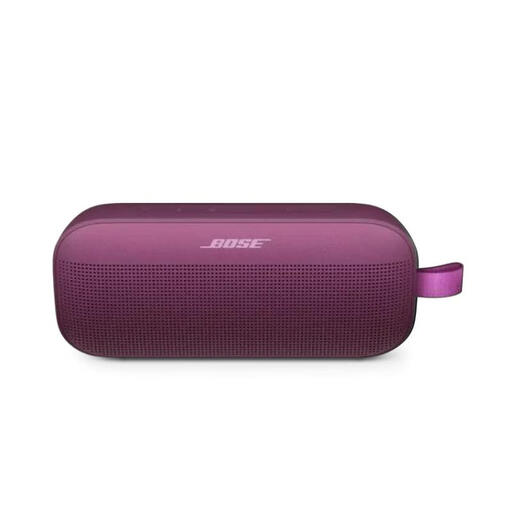
Bose SoundLink Flex (2nd Gen), Rosewood Mauve
Could be worth considering if you’re looking for a portable speaker with a speakerphone function; the product information lists Bluetooth, a built-in microphone and up to 12 hours of playback time.
View on Joybuy
Frequently asked questions
Is one speakerphone enough for our book discussion?
It depends on the seating, the room and the exact model. HP lists a pickup range of up to 2 m and an ideal room size of up to 3 × 3 m for the Poly Sync 20 USB-A. Compare the furthest seat with the model specifications, then test with someone joining remotely to see whether quiet voices are clear too.
How can I stop the calling app from using the wrong microphone?
Once connected, select the speakerphone in the app as both the microphone and speaker, then test them before the meeting. Microsoft Support explains how to change audio sources in Teams, while Zoom offers a speaker and microphone test.
Do I need to buy anything else as well as the speakerphone?
It depends on the setup you choose. For linking two M0 Plus devices, EMEET specifies a second compatible device and a daisy-chain cable. Also check that the connection on your chosen model is compatible with your computer or phone.
What if the speakerphone breaks too soon during normal use?
When you buy as a consumer in the Netherlands, you have a legal guarantee in addition to any manufacturer’s warranty. According to ACM ConsuWijzer, under the applicable conditions, the seller must repair or replace a faulty product free of charge, or refund the purchase price. The legal guarantee does not simply have a fixed term of two years.
What should I look out for when it comes to product safety in the Netherlands?
The Dutch Authority for Digital Infrastructure states that electrical and electronic equipment must have the correct CE marking and advises against using products without it. Check the marking on the device you receive and follow the instructions.


