
Vandaag of morgen in huis

Kwaliteit gegarandeerd

Welkomstaanbiedingen ontgrendelen: GRATIS bezorging | Tot 80% korting | Gratis 30 dagen JoyPlus-proefperiode
Download de app
By the Joybuy Product Recommendation Officer, July 10, 2026
As a freelancer or small business owner, are you tired of the high cost of ink cartridges that always seem to run out at the worst possible moment? An unreliable printer can seriously hinder productivity. You're looking for a solution that is not only efficient but also keeps operational costs low.
This article provides an objective overview of the HP Smart Tank 7305, an all-in-one printer designed for users with higher-than-average printing needs. We will examine the specifications and features relevant to you, helping you make an informed decision.
Before we dive into product recommendations, it's helpful to consider a few key points when choosing a new printer for your home office.
Most people are familiar with traditional cartridge-based printers, where you replace a small plastic container when the ink runs out. An all-in-one ink tank printer works differently. These printers feature larger, refillable reservoirs. You top up the ink using bottles, which significantly reduces the low cost-per-page. This is especially beneficial if you print hundreds of pages per month.
For an efficient workflow, two features are crucial:
A modern workspace demands flexibility. A wireless home office printer that connects to your computer, laptop, and smartphone via Wi-Fi is no longer a luxury. Check if the printer supports mobile printing apps like Apple AirPrint or Mopria for maximum convenience.
Based on the criteria above, we've highlighted a few models that meet the needs of demanding home users and small offices.
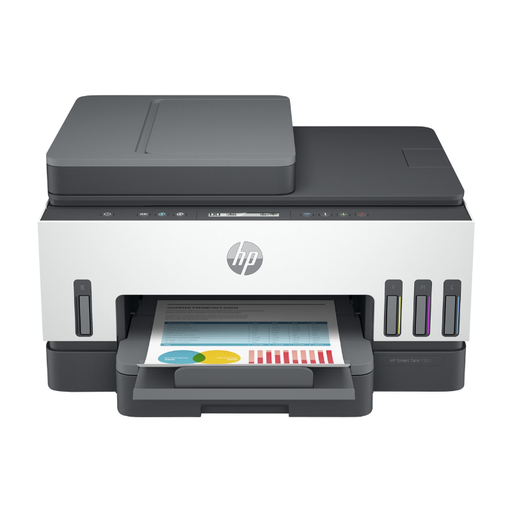
Why This Model Stands Out The HP Smart Tank 7305 (also known as the HP 7305) is specifically designed for users with high print volumes. Its key feature is the ink tank system. According to HP, the included ink can print up to 6,000 black-and-white pages or 8,000 colour pages. This results in a very low cost-per-page compared to traditional cartridges.
Pros
Who Is It For? This printer is a solid choice for self-employed professionals, small businesses, and families who print between 400 and 800 pages per month and are looking for a reliable, multifunctional machine with low running costs.
View the HP Smart Tank 7305 on Joybuy.com
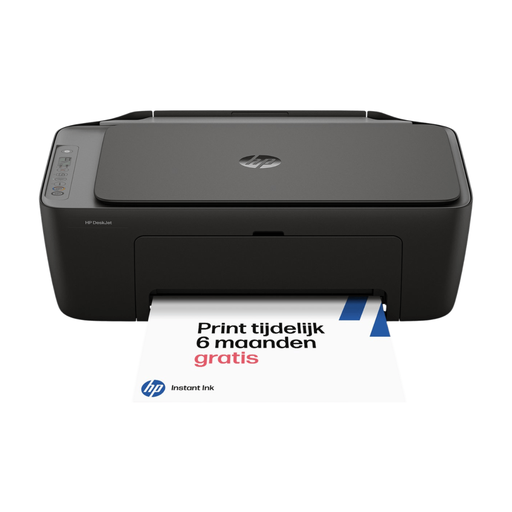
Why This Model Stands Out For those who print less and are looking for a more compact, budget-friendly option, the HP DeskJet 2920 is an interesting alternative. This printer uses traditional cartridges but is compatible with HP Instant Ink. This subscription service automatically delivers new cartridges to your door before the old ones run out, which HP claims can save up to 70% on ink costs.
Pros
Who Is It For? Ideal for home users or students with a light print volume (50-100 pages per month) who need a simple all-in-one for printing, scanning, and copying.
View the HP DeskJet 2920 on Joybuy.com
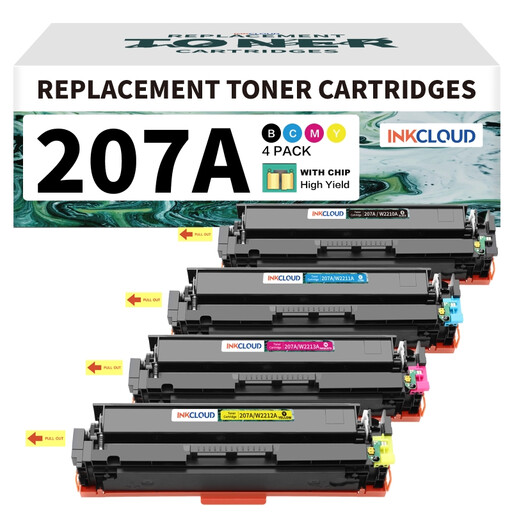
If your printing needs consist mainly of high-volume text documents, a laser printer might be worth considering. For users of certain HP Color LaserJet Pro models (like the M283fdw), compatible toner sets are available, such as the inkcloud 207A. These can be a cost-effective way to supply your printer with new toner.
View compatible toners on Joybuy.com
If the HP Smart Tank 7305 isn't exactly what you're looking for, or if you want to compare more models, there are various ink tank printers on the market that might better suit your specific needs.
Discover more ink printers on Joybuy.com
Based on HP's specifications, the printer offers a very high page yield per ink bottle (up to 6,000 black-and-white and 8,000 colour). This results in a low cost-per-page, making the model economical for users who print several hundred pages per month.
No. The HP Smart Tank 7305 supports automatic duplex printing, but its Automatic Document Feeder (ADF) can only scan single-sided documents. You will need to manually flip the paper to scan the other side.
The installation process is typically straightforward. Follow the included guide or the on-screen steps on the printer. In short:
