
Vandaag of morgen in huis

Kwaliteit gegarandeerd

Welkomstaanbiedingen ontgrendelen: GRATIS bezorging | Tot 80% korting | Gratis 30 dagen JoyPlus-proefperiode
Download de app
Buying a new printer can sometimes feel like a gamble. You're lured in by a low purchase price, only to discover that the ink cartridges run out after just a few prints and cost a fortune to replace. Or that promised 'smart' wireless feature turns out to be a major source of frustration in practice.
As a Product Recommendation Officer at Joybuy, I see the challenges consumers face every day. Many marketing promises make the decision-making process unnecessarily complicated. That's why we filter out the noise and focus on what truly matters, helping you choose a printer that fits your budget and your needs—without any hidden costs.
Before we look at solutions, it's important to recognise the most common pitfalls. This will help you avoid buyer's remorse.
wireless colour printer that constantly loses its connection or an app that is clumsy and tries to lure you into paid subscriptions. Functionality should make life easier, not more complicated. A stable Wi-Fi connection and an intuitive app are crucial.You don't need to memorise technical specifications to make the right choice. Focus on these two practical points that distinguish a good purchase from a bad one.
The most important factor for long-term low-cost printing is the printing technology. Traditional printers use cartridges with a built-in printhead, which are expensive and contain very little ink.
A more modern and often more economical solution is an all-in-one ink tank printer. With this system, you refill the printer yourself using ink from bottles. The initial purchase price of the printer is higher, but the cost per page is drastically lower. You often get enough ink included for thousands of prints right out of the box. The HP Smart Tank 7005 is a prime example of this type of printer.
A printer for home and office needs to be versatile. An all-in-one model can print, scan, and copy, saving both space and money. Another often-overlooked feature is automatic two-sided printing. This not only saves paper but also time and effort when printing multi-page documents. Also, ensure the printer has stable dual-band Wi-Fi, allowing you to print seamlessly from your laptop, tablet, or smartphone.
Based on these criteria, we have selected a few products that suit different user profiles.
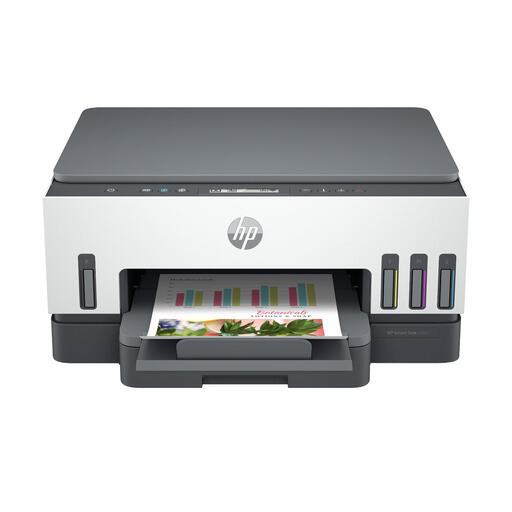
Why This Fits Their Persona: This model is ideal for families and home office workers who print regularly, from school reports to business documents and holiday photos. The focus is on reliability and low running costs, without compromising on modern features.
This HP 7005 printer breaks the cycle of expensive cartridges. According to HP, it comes with enough ink for up to 12,000 black-and-white or 8,000 colour pages, allowing you to print for years without needing to buy new ink.
Extremely low cost per page thanks to the ink tank system. Automatic two-sided printing and stable, self-healing dual-band Wi-Fi.
Already own a printer and looking for the right refill? The same principles apply: choose capacity and reliability that match your usage.
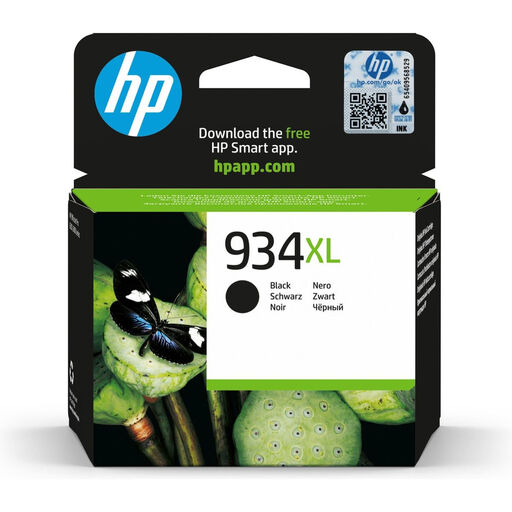
Why This Fits Their Persona: For users of a compatible HP OfficeJet who print a high volume of business documents. Reliability and a professional look for prints are essential.
The high-yield (XL) capacity offers a lower cost per page than standard cartridges. This makes it a smarter investment for those who print regularly and want to avoid the hidden costs of cheaper, smaller cartridges.
Prints up to 1,000 pages of sharp, durable text thanks to its pigment-based ink. Designed for consistent performance.
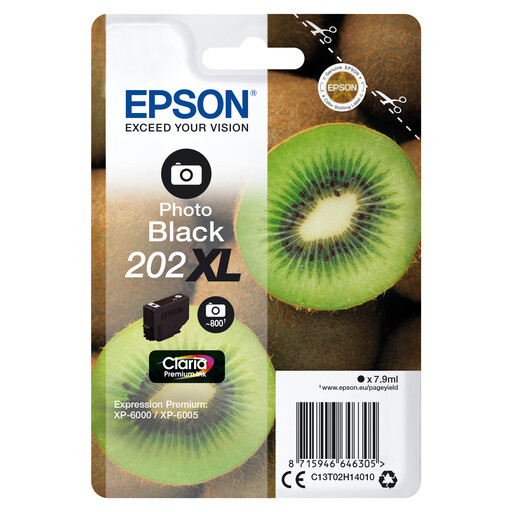
Why This Fits Their Persona: Specifically for users of a compatible Epson Expression Premium printer who demand the highest quality for their glossy photos. This ink is engineered for superior photo quality.
Instead of an all-in-one colour cartridge, you only replace the colour that runs out. The special photo black ink ensures deep black tones, something cheaper alternatives often compromise on.
Claria Premium pigment ink for professional, glossy photos. The XL capacity offers better value for money for those who print photos regularly.
We have compiled a complete, up-to-date list of products that fully meet these strict selection criteria and local regulations.
Below, we answer some frequently asked questions about the HP Smart Tank 7005 printer.
1. How long does the included ink for the HP Smart Tank 7005 actually last? According to HP, the included ink bottles can print up to 12,000 black-and-white pages or 8,000 colour pages. These figures are based on ISO/IEC 24712 testing standards. For an average family or a small office, this could mean you can print for up to three years before needing to refill the ink. Your actual yield will depend on what you print (text vs. photos).
2. Is the HP Smart Tank 7005 difficult to set up? The setup process is designed to be simple. You are guided step-by-step by the HP Smart app on your phone or computer. Additionally, the printer itself has smart, illuminated buttons that guide you through the process, from filling the ink tanks to connecting to your Wi-Fi network.
3. Can I print borderless photos with the HP Smart Tank 7005? Yes, the HP 7005 printer supports borderless printing on A4 and Letter-sized paper. This is ideal for printing photos, flyers, or other materials where you don't want white margins. With a maximum resolution of 4800 x 1200 DPI, the print quality is suitable for vibrant and detailed colour prints.
