
Vandaag of morgen in huis

Kwaliteit gegarandeerd

Welkomstaanbiedingen ontgrendelen: GRATIS bezorging | Tot 80% korting | Gratis 30 dagen JoyPlus-proefperiode
Download de app
You want to print a document, but the colours on the paper are faded and streaky. The printer indicates that the color cartridge is empty. Buying a new HP 301 color ink cartridge seems simple, but the online selection can be overwhelming. Cheap alternatives and unclear product codes make the choice unnecessarily complicated.
As a Joybuy Product Recommendation Officer, I see the issues consumers face daily. Avoid wasting money on a cartridge that doesn't work or damages your printer. Pay close attention to these two common pitfalls:
This guide will help you make an informed decision, so you can get back to printing quickly.
Before you purchase an HP 301 color cartridge, there are two specifications you must check to avoid a bad purchase.
The most important step is to verify that the cartridge is suitable for your specific printer. The original HP 301 tri-color cartridge has the product code CH562EE. It is designed for a range of popular HP home printers.
Find your printer's model number (usually on the front or top) and compare it with the cartridge's compatibility list. The HP 301 is typically compatible with printers from the following series:
By always checking the compatibility list on the product page, you can avoid the frustration of a cartridge that doesn't fit or isn't recognised.
The choice between an original HP cartridge and a cheaper generic brand is an important one.
For users who prioritise peace of mind and ease of use, an original HP 301 tri-color cartridge is the wisest choice.
Not everyone prints the same way. Below are some recommendations tailored to different user profiles.
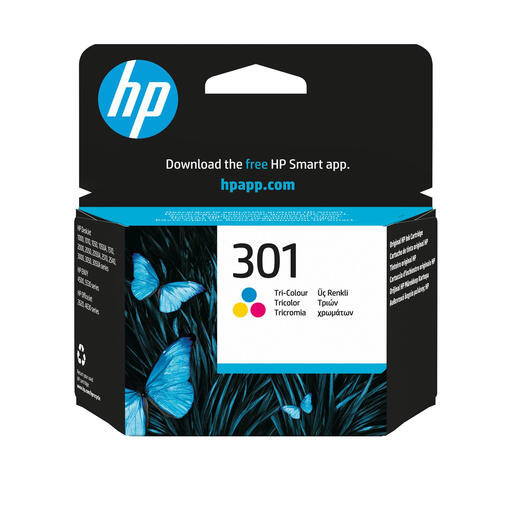
Why This Fits Their Persona: Perfect for those who print infrequently, such as schoolwork, tickets, or a single document. This original cartridge offers reliability and prevents issues from drying out or clogging, which is often a risk with printers that are not used daily.
As a genuine HP product, this cartridge completely bypasses the compatibility trap. The chip communicates perfectly with your HP DeskJet or Envy printer, even after software updates.
Capacity: ~165 pages in color.
Advantage: Consistent color quality and reliability, specifically designed for your printer.
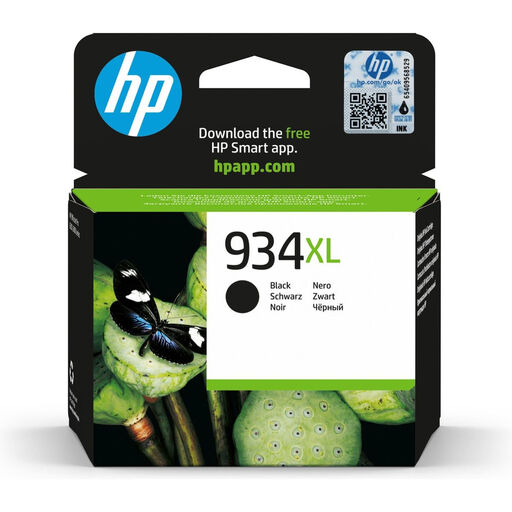
Why This Fits Their Persona: Do you print a lot of text in addition to colorful documents? Then it's smart to consider an XL cartridge for black ink. This example (for OfficeJet Pro printers) illustrates the principle: more ink for a lower price per page, ideal for a home office.
By choosing an original XL cartridge, you avoid the pitfall of an unreliable generic brand. You get the promised page yield and protect your printer from potential damage.
Capacity: ~1,000 pages (black).
Advantage: Significantly lower cost per page compared to a standard cartridge, which saves money in the long run.
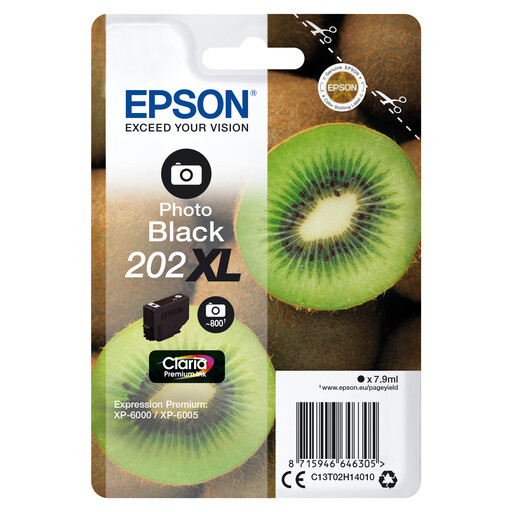
Why This Fits Their Persona: For those seeking the highest quality photo prints, special inks are available. This Epson Claria Premium ink (for Expression Premium printers) uses an extra 'photo black' for deeper black tones and better contrast in glossy photos.
Standard tri-color cartridges are a compromise. By choosing a printer with specialised photo inks, you avoid the pitfall of disappointing photo quality.
Technology: Claria Premium pigment ink.
Advantage: Produces durable, water-resistant documents and high-quality glossy photos with deep black tones.
The right ink is essential for the lifespan of your printer and the quality of your prints. View our full, up-to-date range that meets strict selection criteria.
A standard original HP 301 tri-color cartridge (CH562EE) has a manufacturer-specified page yield of approximately 165 pages. This is an estimate based on a standard coverage rate. The actual number can vary depending on what you print (e.g., full-page photos versus small charts in a document).
The difference is in the amount of ink. An HP 301XL cartridge contains more ink than the standard version and can therefore print significantly more pages. Although the purchase price of an XL cartridge is higher, the cost per page is lower. If you print regularly, an XL version is often more economical in the long run.
If you have purchased a genuine HP cartridge and it is not being recognised, try the following steps:
