
Vandaag of morgen in huis

Kwaliteit gegarandeerd

Welkomstaanbiedingen ontgrendelen: GRATIS bezorging | Tot 80% korting | Gratis 30 dagen JoyPlus-proefperiode
Download de app
Looking for a new USB stick but feeling overwhelmed by the options? The market is flooded with terms like USB 3.2, USB-C, and a wide range of speeds. It can be tough to figure out which flash drive is the right fit for your laptop, tablet, or daily use.
As a Joybuy Product Recommendation Officer, my job is to help you make a clear choice. In this guide, we'll cut through the marketing jargon and focus on the specifications that truly matter. This way, you'll find a reliable USB stick that meets your needs, whether you're storing study documents or transferring large video files.
Before we look at products, here are a few practical points to make your decision easier.
The connector might be the most important factor. Older computers and devices often have the rectangular USB-A port. Newer laptops (like MacBooks), tablets, and smartphones increasingly use the smaller, reversible USB-C port.
A high-speed USB stick can save you a lot of time. The speed is determined by the USB version and the quality of the memory. USB 3.2 is the current standard and offers significantly higher speeds than the older USB 2.0.
Pay attention to the read and write speeds, expressed in megabytes per second (MB/s):
The required storage capacity depends on your usage:
Additionally, the material is important. A metal USB stick is typically sturdier and more durable than a plastic one, which is handy for carrying on your keychain.
Based on the criteria above, we've selected a few popular models that cover different needs.
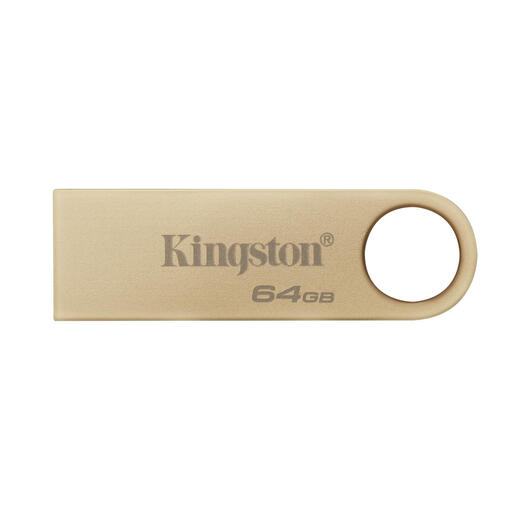
Why it stands out: The Kingston DataTraveler SE9 G3 combines a stylish, capless design with reliable performance. Its metal casing makes it durable for daily use on a keychain. With USB 3.2 Gen 1 speeds, it's fast enough for most tasks.
Pros:
Who is it for?: Ideal for students and office professionals who need a reliable and robust 64GB USB stick for documents, presentations, and photos. A practical choice for daily use with USB-A devices.
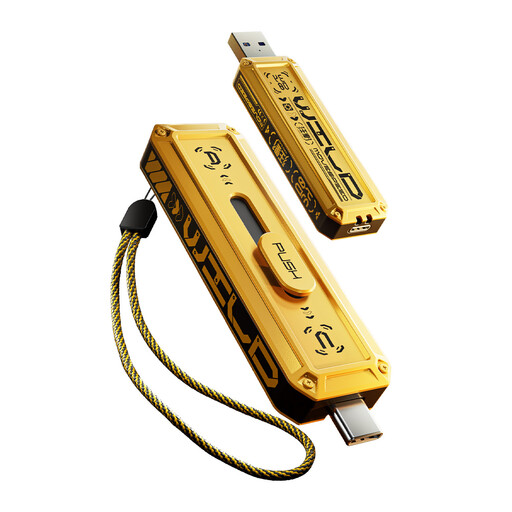
Why it stands out: This flash drive from MOVESPEED is built for speed and flexibility. With a dual USB stick design (USB-A and USB-C) and extremely high transfer speeds thanks to USB 3.2 Gen 2x1, this is a powerhouse. According to the manufacturer, you can transfer a 1 GB file in about one second.
Pros:
Who is it for?: For content creators, IT professionals, and tech enthusiasts who regularly need to transfer large files (4K video, RAW photos) between different devices, such as a new laptop and an older desktop.
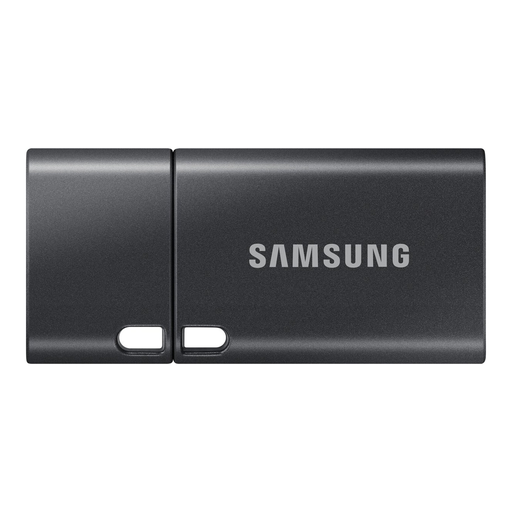
Why it stands out: This Samsung USB stick is designed for the modern user with exclusively USB-C devices. It offers a massive 512 GB of storage in a very compact and slim form factor. Samsung states that the drive features 5-proof technology, protecting it from water, shock, magnets, extreme temperatures, and X-rays.
Pros:
Who is it for?: Perfect for users of recent MacBooks, ultrabooks, tablets, and smartphones who want to carry a large amount of data on the go. Think photographers, videographers, or anyone who finds an external hard drive too bulky.
If your ideal match isn't here or you're looking for a different capacity or a specific brand, don't worry. We have a wider range to meet every need.
? Browse all our portable USB storage devices here
In practice, these terms are often used interchangeably, but the core difference is speed. USB 3.2 is the most recent standard and encompasses the earlier generations. A USB 3.2 Gen 1 stick offers speeds up to 5 Gbps (about 625 MB/s), while Gen 2 goes up to 10 Gbps. For most users, a USB 3.2 Gen 1 stick is already a significant upgrade over the older USB 2.0.
This depends entirely on your use case. For sharing documents and some photos, a 64GB USB stick is often sufficient. If you work with videos or want to back up your photo library, a 256GB USB stick or 512GB USB stick is a better choice. As a guideline: 64GB can hold approximately 15,000 photos or 16 hours of Full HD video.
