
Vandaag of morgen in huis

Kwaliteit gegarandeerd

Welkomstaanbiedingen ontgrendelen: GRATIS bezorging | Tot 80% korting | Gratis 30 dagen JoyPlus-proefperiode
Download de app
Buying a tablet might seem straightforward, until you have to choose between screen sizes, Android versions, storage capacity and mobile connectivity. A low price doesn't tell you much about whether it's right for your situation. A compact model might be great for travelling, but less convenient for split-screen work. A large screen looks appealing, but takes up more space in your bag and your hands.
When comparing, pay close attention to the specifications behind the marketing jargon. Below, you'll find out which pitfalls often lead to a bad purchase, which features really make a difference, and which models suit different types of users in the UK.
You sometimes see specifications like 16 GB, 20 GB or 48 GB RAM. Part of that can be virtual memory that uses storage space. It helps keep apps open, but it's not the same as physical RAM.
Always look at the breakdown, for example 8 GB + 12 GB virtual. For browsing, streaming and studying, 4 to 8 GB of physical RAM is often a practical starting point. For intensive multitasking or creative work, the processor, physical RAM and storage type together matter more than one high total number.
A 90Hz or 120Hz screen can make scrolling and animations feel smoother. That makes a tablet with 90Hz appealing for social media, gaming and navigating. However, it doesn't automatically tell you anything about brightness, resolution, colour reproduction or processor speed.
So also check the screen resolution and panel type. An 11-inch tablet with 1280 × 800 pixels has a different sharpness to an 11-inch model with 2560 × 1600 pixels. For text, online lessons and spreadsheets, you'll notice that difference more quickly than with simple videos.
128 GB of storage can be enough for daily use, but apps, offline videos and photos quickly take up space. Check whether a microSD card is supported and what the maximum capacity is. A tablet with plenty of storage is especially handy when several family members use the same device.
A tablet with 4G LTE also doesn't work automatically without configuration. You'll need a suitable nano-SIM card and a mobile data plan. Also check whether the model actually supports LTE; Wi-Fi only is not the same as mobile internet.
A 12.7-inch tablet is comfortable on a desk, but less easy to hold in one hand. If you mainly use it on the train or on the sofa, it's better to factor in the weight and dimensions.
For streaming and web apps, a recent Android version, sufficient physical RAM and a suitable processor are important. An octa-core chip can be suitable for daily multitasking, but performance also depends on clock speed, graphics chip and software optimisation.
For studying and working from home, features like split screen, Bluetooth keyboard support and USB-C are practical. For gaming or video editing, a more powerful processor and faster storage are more relevant than just a large RAM number.
Battery capacity is expressed in mAh, but actual usage time also depends on screen brightness, Wi-Fi, mobile data and apps. Manufacturer claims about video or music playback time are based on their own test conditions. According to DOOGEE's own figures, the U11 can play video for up to 11 hours; treat this as an indication, not a fixed usage time.
Also check whether a charger is included. According to the product information, the Lenovo Idea Tab no longer comes with a charger as standard. The Lenovo Idea Tab Pro mentions charging up to 45W via USB Power Delivery, but you'll need a suitable adapter for that.
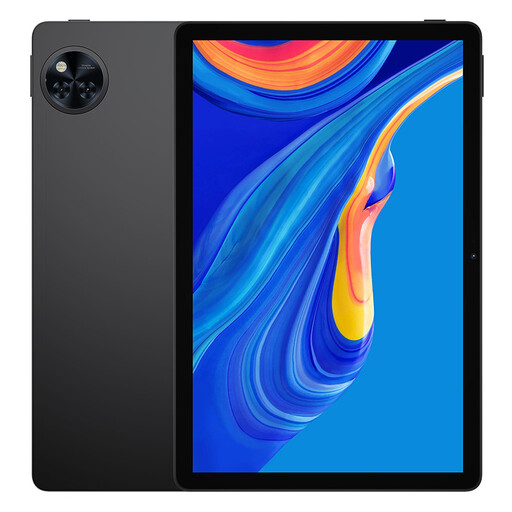
Why this fits the profile: The 11-inch tablet is suitable for streaming, online learning and general family use. The model has 128 GB of storage and, according to the product information, supports expansion up to 2 TB via microSD.
The storage expansion prevents the internal 128 GB from filling up quickly. Do check whether you want to buy a microSD card separately.
90Hz IPS screen, 8580mAh battery, Wi-Fi on 2.4 and 5GHz, Bluetooth and a 3.5mm jack.
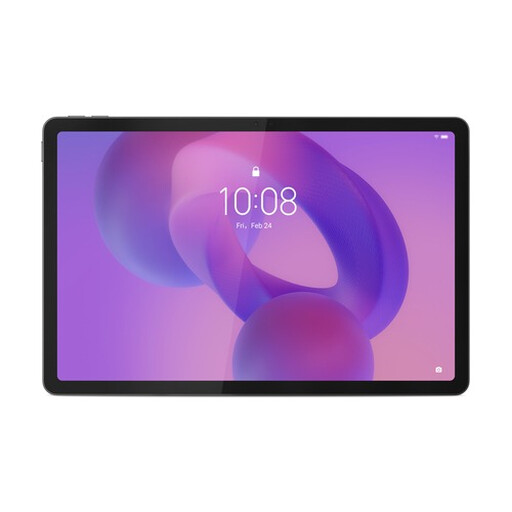
Why this fits the profile: This large model is aimed at studying, creative applications, streaming and multitasking. The included Lenovo Tab Pen Plus supports writing and drawing.
The product specifications list both 8 GB of physical RAM and 256 GB of storage. This makes the difference between working memory and storage clearer.
12.7-inch 3K screen, 144Hz, Dimensity 8300, 256 GB storage, microSD up to 1 TB and 10,200mAh battery.
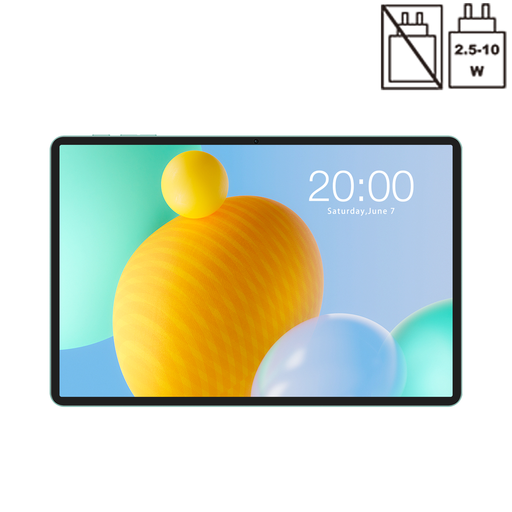
Why this fits the profile: The combination of dual-SIM 4G LTE, GPS and 8000mAh is practical for travellers, students on the go and users without fixed Wi-Fi in every location.
The 4G function is explicitly stated in the product specifications. So you don't have to rely on a general description like 'mobile use'.
90Hz IPS screen, 128 GB storage, microSD support, dual SIM, 5GHz Wi-Fi and Widevine L1 according to the product information.
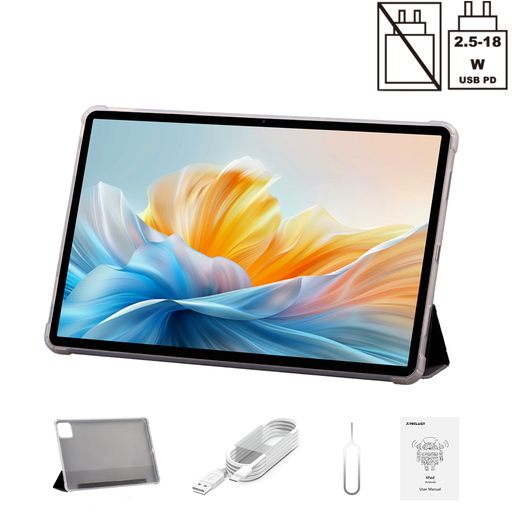
Why this fits the profile: The 14-inch size gives plenty of room for films, documents and multiple windows. The folio case is included according to the product listing.
The specifications separately list 8 GB RAM, 40 GB virtual memory and 128 GB ROM. This lets you correctly assess the actual storage and physical RAM.
2.2K screen, Helio G100, dual 4G, 10,000mAh battery and 18W PD according to the product information.
We've put together a full, up-to-date list of products that fully meet these strict selection criteria and current European safety regulations.
For most online lessons, PDFs, video calls and notes, an 11-inch tablet is a practical choice. Check whether the model supports split-screen and whether a keyboard or stylus is compatible. For extensive spreadsheets or lots of windows, a 12.7-inch or 14-inch tablet offers more workspace.
For basic use, 64 GB can be enough, as long as you mainly work online. Choose 128 GB or more if you store lots of apps, photos, downloads and offline streaming content. A microSD slot offers extra flexibility, but not every app or download can be placed on it.
In addition to the purchase price, you'll need a nano-SIM card and a mobile data plan. Usage depends on video quality, video calls and hotspot use. Check which LTE bands are supported before buying, and whether your provider offers a suitable plan.
