
Vandaag of morgen in huis

Kwaliteit gegarandeerd

Welkomstaanbiedingen ontgrendelen: GRATIS bezorging | Tot 80% korting | Gratis 30 dagen JoyPlus-proefperiode
Download de app
Buying a laptop might seem straightforward until you start comparing specifications. Manufacturers use terms like AI, fast performance and long battery life, but that information doesn’t always tell you what you actually need in practice. A lightweight laptop for university has different requirements to a laptop for work with large spreadsheets or video editing.
Pay particular attention to three common pitfalls:
For word processing, online meetings, browsing the internet and study programmes, 16GB of memory is a sensible starting point. Especially when you’re using multiple browser tabs, Microsoft Office, a video calling programme and a PDF all at once. 8GB can be enough for simple tasks, but offers less room for intensive multitasking.
A 512GB SSD provides storage space and fast loading times. Bear in mind that Windows, recovery partitions and pre-installed software use up some of that capacity. If you store lots of videos, photos or large projects, you might want to consider a 1TB model or external storage.
Also look at the processor architecture. A traditional Windows laptop with an AMD processor generally works with a wide selection of software. A Copilot+ PC with a Snapdragon chip can be energy-efficient and lightweight, but check the compatibility of older programmes, specialised peripherals and specific drivers beforehand.
A 14-inch laptop is often a good fit for students, commuters and home workers who regularly take their device with them. A 15-inch laptop offers more room for windows and spreadsheets. A 17-inch model is pleasant on a fixed desk, but is usually heavier.
Alongside the diagonal, pay attention to:
A Windows 11 laptop works well with lots of office software, education platforms and business applications. Windows 11 Pro can offer extra features for business management. macOS is interesting for users who already use an iPhone or other Apple devices. However, an Apple MacBook runs on macOS, so you need to check beforehand whether your specific software is available.
Also check the number of USB-C and USB-A ports, HDMI, Wi-Fi version and any card readers. If you often work with a monitor, docking station or external storage, a suitable selection of ports is more important than a flashy marketing label.
With models that have soldered memory, such as various lightweight laptops, you can’t upgrade the RAM later. So choose a configuration that matches your expected usage from the outset.
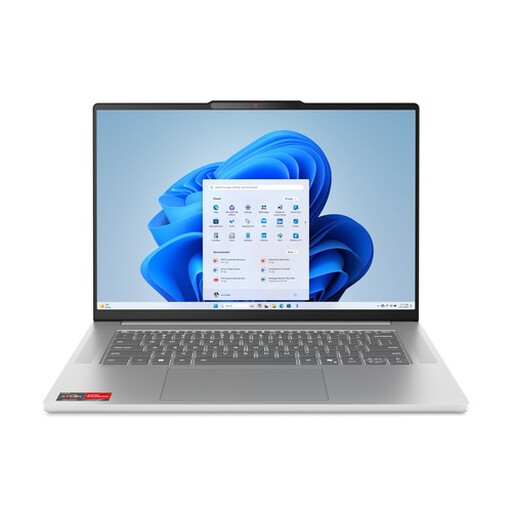
Why this fits the profile: This Lenovo laptop combines a 15.3-inch screen with 16GB of memory and a 512GB SSD for study, office work and streaming.
The memory and storage capacities are clearly stated. However, note that the 16GB LPDDR5X is not upgradeable and the charger is purchased separately according to the product information.
Ryzen 5 7535HS, 16GB LPDDR5X, 512GB NVMe SSD and a 15.3-inch IPS screen with 1920 × 1200 pixels.
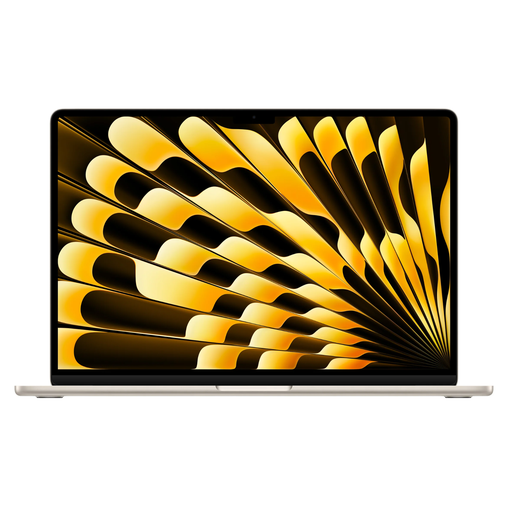
Why this fits the profile: The large 15.3-inch Liquid Retina display and macOS suit professionals and creatives who value plenty of screen space and a quiet workflow.
The configuration lists 16GB of memory and a 512GB SSD separately. Do check that your software is compatible with macOS and be aware that the power adapter is not included.
Apple M5 chip, 16GB RAM, 512GB SSD, QWERTY keyboard and, according to Apple, a battery life of up to 18 hours under stated conditions.
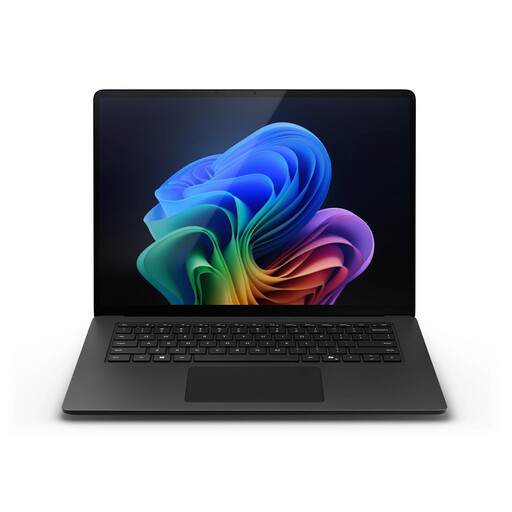
Why this fits the profile: This model is aimed at business users and professionals who want a touchscreen, Windows 11 Pro and plenty of memory combined with a large screen.
The combination of 32GB of memory and a 1TB SSD prevents intensive multitasking from hitting capacity limits straight away. Check the compatibility of specific Windows software with Snapdragon.
15-inch touchscreen, Snapdragon X Elite, 32GB LPDDR5X, 1TB SSD, Windows 11 Pro and a stated NPU capacity of up to 45 TOPS.
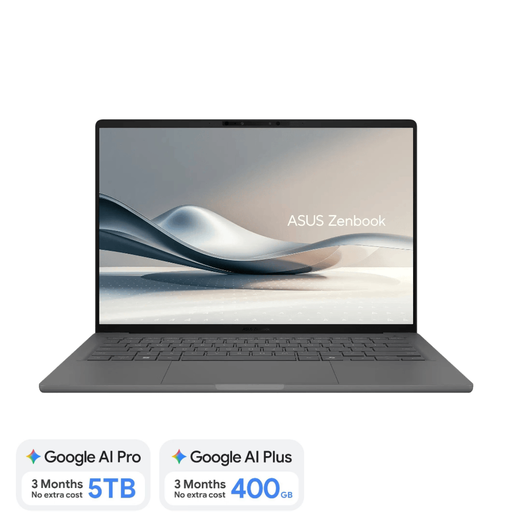
Why this fits the profile: With a stated weight of around 0.98 kg, this 14-inch laptop is designed for users who frequently travel between home, university, the office and the train.
The model explicitly states a non-touch screen, fixed 16GB memory and a separately required 65W USB-C charger. So you know exactly what you’re getting.
OLED screen, 16GB LPDDR5x, 512GB SSD, UK QWERTY keyboard and Copilot+ PC functionality with Snapdragon X.
We’ve put together a full, up-to-date list of products that fully meet these strict selection criteria and comply with current European safety regulations.
For word processing, spreadsheets, video calls, browsing the internet and commonly used study programmes, 16GB is generally a practical choice. If you do heavy video editing, use virtual machines or work with large datasets, you may need more memory. Check whether the RAM is upgradeable before you order.
The lifespan depends on build quality, battery usage, updates, storage space and how intensively it’s used. A model with 16GB of RAM and an SSD has more room for modern software than an entry-level model with 4GB or 8GB. Protect the laptop from heat and moisture, and use a suitable charger.
Factor in a possible USB-C charger, protective case, mouse, docking station and external storage. With a model that doesn’t include an adapter, the charger is an immediate extra expense. Energy consumption, warranty terms and the cost of software or cloud storage can also affect the total cost of ownership.
