Tablets at Joybuy
This selection includes compact tablets and models with more screen space for reading and managing your list in a hotel room. Check that your reading app and the offline features you need work with each model.
 No image available
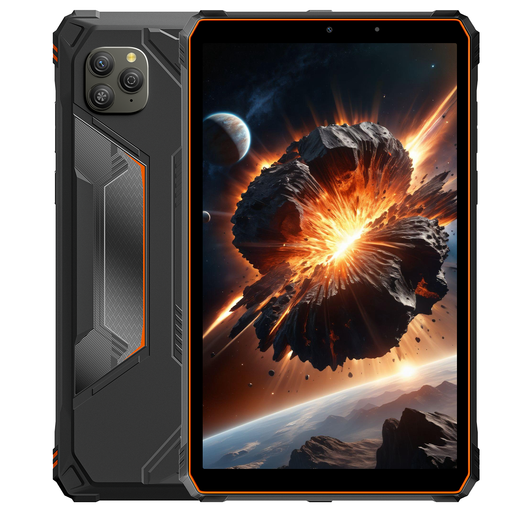
Blackview Active 5
A more compact screen option for taking with you; check that your reading app is available for this Android model.
8.68-inch 90 Hz IPS screen.
22 GB expandable RAM (6 + 18 GB virtual RAM) and 128 GB ROM.
Android 15.
View at Joybuy
 No image available
Lenovo Yoga Tab ZAG60028PL
An Android tablet with a screen over 11 inches, for viewing pages in your hotel room; check that it’s compatible with your reading app.
11.1-inch 3.2K screen, 144 Hz.
Snapdragon 8 Gen 3, 8 GB RAM and 256 GB storage.
Wi-Fi 7, Android 15 and Tab Pen Pro included.
View at Joybuy
 No image available
Lenovo Tab K11 Gen 2 ZAFS0069CZ
An Android tablet with an 11-inch screen, giving you room to read in your hotel room; check that your existing reading app works on it.
11-inch 2.5K screen.
MediaTek Dimensity 6300.
View at Joybuy
 No image available
Apple 11-inch iPad Air (M4) Wi-Fi 256 GB
An iPad option if you use Safari. Apple Support explains how Safari Reading Lists can be made available on your devices through iCloud when the account and settings requirements are met.
11-inch screen.
Wi-Fi, 256 GB and M4.
View at Joybuy
 No image available
TECLAST T65
An Android tablet with a large screen and 4G, according to the product name; check that the size and connection you need are right for your trip.
13.4-inch 120 Hz screen.
Dual SIM 4G and Wi-Fi 5G.
Android 16, 6 GB RAM plus 14 GB virtual RAM and 128 GB storage.
Folio case included.
View at Joybuy
Frequently asked questions
Can you read and edit your reading list at the hotel without internet access?
You can read offline if the app or browser you use has made the pages available. Apple Support explains how to access saved Safari Reading List pages offline on an iPad; Google Chrome Help recommends downloading pages in advance in Chrome on Android. Check whether changes will sync once you’re back online, using your app and account.
How do you use an existing Safari Reading List on an iPad?
Use the same Apple Account on the devices concerned and enable Safari in your iCloud settings. Apple Support explains that you can then view your Reading List in Safari on your other devices.
Is hotel Wi-Fi enough to synchronise your reading list?
It depends on your connection and app, but don’t assume that public hotel Wi-Fi is a trusted network. Veilig Internetten recommends using a VPN on public Wi-Fi and suggests a phone hotspot with mobile data as an alternative. Downloading pages in advance means you’re less reliant on a connection while reading.
What warranty and cooling-off period apply to an online purchase in the Netherlands?
According to ACM ConsuWijzer, the seller is responsible if a product breaks sooner than you could reasonably expect under normal use; there is no fixed warranty period in the Netherlands for all tablets. Online purchases generally come with a cooling-off period of up to 14 days after delivery, subject to legal exceptions.
Does a new tablet in the Netherlands need USB-C and an energy label?
EU rules requiring a common USB-C charging port have applied to tablets within scope since 28 December 2024; the precise scope depends, among other things, on the type of rechargeable tablet. According to the European Commission, energy labelling has applied since 20 June 2025 to slate tablets placed on the EU market from that date. This does not necessarily apply to older launches or exempt tablet computers; check the details of the exact product.


