
Trader with a stick
You want to control thrust with your free hand on long routes, and are mainly looking for a suitable separate throttle.


If you already have a suitable stick and want to control thrust with your other hand, compare separate throttles. If you’re starting without a stick, look at a complete HOTAS set. For precise manoeuvring, you could also consider a second stick or a throttle with extra analogue axes. Check the axis and button assignments for each game, and measure how much desk space you have alongside your monitors.
You want to control thrust with your free hand on long routes, and are mainly looking for a suitable separate throttle.
You prioritise precise control in multiple directions and are comparing extra analogue axes with a second stick.
You don’t have a stick yet and want to fit a complete control setup alongside your monitors and other devices.
First decide whether you already have a stick. Then consider whether dedicated thrust control, manoeuvring in multiple directions or the space available on your desk matters most.
Choose this if: your stick already controls direction and you want a separate control for thrust.
Bear in mind: a separate throttle doesn’t include a stick; you’ll need to assign any extra axes and buttons in the game.
Choose this if: you don’t have a stick yet and want to buy directional control and a throttle together.
Bear in mind: you’ll need space for both control units and may have to configure the functions yourself.
Choose this if: separate control of multiple directions of movement matters more to you than a traditional throttle lever.
Bear in mind: a stick-style control won’t automatically work like a fixed throttle; check the axis and coupling settings.
| Consideration | What to look for | Who it’s most relevant to |
|---|---|---|
| Thrust control along the route | Check whether you already have a suitable stick, how the lever moves and which in-game function you want to assign to the main axis. | When I fly long trading routes, I want to control thrust with my free hand; around 36% of consumers say thrust control along the route is their main need. |
| Manoeuvring when docking | Check which controls are analogue and whether your game lets you assign the movements you want to them. | When I want to control movements in multiple directions separately while docking, I compare extra axes with a second stick; around 29% of consumers say manoeuvring control is their main need. |
| Space alongside multiple monitors | Measure the available desk space and check the range of movement, cable routing and any mounting hardware you may need. | When my controls need to fit alongside multiple monitors, I want to know in advance how much space they’ll take up; around 21% of consumers say placement is their main need. |
| Complete control setup | Check exactly what’s in the box, not just the product title. | When I don’t have a stick yet, I want to know whether one is supplied with the throttle; around 14% of consumers say a complete control setup is their main need. |
A separate throttle isn’t the same as a set that includes both a stick and a throttle.
Check the exact model name and what’s in the box before comparing a separate control with a complete set.
Worth considering if you’re comparing separate PC throttles such as the TWCS or Sol-R 6 with the T.16000M FCS HOTAS set.
Worth considering if you’re comparing a separate STECS throttle with the stick-style Gladiator NXT EVO Omni Throttle.
Worth considering if you’re looking at a complete X56 HOTAS set with a dual throttle.
Worth considering if you’re comparing a separate PC throttle with adjustable controls against a HOTAS or HOSAS setup.
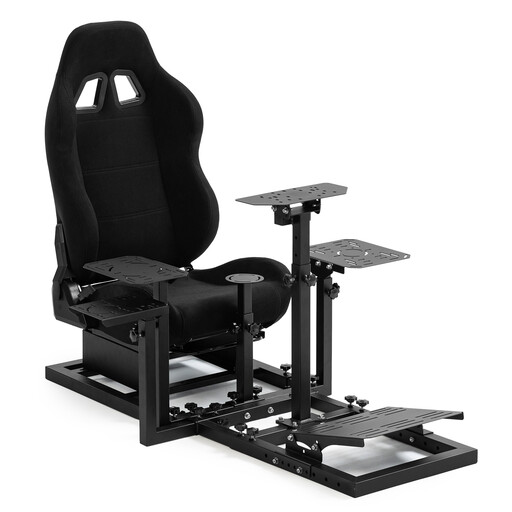
This Joybuy selection includes a cockpit with a racing seat, a flightstick and a PC flight control system. Check whether each product’s controls and required components will work with your setup.
 No image available
This is a cockpit with a racing seat, not a throttle or flightstick; consider it only if you’re also looking for a seat or cockpit setup.
The product title says that the steering wheel, pedals, handbrake and joystick are not included. It mentions Logitech, Fanatec and Thrustmaster; check compatibility with your own components.
 No image available
If you’re looking for a flightstick as well as throttle controls, the product title lists support for Xbox and PC.
The title lists 8 axes, 27 programmable buttons and an OLED screen. The connection is listed as wired USB-C.
 No image available
The product title describes a flight control system for PC; before buying, check whether the version includes the stick and throttle you need.
Not if you also want a stick for directional control. Thrustmaster says the T.16000M FCS HOTAS includes both a T.16000M FCS stick and a TWCS throttle; check what’s in the box for the version you’re considering.
Don’t assume they will. Roberts Space Industries explains how to choose and customise joystick and HOTAS bindings; check your device’s functions and save your own profile if needed.
That depends on the controls you choose and your setup. According to VKB FSC Europe, the STECS Space Standard can sit directly on a desk or be mounted, but the GNX MFH mentioned isn’t included in that set. Check which components are included and measure the available space.
If Dutch consumer law applies to your purchase, the seller is responsible for the statutory guarantee. ACM ConsuWijzer explains that a faulty product may be repaired, replaced or refunded; a manufacturer’s guarantee doesn’t replace this right.
According to the Dutch government, a 14-day cooling-off period applies to many eligible distance purchases. Check the terms of the specific purchase: there are exceptions, and the rules distinguish between a business and a private seller.