
Computer user who listens at their desk
Wants to play soul albums from a computer at a dedicated listening spot, and is mainly looking for the right inputs and room for two speakers.


If you have room on your desk for two speakers and want a dedicated listening spot, consider a stereo pair with inputs that suit your computer or other source. A single Wi-Fi or Bluetooth speaker usually takes up less space and can be practical if you mainly stream from your phone. For a turntable, you’ll also need to check its output, whether it has a phono preamp and whether an adapter is required. This choice is about connections and setup, not any proven difference in sound quality.
Wants to play soul albums from a computer at a dedicated listening spot, and is mainly looking for the right inputs and room for two speakers.
Wants to connect a turntable, so needs to distinguish between a phono preamp, a standard line output and any adapters that may be required.
Mostly listens via a phone or music service and is weighing up a single compact speaker against a stereo pair.
Start with your audio source, then decide whether you’d prefer one compact speaker or two speakers in a dedicated listening spot.
| What to consider | Check before buying | Who is this for? |
|---|---|---|
| Connecting to a computer | Compare your computer’s actual output with the connections on the exact speaker model. | If my computer is my main music source, I want a connection that works with it. Around 29% of consumers make computer connectivity their top priority. |
| Connecting a turntable | Check whether the turntable has a built-in phono preamp and line output, and which cable or adapter the speaker requires. | If a turntable is my main source, I want to know in advance whether it will connect without an extra preamp. Around 28% of consumers prioritise turntable compatibility. |
| Compact streaming | Measure the available space and check your preferred wireless playback method and whether app control is available. | If I have limited desk space, I mainly want an easy way to stream music wirelessly. Around 22% of consumers make compact streaming their top priority. |
| Dedicated stereo pair | Check that the set includes two speakers and find out what connections and placement are needed. | If you want to set up two speakers in a dedicated listening spot, consider the stereo pair as a whole. Around 21% of consumers prioritise this setup. |
A turntable without a built-in phono preamp won’t automatically provide the signal expected by a standard line input.
First check your turntable’s output and phono settings, then compare them with the input on the exact speaker model.
Depending on the turntable, you may need an external phono preamp and a suitable cable.
According to KEF, the KEF LSX II LT has no analogue 3.5mm input. Connections on other models in the range do not automatically apply to this version.
Check the full model number and its connections before choosing how to connect your source.
The LSX II LT may require a different connection for a turntable.
According to Sonos, two Era 100 speakers can be paired in stereo, so a single unit isn’t the same setup.
Decide in advance whether you want to start with one speaker or need two straight away. The Era 100 also requires a Sonos Line-In Adapter for a wired external source.
A stereo pair requires a second speaker. For wired audio with the Era 100, you’ll also need the required adapter and a suitable cable.
The R1280DBs we looked at is an active stereo pair for a dedicated setup.
According to Audioengine, the A2+ Gen 3 is designed for desktop use.
The Era 100 is a compact Wi-Fi and Bluetooth speaker that, according to Sonos, can be paired with a second Era 100 for stereo.
The LSX II LT is a networked stereo pair with USB-C for a computer, among other connections.
These products are intended for listening to music at a desk or workstation. Check that each model’s connections suit your source.
 No image available
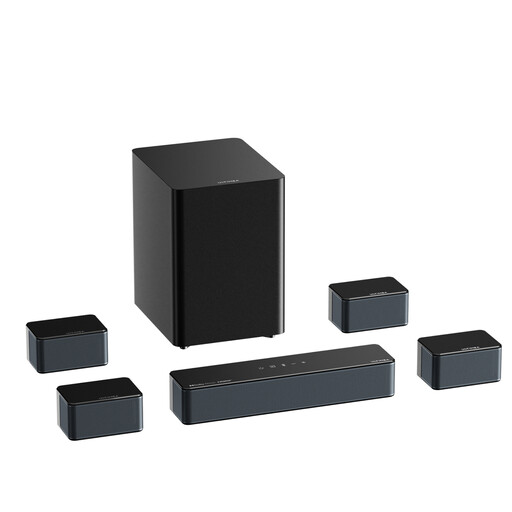
The title mentions Bluetooth for wireless music playback. Check that the connections suit your computer or other source.
7.1-channel sound, 500 W and Bluetooth 5.3 are listed in the product name.
 No image available
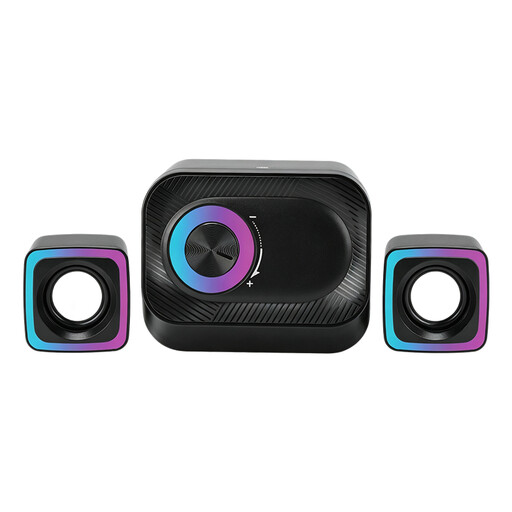
This PC set may suit a desk setup with two separate speakers. Check in advance that the wired connection works with your computer.
The product name specifies a wired system with volume control and RGB lighting.
 No image available
According to the product name, this stereo set is designed for PC and desk use. Check that the connection is suitable for your audio source.
The product name specifies a compact stereo set with RGB lighting.
 No image available
This stereo set may suit a dedicated desktop music setup. Check that the connection required by this model works with your computer.
The product name specifies compact desktop speakers with coloured LED lighting.
 No image available
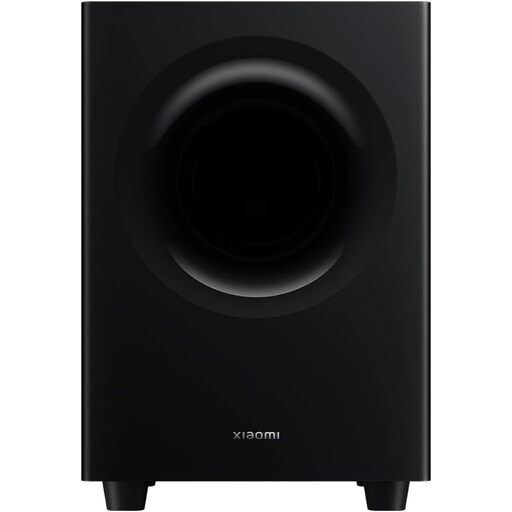
This soundbar may suit a workspace where you want to play music through a soundbar. Check which connection matches your source.
The product name specifies 2.1 ch.
Only if the turntable already provides a suitable line-level signal, for example through a built-in phono preamp. Check your turntable’s output; otherwise, you’ll generally need a suitable external phono preamp.
Sonos specifies a Sonos Line-In Adapter and a cable that matches the source output for the Era 100. If your turntable has no built-in preamp, you’ll also need an external phono preamp.
Yes. According to the Sonos guide, two Era 100 speakers can be paired for stereo. Bear in mind that you’ll need a second speaker.
No, don’t assume the connections are the same: according to KEF, the LSX II LT has no analogue 3.5mm input. Check the full model number and its connections if you want to use an analogue source.