First, choose an image size that lets you read the smallest maps and captions from your seat. Then check that the projection distance and room lighting suit the projector. A compact projector may be enough in a darkened room; with ambient light, a large image or a fixed, awkward set-up, brightness and optical positioning options matter more. Before you buy, also check the video and audio connections, as well as the compliance information for the specific unit.
Which projector is right for you?
For viewers who need to read small text
If you want to read dates, map keys and captions from your seat, pay attention to image size, actual output resolution and focus. BenQ Netherlands specifies the TH585P at 1920 × 1080; Dangbei lists the N2 mini as native 1080p. These specifications are no substitute for checking one of your own lecture slides at the intended image size.
For viewers in a room with ambient light
If you cannot fully darken the room during a lecture, assess brightness alongside image size and the amount of light falling on the screen. Epson lists the EH-TW7100 at 3,000 lumens; XGIMI quotes peak brightness of 5,700 ISO lumens for the HORIZON 20 Max. These are manufacturer figures based on different measurement standards.
For viewers with a fixed or limited set-up space
If it is difficult to change the lens position or distance from the screen, check the model’s throw ratio and optical positioning options. BenQ lists a throw ratio of 1.5–1.65 for the TH585P; Epson specifies lens shift and optical zoom for the EH-TW7100.
What should you look for?
First, decide what sort of set-up you need: a fixed position, a large image in ambient light or a projector you can move around. Then assess readability, positioning and sound using your own lecture content.
Fixed set-up for text and maps
A good fit if: you usually watch from the same spot and can place the lens at a suitable distance from a fixed screen.
Trade-off: the stated lamp life for the BenQ TH585P depends on the mode you select. Factor in the availability of a suitable replacement lamp when making your choice.
A larger image or more ambient light
A good fit if: it is difficult to darken the room or you want a large image. Always consider brightness in relation to image size and room lighting.
Trade-off: Epson lists the EH-TW7100 at 3,000 lumens, while XGIMI quotes peak brightness of 5,700 ISO lumens for the HORIZON 20 Max. The figures are based on different measurements, so they are not directly comparable and do not guarantee readability in your room.
A portable projector for a darkened room
A good fit if: you want to move the projector between rooms and can darken the space during lectures.
Trade-off: Dangbei lists the N2 mini as native 1080p, with autofocus and automatic image correction. These features do not guarantee that small text will remain readable at every image size.
| What to consider |
What to look for |
Who should pay particular attention? |
| Readability |
Check the output resolution and view a representative slide at the planned image size. |
If you want to read maps, dates and small captions from your seat, make readability your priority. Around 33% of consumers rank readability as their top buying priority. |
| Room lighting |
Note whether you can darken the room and what image size you want; then compare brightness figures using a suitable measurement standard. |
If you cannot darken the room, you will want to know whether text and images will remain visible in the available light. Around 27% of consumers prioritise visibility in their room lighting. |
| Projection distance |
Measure from the planned lens position to the screen and check the throw ratio and optical positioning options. |
If the lens cannot be moved freely, you will want to know in advance whether the desired image width is achievable from that position. Around 20% of consumers make suitable positioning their top priority. |
| Speech and connections |
Check that your playback source’s outputs are compatible with the projector and any external audio equipment. |
If you mainly listen to lectures, you will want to make sure the source connection works and that speech is clear from your seat. Around 20% of consumers give speech reproduction and source connections top priority. |
Common buying mistakes
-
Comparing only the highest lumen figure
How bright an image looks also depends on ambient light and image size. Manufacturer figures based on different measurement standards are not necessarily directly comparable.
First, note how much light falls on the screen and how large the image will be. Then compare figures based on a consistent measurement standard.
-
Assuming a resolution label guarantees readability
A specification does not show how the smallest text in your lecture content will look from your seat.
View a representative map, timeline and slide at the intended image size and from your planned seating position.
-
Overlooking the projection distance
The distance between the lens and screen affects the image width a model can produce. BenQ notes that significant digital keystone correction may reduce image quality slightly.
Measure the distance from the lens to the screen and check the throw ratio. If the position is fixed or awkward, see whether optical zoom or lens shift will work with your set-up.
-
Treating lamp life or extra warranty as the full cost picture
BenQ lists different lamp life figures for the TH585P depending on the mode. A stated operating life does not, by itself, give you the full picture of how long the lamp will last in your viewing mode.
Check which replacement lamp is compatible with the exact model and what any additional warranty terms offer beyond your statutory rights.
Projector brands to consider
BenQ
The TH585P is a useful point of comparison if you are weighing up Full HD, stated brightness and a fixed projection distance.
- BenQ Netherlands specifies 1920 × 1080 resolution, 3,500 ANSI lumens, a throw ratio of 1.5–1.65 and two HDMI inputs for the TH585P.
- It uses a lamp as its light source, and the stated lifespan depends on the mode. This does not automatically apply to other BenQ models.
Epson
The EH-TW7100 is an example of a fixed home cinema set-up with optical positioning options.
- Epson lists 3,000 lumens, lens shift, optical zoom, two HDMI ports and built-in stereo speakers for this model.
- The product specifications alone cannot tell you whether the smallest text will be readable in your room; test the intended image size and set-up.
Dangbei
The N2 mini is an example of a portable projector for use in a darkened room.
- Dangbei lists native 1080p, autofocus, automatic image correction and a tilting stand for the N2 mini.
- These features do not confirm that every unit on sale works with every lecture platform, or that small text will be readable at every image size.
XGIMI
The HORIZON 20 Max is an option to consider for a large projection with room for optical adjustment.
- XGIMI lists peak brightness of 5,700 ISO lumens, optical zoom and lens shift for this model.
- These are manufacturer figures, not measurements taken in your viewing room. Do not assume they are directly comparable with figures based on a different measurement standard.
Joybuy projectors for lectures at home
These Joybuy picks are projectors for home use, including models listed as native Full HD. Compare the specifications with your image size, room lighting and available set-up space. Also check that the connections suit your lecture source and review the compliance information for the specific unit.
 No image available
XGIMI Vibe One, Match Night EU Edition, with screen and stand
The listed Full HD resolution is suitable for lectures with text and maps; view one of your own slides at the intended image size.
The product name lists Full HD 1080p, a built-in battery and a projection screen with stand.
View at Joybuy
 No image available
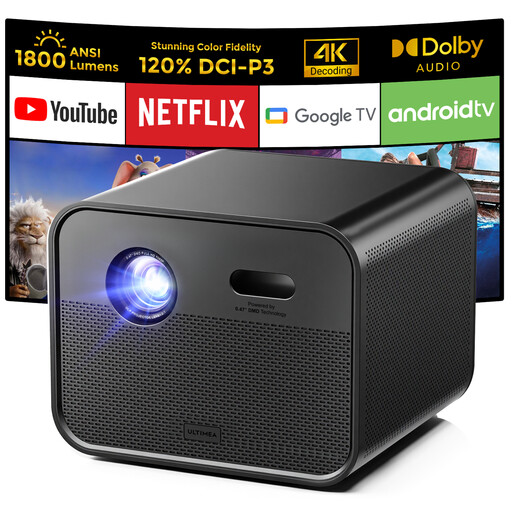
Ultimea Poseidon E100
The native Full HD specification may be useful for lectures with maps and captions; check readability in your own set-up.
The product name lists 1920 × 1080, 1,800 ANSI lumens and autofocus. The description mentions two 10 W speakers and HDMI.
View at Joybuy
 No image available
Yaber L2
The native 1080p specification is suited to detail; check small text at your planned image size and viewing distance.
The product name lists 520 ISO lumens and two 5 W speakers. The description mentions a 1.17:1 throw ratio and automatic focus.
View at Joybuy
 No image available
XGODY N7 Cine
The stated native 1080p resolution may suit lecture images with maps and captions; check the smallest text in your actual set-up.
The product name lists 1,000 ANSI lumens and autofocus. The description mentions a 1.1:1 throw ratio and a 60-inch image from 1.33 metres.
View at Joybuy
 No image available
XGODY Gimbal N6 Pro, white and gold
The native 1080p specification may be useful for lectures with text and maps; try one of your own slides at the desired image size.
The product name lists 700 ANSI lumens. The description mentions autofocus, keystone correction, stereo speakers and HDMI.
View at Joybuy
Frequently asked questions
Do you need 4K to read lecture maps and dates?
The 4K label alone is not enough to tell you. Check the actual output resolution, source quality and focus, then see how readable one of your own slides is at the planned image size and viewing distance. BenQ lists the TH585P and Dangbei the N2 mini as native Full HD; the specification alone cannot tell you whether your smallest text will be readable.
How can you avoid a skewed or blurry image?
First, measure the distance from the lens to the screen and aim the lens as directly as possible at the projection surface. Then check the projection range and optical settings for the exact model. Digital keystone correction can straighten a skewed image, but BenQ warns that the adjustment may reduce image quality slightly.
What do lamp life and warranty mean for a projector?
The stated lamp life for the BenQ TH585P depends on the operating mode, so check which replacement lamp is compatible with the exact model. The Dutch government states that there is no fixed statutory warranty period in the Netherlands. Also check what any additional warranty terms cover.
What CE information should you check for a projector?
Electrical and electronic equipment covered by applicable EU rules must carry CE marking. The European Commission describes CE marking as a declaration by the manufacturer, not a quality mark issued by a central EU body. Check the information for the specific model and unit; a brand or model name alone does not confirm compliance.
Can you return a projector bought online if it does not suit your set-up?
For an eligible distance purchase from a business, a 14-day cooling-off period generally applies in the Netherlands, subject to exceptions. Check the seller’s information and the terms of your specific order before assuming you can return it.


