If you have a suitable mains socket and only need to charge your speaker, start by checking that model’s connection and charging specifications; you won’t necessarily need extra ports or a battery. Choose a multi-port charger if you also want to charge other devices, or a compatible power bank if you need to charge without a mains socket. In either case, check the cable and the power output of each port you use.
Which option is right for you?
Speaker owner with access to a mains socket
You mainly want to charge one speaker with a suitable charger and avoid bringing unnecessary equipment. Check the model details and charging label before choosing a charger, as the Dutch government advises when selecting the right charging power.
Holiday group with several devices
You also want to charge phones or other devices in the same place. Check both the port types and how much power is available when several ports are used at the same time.
User without access to a suitable mains socket
You want to charge your speaker outdoors or somewhere without mains electricity. A suitable power bank could be an option; the Dutch Consumers’ Association points out that you should consider the connections and the amount of power actually delivered.
What should you look for?
| What to consider |
What to look for |
Who is this most relevant to? |
| Connection and charging specifications |
Check the speaker’s input, the cable it needs and the charging specifications for the port you plan to use. |
If I only want to charge my speaker, I first want to make sure the connection and cable are compatible. For around 36% of consumers, finding a suitable power supply for one speaker is the main priority. |
| A safe place to charge |
Don’t use a damaged cable or charger. Charge on a dry, hard surface where heat can escape. |
When charging in temporary accommodation, I want a clear space where the equipment can stay dry and heat can escape. A safe place to charge is the main consideration for around 29% of consumers. |
| Charging several devices at once |
Count the USB-A and USB-C ports you need, and check how the power is distributed when they’re used at the same time. |
If we want to charge phones as well as our speaker, I want to know whether there are enough compatible ports and how much power each one delivers. For around 21% of consumers, charging other devices at the same time is the main priority. |
| Charging without a mains socket |
Check that the outputs and cable are compatible with your speaker; don’t treat the mAh figure as a guaranteed number of charges. |
When I want to charge my speaker somewhere without mains electricity, I look for a suitable battery-powered option and remember that it will need recharging too. Charging without a mains socket is the main priority for around 14% of consumers. |
Common buying mistakes
-
Assuming every speaker has USB-C
The connection depends on the specific speaker model. The EU’s USB-C rules for devices covered by the legislation don’t change the connection on an older model retrospectively.
Check your model’s details, then choose a compatible cable and charger.
You may still need a compatible cable if it isn’t included with the set-up you choose.
-
Confusing total output with the output per port
With a multi-port charger, power may be shared between connected devices. So the maximum output for one port doesn’t necessarily tell you how much power it will deliver when you use several ports at once.
Check the power distribution for the exact combination of ports you plan to use.
-
Assuming the mAh figure tells you how many times you can charge your speaker
The stated battery capacity isn’t the same as the energy your speaker actually receives. That’s why the Dutch Consumers’ Association also assesses power banks on the power they deliver in different situations.
Use the mAh figure as a product specification, not a guarantee of a certain number of full charges for your speaker.
-
Choosing a power station or extra extension lead when you don’t need one
More connections or stored energy aren’t automatically necessary if you have a suitable mains socket and only want to charge a USB-powered speaker.
First check whether you have access to mains electricity and how many devices actually need charging at the same time.
A larger power supply may take up more space and be heavier to carry; you’ll also need to recharge a battery-powered option yourself.
Brands to compare
Belkin
Wall chargers for a compact charging set-up with more than one USB-C device.
- Belkin lists two USB-C ports and up to 20 W per port for the BoostCharge WCB006vfWH, a 40 W model.
- This model has no built-in battery or USB-A port. Check that the cable and connections are compatible with your speaker.
Anker
According to Anker, the Anker 543 Charger (65W II), model A2046, is a mains charger with two USB-C and two USB-A ports.
- Anker lists a maximum total output of 65 W and specifies an output split of 30 W and 20 W when both USB-C ports are in use.
- The charger needs to be plugged into the mains. Before buying, carefully check the model and packaging details for the version you’ve chosen.
Xtorm
The Fuel Series 5 FS5103U is a power bank for charging without a mains socket.
- Xtorm lists a capacity of 10.000 mAh, two USB-C ports, one USB-A port and a 20 W USB-C PD output for this version.
- The power bank needs to be recharged itself. Its stated capacity doesn’t tell you how many full charges it will provide for an unspecified speaker model.
Brennenstuhl
According to the manufacturer, the hugo! ONE 2nd Gen. combines mains sockets with USB-C connections.
- For this version, the manufacturer lists two earthed mains sockets, two USB-C connections with USB-C PD 20 W and a 2 m cable.
- Before buying, check that the version and plug are suitable for use in the Netherlands.
EcoFlow
The RIVER 3 is a power station for more extensive power needs away from the mains.
- EcoFlow lists a capacity of 245 Wh and an output of 300 W for the RIVER 3.
- These specifications don’t show that you need a power station for a USB-powered speaker, or how long it would run a particular speaker model.
Products for charging in a holiday home
The products below are suited to a charging spot with several ports, or to charging without a mains socket. Before use, check that the connections and cable are compatible with your speaker.
 No image available
7-in-1 Cube Power Strip, white
An option for a dedicated charging spot where you want to connect several devices; check that the ports are compatible with your speaker and cable.
The product name lists several mains sockets, USB-A and Type-C charging ports, a maximum of 2500 W and a 1.5 m cable. Keep it away from water and moisture, and don’t plug extension leads into one another.
Joybuy
 No image available
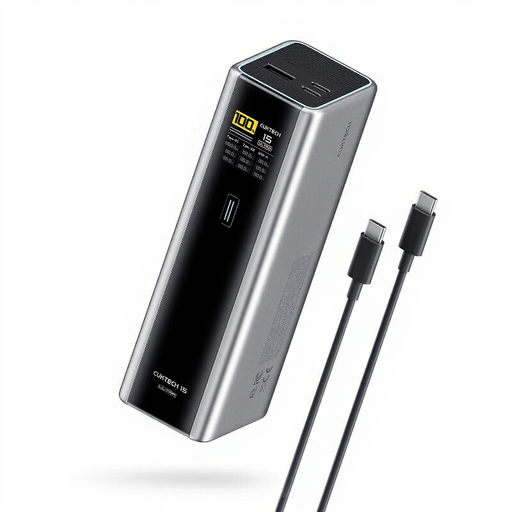
CUKTECH 15 Ultra Power Bank, grey
A power bank for charging without a mains socket, provided its connections are compatible with your speaker’s input and cable.
The product name lists 20.000 mAh, 140 W and three ports. The description mentions USB-C and USB-A outputs. The power bank needs to be recharged itself; its stated capacity doesn’t guarantee a set number of speaker charges.
Joybuy
 No image available
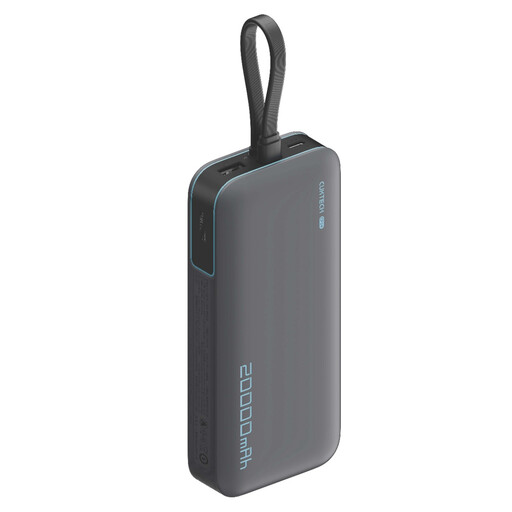
CUKTECH 20.000 mAh 40 W Power Bank, CP24 + 3C LPB200N, grey
An option for charging without a mains socket; check that its outputs are compatible with your speaker’s cable and charging specifications.
The product name lists 20.000 mAh and 40 W. The description mentions three outputs for charging devices at the same time. The power bank needs to be recharged itself.
Joybuy
 No image available
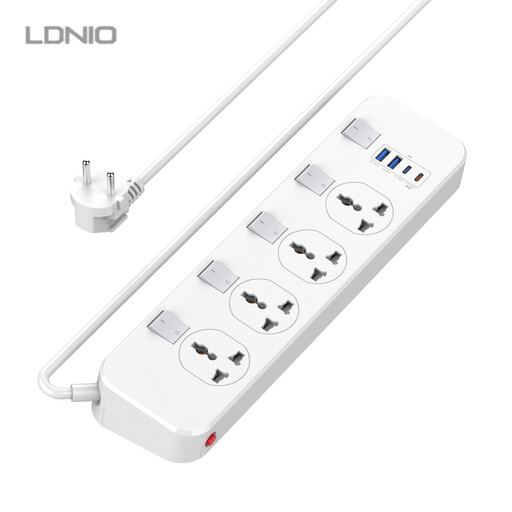
LDNIO Universal Power Strip
An option for a charging spot with several connections and mains power. Check which plug version comes with the version you’ve chosen and whether it suits your needs.
The product name lists four universal mains sockets, two USB-A ports, one USB-C port with 20 W USB-C PD and a 6.5 ft cable. The description mentions surge protection.
Joybuy
 No image available
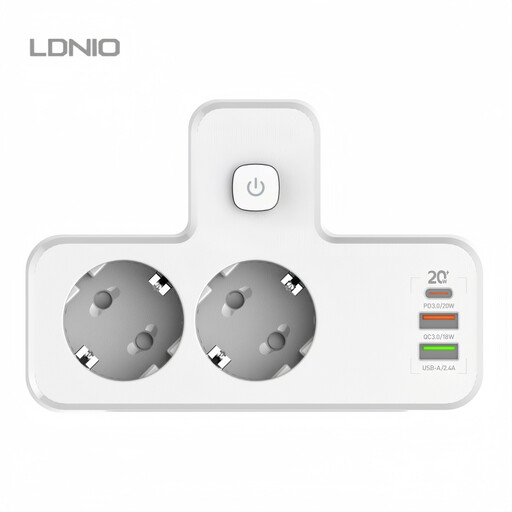
LDNIO Cordless Power Strip PD20W Multi-USB Socket
A multi-port charging option for a spot where you want to connect several devices at once; check that the version is compatible with your speaker and cable.
The product name lists PD20W. The description mentions a USB-C PD port and several USB-A ports. The product name describes this as an extension lead; don’t assume it has a built-in battery.
Joybuy
Frequently asked questions
Do USB-C rules mean your portable speaker must have a USB-C connection?
No. Since 28 December 2024, EU rules have applied to portable speakers within their scope, including rechargeable radio equipment that can be charged by cable. Don’t assume an existing model has a particular connection based on that date: check its model and charging specifications.
Where can you charge your speaker safely in a holiday home?
Follow the instructions and charge on a dry, hard surface where heat can escape from the charger. The Dutch Fire Service advises against using damaged cables and chargers. Ideally, charge while you’re nearby and choose a spot close to a smoke alarm.
How can you compare costs and service when buying a charger online?
Check which cables and accessories are included with the specific offer. According to the Dutch government, online purchases from a business usually come with a 14-day cooling-off period; you’re also entitled to a product that meets reasonable quality standards. The Netherlands has no fixed statutory warranty period.
What product rules apply to a mains charger in the Netherlands?
Electrical equipment must meet the applicable safety requirements. According to the Dutch government portal, once the technical and administrative requirements have been met, the manufacturer must affix the CE marking and draw up an EU declaration of conformity. This doesn’t prove that an individual product listing has been checked.


