
Viewer with files on a USB drive
You want to play your holiday film without a laptop and check in advance that the media player can handle your file’s picture and sound.


Start with the film file: a USB port doesn’t automatically mean a projector can play the film, sound and any subtitles. To avoid the uncertainty, connect a laptop or another player via HDMI. Then choose based on the ambient light and whether you’ll have access to mains power at the venue.
You want to play your holiday film without a laptop and check in advance that the media player can handle your file’s picture and sound.
You want everyone to be able to follow the picture without completely darkening the room. Consider both the ambient light and where you’ll position the projector.
You show the film in different places and weigh portability and power supply against the available light.
| What to consider | What should you check? | Who is this important for? |
|---|---|---|
| Playing files | Check that the media player supports the video and audio file. Test any subtitles with a clip too. | If I want to play the film from USB without a laptop, I want to know in advance that the picture and sound will work. Around 40% of consumers prioritise playing their own file. |
| Visibility | Consider the ambient light and desired picture size alongside the stated brightness. | If the room can’t be completely dark, I want everyone to be able to follow the picture. Around 30% of consumers prioritise visibility in the available light. |
| Portability and power | Check the weight and power supply at the venue. For a model with a battery, check the battery life for the specific version and settings you plan to use. | If I’m showing the film in different places, I want to know whether there’s a socket and whether the projector is easy to carry. Around 20% of consumers prioritise portability. |
| Set-up and sound | Measure the available distance and check whether the built-in speakers are suitable for the room and audience. | If I’m watching with friends, I want to position the projector properly and make sure the film can be heard from the seats. Around 10% of consumers prioritise a practical group set-up and sound. |
A USB connection doesn’t automatically mean the projector has a suitable media player or can play your file.
Check how you’ll play the film and test a clip with picture, sound and any subtitles before film night.
Playing the film directly may save you needing a separate media player, adapter or cable. You may need these when using an external device instead.
The right brightness depends on the viewing environment. Projection distance and desired picture size also determine whether your set-up will work.
Consider the room’s lighting, available distance and desired picture size together.
Epson lists the EF-21W as discontinued, so an old product listing doesn’t mean that version is still available.
Check the exact version and current availability before considering a model as a purchase option.
The GV50 is a portable option to compare if you want to play local files or connect an external player via HDMI.
The CO-FH02 and Lifestudio Pop EF-61W are separate models with different stated specifications and use cases.
According to Nebula, the Capsule range is designed for compact projection in different locations.
These models are aimed at playing local films via an external player or, depending on the version, directly from USB. Before choosing, check that your file works using the playback method you intend to use.
 No image available
A good fit for playing a local film via an external player connected through HDMI.
The product information lists HDMI and USB. Native 1080P and 700 ANSI appear in the product name.
Keep the ventilation openings clear and don’t look directly into the lens while the projector is in use.
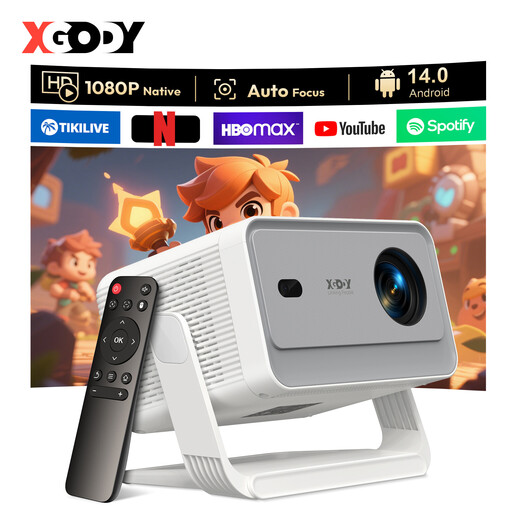 No image available
A good fit for playing a local film via an external player if you want to use HDMI and need to reposition the projector.
The product information lists HDMI and an adjustable gimbal stand. Native 1080P and 650 ANSI appear in the product name.
Keep the ventilation clear, don’t look directly into the lens, and protect the device from rain, damp and liquids.
 No image available
Could suit a group screening if the listed connection method works with your external device.
The product information lists a detachable TV dongle for devices such as laptops and devices with a micro-HDMI output. It also mentions two 10 W JBL speakers.
When using the projector outdoors, protect it from rain, dew and high humidity. Keep the ventilation clear and don’t look directly into the lens.
 No image available
A good fit for playing a local film via an external device if HDMI is your chosen playback method.
The product information lists HDMI, a 1:1 projection ratio and projection from 1.35 metres. It also mentions a rotatable design.
Keep the ventilation openings clear, don’t look directly into the lens, and protect the projector from water and damp when using it outdoors.
 No image available
A good fit if you want to try USB playback or connect an external device via HDMI. Check that it supports your film file.
The product information lists playback from USB flash drives, HDMI, 500 lumens and a 360° rotatable design.
Place the projector somewhere dry and stable, keep the ventilation clear and don’t look directly into the lens.
No. A USB port alone doesn’t guarantee direct film playback. Check that the projector has a suitable media player and test whether your file plays with picture and sound. Connecting a laptop or another player via HDMI is an alternative.
Measure the distance to the projection surface and test the complete playback set-up with a clip from the film. Also check the focus, picture size and sound from the seats. For the BenQ GV50, BenQ states a projection ratio of 1.2; check the specifications for any other model.
For a consumer purchase in the Netherlands, a product must meet what you could reasonably expect. The Rijksoverheid advises that you contact the seller if there’s a problem; there is no fixed statutory warranty period of two years.
According to Auteursrechtnl, you can show copyright-protected film footage or music within a strictly domestic circle without permission. Outside that circle, you may need permission from the rights holders, even for a private club event. The rights that apply to footage and music in your own film depend on the material used and the circumstances of the screening.