What should you look for?
First, check the connection by your modem and in the hobby room, then see whether you can run a cable. This helps you avoid replacing your router when coverage is the main issue.
| What to consider |
What to look for when buying |
Who is this important for? |
| Coverage over distance and through walls |
Check the signal by your modem, in the hobby room and in potential locations for an additional point. |
If Wi-Fi works well by the modem but drops out at the back of the house, I want to know where an additional point can still receive a signal. Coverage in the hobby room is the main concern for around 36% of consumers. |
| Cabling and Ethernet ports |
Check whether you can run a cable, whether Ethernet backhaul is supported and how many ports will be left available. |
If I have Ethernet in the room, I also want to connect devices there by cable. For around 29% of consumers, a wired connection and useful ports are the top priorities. |
| Device compatibility |
Check the Wi-Fi version and supported frequency bands for each device. |
For both older and newer devices, I want to know in advance which bands they support. Around 21% of consumers prioritise compatibility with a mix of devices. |
| Cost and ease of use |
Try adjusting the position and settings first; then compare how many points you need and the features available in each operating mode. |
I want to avoid replacing equipment that won’t solve the coverage problem, or losing features I need. For around 14% of consumers, cost and simplicity are the first things to consider. |
Joybuy products
This selection includes mesh systems for extending Wi-Fi wirelessly and access points for a wired connection to your hobby room.
 No image available
TP-Link Deco BE68 2-pack
A mesh option for extending Wi-Fi wirelessly if you can’t run an Ethernet cable to your hobby room.
Dual-band Wi-Fi 7; mesh with wired and wireless backhaul.
View at Joybuy
 No image available
TP-Link Omada EAP653
A wired access point for a hobby room with Ethernet; check whether your setup supports PoE.
Wi-Fi 6 with 2.4 and 5 GHz bands; PoE and one Ethernet port. Support for Wi-Fi 4, 5 and 6 is listed.
View at Joybuy
 No image available
TP-Link Deco X50-POE 2-pack
A mesh option for a hobby room where you want to extend Wi-Fi and connect wired devices.
Dual-band Wi-Fi 6 on 2.4 and 5 GHz; PoE, WPA3 and two Ethernet ports per unit.
View at Joybuy
 No image available
TP-Link Deco XE75 Pro 3-pack
A three-unit mesh set to consider if you need several points; the best placement depends on your home.
Tri-band Wi-Fi 6E on 2.4, 5 and 6 GHz; three gigabit Ethernet ports per unit.
View at Joybuy
 No image available
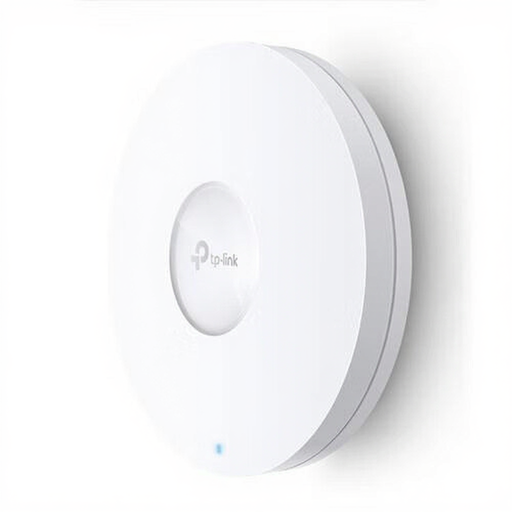
TP-Link Omada EAP620 HD
A wired access point for a hobby room with Ethernet; check the mounting location and the PoE connection you need in advance.
Wi-Fi 6 with 2.4 and 5 GHz bands; PoE and one Ethernet port. Support for Wi-Fi 4, 5 and 6 is listed.
View at Joybuy
Frequently asked questions
Should you buy a new router straight away if Wi-Fi is slow at the back of your home?
No. First, check the connection using a computer connected to the router with a network cable, then compare it with the Wi-Fi in your hobby room. Next, check the positioning and settings; walls and distance can particularly limit wireless coverage.
Can an additional Wi-Fi system work behind your provider’s modem?
That depends on the connections and operating mode of the system you choose. Check the instructions for your model. Linksys says that devices in the bridge mode described remain on the same network, but certain extra features are unavailable. The Dutch Authority for Consumers and Markets (ACM) explains the freedom to choose your router, while highlighting the importance of safe use and the required provider settings.
What maintenance should you do after installation?
Keep your equipment up to date and check your Wi-Fi security. The Dutch Authority for Consumers and Markets (ACM) highlights the importance of updates for keeping your own device secure; the Consumers’ Association (Consumentenbond) recommends checking which encryption your network uses.
Is the manufacturer’s warranty the same as the full statutory guarantee in the Netherlands?
No. According to ACM ConsuWijzer, the statutory guarantee applies alongside any retailer’s or manufacturer’s warranty. How long you can expect a product to work properly depends on the circumstances; a fixed two-year manufacturer’s warranty doesn’t automatically set the limit of your statutory rights.
Do you need a permit or registration to use Wi-Fi at home in the Netherlands?
According to the Dutch Digital Infrastructure Inspectorate (Rijksinspectie Digitale Infrastructuur), you don’t need to notify or register for licence-free Wi-Fi use, but certain conditions apply, including setting the correct country. The Inspectorate also states that radio equipment sold in Europe must comply with the applicable product rules and carry a CE mark.


