
Presenter in a well-lit room
You show slides to a group while some daylight or artificial lighting stays on. How clearly the image can be seen at your intended screen size is an important factor in your choice.


Start by considering the room lighting, the image size you want and the available projection distance. Then choose a resolution and connection that suit your slides and source device. A presentation projector may be worth considering if some lights will stay on, but manufacturers’ stated figures are no substitute for testing your own slides in the planned set-up.
You show slides to a group while some daylight or artificial lighting stays on. How clearly the image can be seen at your intended screen size is an important factor in your choice.
You want visitors to be able to make out details and captions in scanned images. So pay attention to both the resolution and how legible your slide layout is.
You take the projector with you and need to consider the available projection distance and connections at each venue.
First, decide where the projector will go and how large the image needs to be. Then compare the stated brightness, resolution and connections with the room, your slides and your source device.
| What to consider | What to look for when buying | Who is this important for? |
|---|---|---|
| Visibility with the room lights on | Compare brightness figures measured on the same basis, and assess them at your planned image size and with the amount of light in the room. | If I’m presenting while some of the room lights are on, I want to know in advance whether the group will be able to see my slides. Around 36% of consumers say visibility with the room lights on is their main concern when buying. |
| Details and captions | Compare the native resolution and view one of your own slides with small text at the intended size. | When showing historical scans, I want visitors to be able to make out details and captions. Around 29% of consumers prioritise photographic detail and legible text. |
| Projection distance and image size | Measure the distance to the screen and check the throw ratio of the exact model. | If space is limited, I want to know whether the projector can produce the image size I want from the available position. Around 21% of consumers say placement is their main concern when buying. |
| Connections and ease of use | Check the model’s ports and supported connections; test your source device and presentation file in advance. | To get started smoothly, I want to know in advance whether my device and file will work with the projector. Around 14% of consumers say connections and ease of use are their main concern when buying. |
Room lighting and the size of the projection surface also affect visibility. A stated brightness figure is not a measurement taken in your room.
Decide in advance how much lighting will stay on and how large the image will be. Only compare brightness figures if they use the same measurement basis.
A maximum size doesn’t automatically tell you whether that image is achievable or easy to see from the position available in your room.
Measure the distance to the screen and check the throw ratio of the exact model before choosing your set-up.
You may need to choose a different screen position or projection set-up.
Having connection options doesn’t guarantee that your device or presentation file will work with the projector.
Test the actual file using the connection you plan to use before giving your presentation.
If you don’t check in advance, you may find you need a compatible source device or connection cable.
According to the Dutch government, there is no fixed statutory warranty period for all products in the Netherlands. What you can reasonably expect from a product is also taken into account when assessing a problem.
Read the additional warranty terms and contact the seller if the product is faulty.
The EB-W53 and EB-L210W are Epson models worth considering for presentations. The features listed apply to each individual model and not automatically to the entire range.
The MH560 is a business Full HD lamp projector worth looking into if captions, HDMI and the available projection distance matter to you.
The Philips NeoPix 230 Smart is worth considering for a smaller, well-darkened set-up where you want several connection or playback options.
This Joybuy selection includes several Epson projectors for presentations and one model with native Full HD. Assess each model’s stated brightness, resolution and placement against your room and slides.
 Image unavailable
Worth comparing for presentations where some of the room lights will stay on; check how legible your slides are at the image size you want.
The product title lists 4,000 ANSI lumens. Epson Netherlands lists 4,000 lumens of both white and colour light output and two HDMI ports for the EB-W53.
 Image unavailable
Compare this model if the room layout and available lighting are important; test your own slides at the intended size.
The product title lists 4,100 ANSI lumens. The product information describes an ultra-short-throw model and a maximum image size of 100 inches; check that these limits suit your set-up.
 Image unavailable
Worth comparing if you present at different venues; check the projection distance and connection at each planned location.
The product title describes a short-throw model and lists 3,000 ANSI lumens. The WXGA resolution is 1280 × 800.
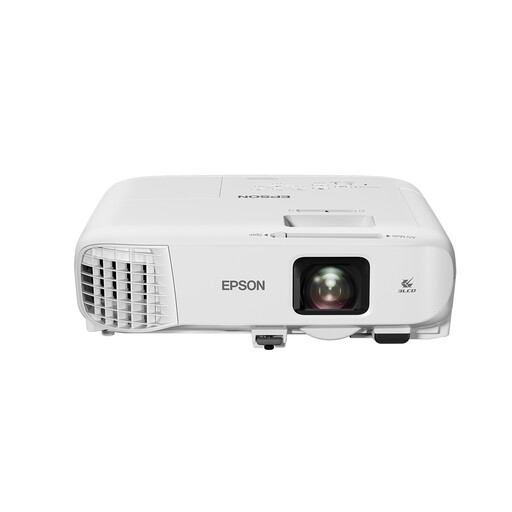 Image unavailable
Use one of your own test slides to check whether XGA offers enough detail for the captions and scans you want to show.
The product title lists 3,600 ANSI lumens and native XGA 1024 × 768. Resolution is an important consideration for slides with small captions.
 Image unavailable
Native Full HD resolution may be useful for slides with fine detail. Assess visibility separately if some of the room lights will stay on.
The product title lists native 1080P and 900 ANSI. This stated brightness alone doesn’t prove that the image will be visible enough in your room.
Test your own slide with the smallest caption from the back row. Take into account the screen position, viewing distance, image size and any lighting that will stay on during the presentation.
It varies by model and file. Both the Epson EB-W53 and BenQ MH560 list two HDMI inputs; the Philips manual also describes playback from USB media. Check your laptop’s output and test the actual presentation file in advance.
Compare the light source and maintenance instructions for the model you choose. According to the Dutch government, there is no fixed statutory warranty period for all products in the Netherlands; what you can reasonably expect from the product is also taken into account. ACM ConsuWijzer explains that online consumer purchases generally come with a 14-day cooling-off period from delivery, subject to statutory exceptions.
Not every old image is free to use. According to the Dutch government, you need permission to use or make public photographs by others that are protected by copyright; a copy made for personal use must not be distributed or made public. Check the rights for each work and the nature of the showing separately.
For household electrical appliances, the Dutch government describes taking them to a municipal collection point or using a free old-for-new scheme when buying a similar appliance, including for online purchases. The scheme described for individuals does not apply to business equipment.