
Readers of transcribed letters
If you want larger text and more space between lines, first check whether the edition is available as reflowable text. Rakuten Kobo explains the adjustable text display for e-books separately from PDF viewing.


The right e-reader depends first on the edition you’re reading. With reflowable text, you can adjust the font size; with a fixed PDF or scan, you’ll need to zoom in on each page. Rakuten Kobo makes this distinction clear for PDFs. If you’re reading transcribed letters, focus on text settings and file transfer. For original scans, compare the screen space and test a representative letter.
If you want larger text and more space between lines, first check whether the edition is available as reflowable text. Rakuten Kobo explains the adjustable text display for e-books separately from PDF viewing.
If you want to preserve the handwriting and original page layout, testing your own scan and the zoom function will be more useful than simply checking the font-size settings. Rakuten Kobo explains how to zoom in on PDF pages.
Check whether the file is unprotected and which transfer method you’ll need. According to Rakuten Kobo, you can add unprotected EPUB and PDF files using a computer; some borrowed e-books may require Adobe Digital Editions.
Start with the file: for reflowable text, look for adjustable display settings. For a scan, focus on zoom, page space and how clearly you can read the original letter.
| What to consider | What to look for | Most relevant for |
|---|---|---|
| Large, adjustable text | Check whether the edition contains reflowable text. Rakuten Kobo says you can’t adjust the text size in a PDF. | If I’m reading transcribed letters, I want to adjust the text and line spacing to suit my eyes. Around 36% of consumers prioritise adjustable text. |
| Scan readability | Test an original scan with zoom on the screen you’re considering; Rakuten Kobo explains how to zoom in on PDF pages. | If you want to see the handwriting and original page layout, it’s best to test with one of your own letters. Around 29% of consumers prioritise scans. |
| Access to files | Check the file format and any security restrictions. According to Rakuten Kobo, you can add unprotected EPUB and PDF files using a computer; some borrowed e-books may require Adobe Digital Editions. | If I want to read my own or a borrowed edition, I first check that I can get the file onto my device. Around 21% of consumers prioritise access to files. |
| Portability and lighting | Compare the screen size, weight and lighting of the exact model with where you plan to read. According to BOOX, the Go 10.3 has no front light. | If you plan to take your device with you or read in changing light, weigh up portability against screen space and lighting. Around 14% of consumers prioritise these features. |
With a PDF, the usual text setting won’t change the font size; you’ll need to zoom in on the page. This may mean scrolling around each page.
Test both an original scan and, if available, a transcribed edition on the screen size you’re considering.
Zooming in a lot may mean extra movement on each page to see the whole letter.
An EPUB or PDF file is only useful if you can actually open the edition you want. The KB says the special letter collection described by the library can be consulted in its reading room and isn’t available for loan.
Check the exact source, download options and file security before choosing a device.
A borrowed file may require a separate transfer process. A collection that can only be consulted on site isn’t the same as an edition you can download.
A larger screen doesn’t automatically come with lighting. According to BOOX, the Go 10.3 has no front light.
Check the lighting on the exact model and consider whether you’ll need an external lamp where you plan to read.
Worth considering if you’re choosing between adjustable text on an e-reader and viewing larger PDF pages.
According to PocketBook Netherlands, the InkPad 4 has a 7.8-inch screen, while the InkPad One is a model with a 10.3-inch screen.
According to BOOX, the Go 10.3 is a document-focused e-paper device with PDF annotation and Android apps.
Below are e-ink devices for digital reading, with a range of screen sizes. Before choosing a size, test one of your own text editions or scans to see how much of the letter is comfortably visible.
 Image unavailable
The 6-inch screen is worth comparing if you’re considering a smaller e-reader; test how much of your scan remains visible.
The product name lists a 36-level front light, Android 14, built-in Google Play and 4+64GB.
 Image unavailable
Compare the 6.13-inch screen with your own letter file to see how much page space you find comfortable.
The product name lists Android 14 and 8GB+256GB.
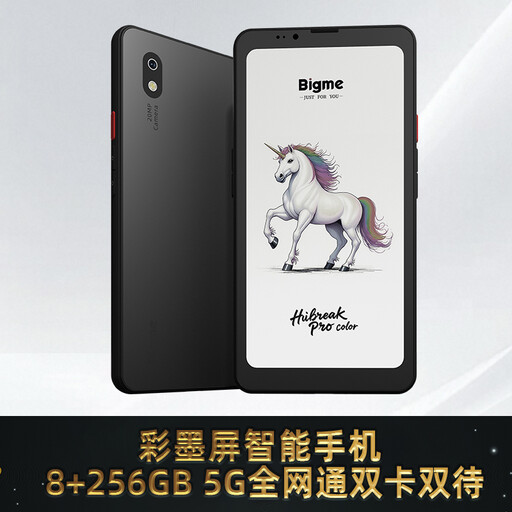 Image unavailable
Compare the 6.13-inch screen with your own letter file to see how much page space you find comfortable.
The product name lists Android 14 and 8GB+256GB.
 Image unavailable
This e-ink device is described as suitable for reading; compare its 10.65-inch screen with your own scan.
The product name lists a thickness of 4.2mm.
Not with the usual text setting: Rakuten Kobo says you can’t change the size or style of text in a PDF. You can zoom in on and rotate a PDF page, though. Try a representative scan on the device you’re considering.
According to Rakuten Kobo, you can add an unprotected EPUB or PDF using a computer. Some protected or borrowed files may require Adobe Digital Editions; check which process applies to your file.
Not necessarily. The KB says the special letter collection it describes can be consulted in its reading room and isn’t available for loan. A catalogue listing doesn’t automatically mean the edition is available as a downloadable e-book.
No. According to the Dutch Government, downloading from an illegal source is prohibited, and you must not bypass copy protection. Check the rights and terms for the specific digital edition; a letter’s age alone doesn’t prove that every digital version is free to distribute.