What should you consider when choosing?
First, check which games you want, then choose a version to suit your screen, disc collection and whether you also want to play on the go.
| Consideration |
What should you look for? |
Who is this most relevant to? |
| Game availability |
Check which console versions support each title. Ubisoft lists Assassin’s Creed Shadows for PS5, Xbox Series X|S and Nintendo Switch 2. |
I want to make sure the historical game I want to play is available on my chosen console. Around 36% of consumers put game availability first. |
| TV picture and physical games |
Check whether the exact model has a disc drive and which display modes the game and TV support. Nintendo says 4K output depends on the game and screen. |
I mainly play on a TV and want to use games on disc. Around 29% of consumers give TV use and physical games top priority. |
| TV and playing on the go |
Check whether the specific game is available on Switch 2. For 4K display, the game and TV must also be compatible. |
I want to play on my TV at home and sometimes take the same console with me. Around 21% of consumers particularly value this combination. |
| All-digital gaming |
Check whether your existing games are physical discs and which storage version you want. Digital versions don’t have a disc drive. |
I buy my games digitally and don’t need to play discs. Around 14% of consumers put all-digital gaming first. |
Console options at Joybuy
This selection of Joybuy products includes consoles for TV gaming, including Switch models with TV and handheld modes. Check that each historical game is supported by the specific console version.
 Image unavailable
Nintendo Switch game console bundle 32GB with Mario Kart 8 Deluxe
For playing on your TV, in tabletop mode or in handheld mode. Check whether each historical game has a version for the original Nintendo Switch.
The bundle includes a physical Mario Kart 8 Deluxe game card.
View at Joybuy
 Image unavailable
Nintendo Switch 2 console bundle 256GB with Mario Kart World download
For TV and handheld play. Nintendo lists Assassin’s Creed Shadows for Switch 2, but check the requirements for the specific game.
The bundle includes 256GB, a digital copy of Mario Kart World and 3 months of Nintendo Switch Online.
4K output depends on the game and a compatible screen.
View at Joybuy
 Image unavailable
Sony PlayStation 5 Slim Digital Edition 825GB
For playing a historical game digitally on PS5. Ubisoft lists Assassin’s Creed Shadows for PS5.
Digital Edition with no disc drive; the product description lists 825 GB of storage and gaming on a 4K TV.
Physical games can’t be played on this version.
View at Joybuy
 Image unavailable
Nintendo Switch 2 console (EU)
For TV and handheld play. Nintendo lists Assassin’s Creed Shadows for Switch 2, but check the requirements for the specific game.
The product description mentions a dock and TV mode. 4K output depends on the game and a compatible screen.
View at Joybuy
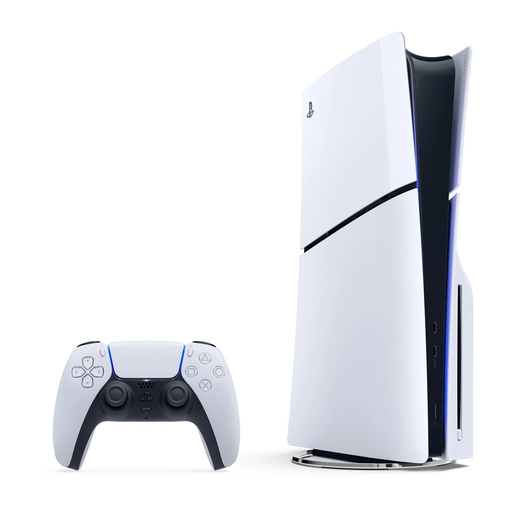 Image unavailable
Sony PlayStation 5 Slim 1TB Disc Edition
For playing a historical game on PS5 and using physical games too. Ubisoft lists Assassin’s Creed Shadows for PS5.
The description lists 1 TB of storage and an Ultra HD Blu-ray disc drive.
PS4 discs work only with compatible titles.
View at Joybuy
Frequently asked questions
How do I check whether my historical game works on a console?
Look up the specific game and check which console versions are listed. For example, Ubisoft lists Assassin’s Creed Shadows for PS5, Xbox Series X|S and Nintendo Switch 2. This applies to that title, not the whole genre.
Can I play games on disc on any digital console?
No. A digital version without a disc drive can’t play physical games. Check the full model name and version before choosing, especially if you already own games on disc.
Will a console with 4K output display every game in 4K?
No. Nintendo says Switch 2 requires a compatible game and TV for 4K; at 4K, the stated maximum is 60 fps. Check the display modes for the individual game and your screen.
Can I play Assassin’s Creed Shadows for Switch 2 entirely from the game card?
No. Nintendo’s Dutch game page says Assassin’s Creed Shadows for Switch 2 requires a full download via the internet. Allow for the installation and check how much storage space is available.
What can I do if a console bought in the Netherlands develops a fault?
According to the Dutch government, you should contact the seller if a product develops a fault. Your legal right to a product that works doesn’t automatically end when the manufacturer’s warranty expires; the assessment depends in part on the product’s expected lifespan.


