First, measure the usable picture width and the distance from the lens to the wall. This will help you work out whether a standard, short-throw or ultra-short-throw projector will fit your living room. For slides with captions and maps, native resolution and testing the projector with your own slides are important. Assess the stated light output in the conditions you plan to watch in, and check that your source device can connect.
Who is this guide for?
Presenter with limited setup space
You want to show photos to visitors without putting a projector or cable in an awkward spot in your narrow living room. Start by measuring the room and projection surface, as recommended by Epson’s projection distance guide and BenQ’s living room guide.
Storyteller with text and maps
Your slides include place names, dates or map details. Compare the native resolution of different models and check the smallest captions at your intended picture size. BenQ, ViewSonic and Epson’s specifications provide model information to get you started.
Host presenting with the lights on
You want to share your presentation while there is still some ambient light in the room. Check the stated light output, but also assess readability on your planned projection surface. ViewSonic and Epson’s model information is not a test in your living room.
What should you look for when choosing?
Standard throw
Choose this option: if the calculated distance for the exact model fits in a clear space further back in the room.
Bear in mind: the projector and cable may take up more space and cross a walkway.
Short throw
Choose this option: if there is space in front of the wall, but little room for a standard setup.
Bear in mind: native resolution still matters for small text; the ViewSonic PS502X, for example, has native XGA resolution.
Ultra-short throw
Choose this option: if the projector needs to sit very close to the projection surface because placing it further into the room is impractical.
Bear in mind: also check the furniture position, picture height and available wall space.
| What to consider |
What should you check? |
Who is this important for? |
| Picture fits on the wall |
Measure the usable picture width and the distance from the lens to the wall. Use the throw ratio or distance calculator for the exact model, and allow space for the projector and cable. |
If I’m giving a presentation in a narrow room, I want the picture to fit without the projector being in the way. Around 33% of consumers prioritise a setup that fits. |
| Details are easy to read |
Check the native resolution and show a test slide with the smallest text at your planned picture size. |
If my slides include names, dates or map details, I want to be able to assess them at the chosen picture size. Around 33% of consumers give readable slide details top priority. |
| Visibility in ambient light |
Note which lights will stay on and whether you can close the curtains; if possible, assess the picture in those conditions. |
If I don’t want to darken the living room during the presentation, I want to know how the slides will look on my projection surface. Around 17% of consumers prioritise viewing with ambient light. |
| Connection to the source device |
Check the video output on your laptop, tablet or phone, the projector’s input, and whether you need an adapter or dongle. |
If I’m using my own device, I want to play the slideshow without connection issues and be able to test it beforehand. Around 17% of consumers give a working connection top priority. |
Pitfalls to avoid
-
Going by the maximum screen diagonal alone
The lens distance you need depends on the desired picture width and the optics of the exact model. A maximum diagonal does not tell you whether the picture will fit on your wall.
Measure the available width and distance, and check where the projector and cable can go before choosing a model.
-
Confusing Full HD support with native Full HD
According to ViewSonic, the ViewSonic PS502X supports a Full HD input signal, but has native XGA resolution (1024 × 768). This difference matters when displaying small place names and dates.
Check the native resolution and view a representative slide at your intended picture size.
-
Assuming wireless presenting requires no extra equipment
BenQ lists an optional dongle for wireless presentations with the MW632ST.
Check the connection between your source device and the projector, and whether you need a dongle or adapter for the feature you want.
An optional dongle or adapter may be an extra requirement.
Brands to compare
Epson
Epson offers models for both standard and ultra-short throw, including the EB-FH08 and EB-760W.
- Epson lists Full HD and two HDMI ports for the EB-FH08. For the EB-760W, Epson gives a picture size range of 60–150 inches.
- These model specifications do not confirm whether the required distance and picture size will work in your living room.
BenQ
The MW632ST is a short-throw model worth comparing if the projector can be placed in front of your audience.
- BenQ specifies WXGA (1280 × 800) and two HDMI inputs for this model.
- BenQ pages give different throw ratios for the MW632ST. Confirm the correct model specification before calculating the lens distance.
ViewSonic
The PS502X is a short-throw model designed for business and education that you can include in your comparison.
- ViewSonic specifies a throw ratio of 0.616, two HDMI inputs and 4,000 ANSI lumens.
- Its native resolution is XGA (1024 × 768), even though the model supports a Full HD input signal. This may be a consideration for small slide details.
Optoma
The ZH450ST is a short-throw model worth comparing if you’re looking for Full HD and a laser light source.
- A European Optoma document lists Full HD, 4,200 lumens and a stated laser light source life of up to 30,000 hours.
- These are manufacturer specifications. Check that the setup suits your room and assess readability using your own slides.
Projectors on Joybuy
These projectors on Joybuy are options to consider for a slideshow in a narrow living room. For each model, check the required throw distance, native resolution and connection to your source device.
 No image available
Yaber L2, native 1080P, 520 ISO Lumens
The stated native 1080P resolution is worth considering if your slides contain text and map details.
The product information lists a throw ratio of 1.17:1, HDMI, autofocus and automatic keystone correction. The stated picture size is 40–150 inches; check that your desired picture width works with the exact setup.
View at Joybuy
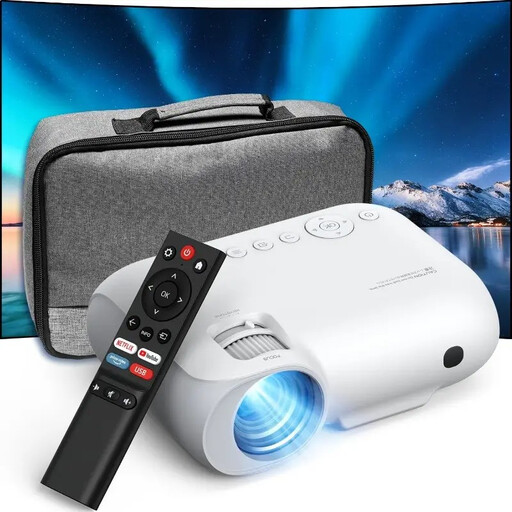 No image available
YOTON Y7, native 1080p Full HD
The native 1080p specification makes this model worth comparing for slides with text and map details.
The product name lists 9000 lumens. The product information lists HDMI, USB and AV; check which connection is compatible with your source device.
View at Joybuy
 No image available
Yoton Y6 5.2 Bluetooth 4K LCD Native 1080P
The product name lists native 1080P, a specification to consider when comparing projectors for slides with small details.
The product information lists HDMI, USB and AV. Check which connection you need for your source device.
View at Joybuy
 No image available
Dangbei N2 Mini, 1080P
The 1080P specification in the product name makes this model worth comparing for slides with place names and dates.
The product information lists HDMI and USB connections, autofocus and automatic keystone correction. Check the connection to your source device and the required distance from the projection surface.
View at Joybuy
 No image available
Dangbei DBOX02 Laser Projector 4K GTV
The product name lists 4K; check the model’s native resolution and whether it suits your source and slides.
The product name lists 2450 ISO Lumens. The product information gives a picture size of up to 200 inches; that maximum alone does not tell you whether your desired picture width will fit in your living room.
View at Joybuy
Frequently asked questions
How do I work out whether the picture will fit on my wall?
Measure the usable picture width and the possible distance from the lens to the wall, then use the throw ratio or distance calculator for the exact model. Also check that the projector and cables can fit in that spot. For the BenQ MW632ST, first confirm the correct throw ratio for the model, as BenQ pages give different values.
Can I show slides wirelessly from my phone?
It depends on the exact model and whether it is compatible with your phone. BenQ lists an optional dongle for the MW632ST; Epson lists wired and wireless options for the EB-760W, including Miracast. Check the connection and test your presentation beforehand.
What can I do if the projector doesn’t work properly after I buy it?
For a faulty product, the seller is your point of contact for a solution, such as a free repair or replacement, according to the Dutch government. For eligible online purchases from a business, you also have a 14-day cooling-off period; this is a separate right from a remedy for a fault.
Does a CE mark mean the EU has independently certified the projector as safe?
No. According to the European Commission, the CE mark means that the manufacturer declares the product meets the applicable requirements; it is not a separate safety approval from an EU body.


