
Vandaag of morgen in huis

Kwaliteit gegarandeerd

Welkomstaanbiedingen ontgrendelen: GRATIS bezorging | Tot 80% korting | Gratis 30 dagen JoyPlus-proefperiode
Download de app
By Joybuy Product Recommendation Officer | July 16, 2026
In fast-paced games like FPS, racing sims, or MOBAs, every millisecond counts. A stuttering image or delay can be the difference between victory and defeat. Many gamers struggle with motion blur and input lag, which limits their reaction time. A standard 60Hz monitor simply can't keep up with the speed of modern games and hardware.
This article is designed to be a practical guide. We're cutting through the marketing jargon to focus on the specs that truly matter. We'll help you choose a high refresh rate gaming monitor that fits your playstyle and budget, giving you a tangible edge in competitive games.
Before we dive into our recommendations, it's helpful to understand a few key specifications. This will help you make an informed decision.
The refresh rate, measured in Hertz (Hz), indicates how many times per second the image on your monitor is refreshed. A higher value, like a 180Hz monitor or even a 300Hz monitor, provides a much smoother and sharper image during fast motion. This makes it easier to track and react to opponents.
Response time, measured in milliseconds (ms), indicates how quickly a pixel can change colour. A 1ms gaming monitor minimises 'ghosting' and motion blur, which is essential for a clear picture during hectic action. For an esports monitor, a high refresh rate and a low response time are the most critical features.
Screen size and resolution determine the sharpness and amount of detail you see. A 27-inch gaming monitor is a popular choice as it offers a great balance between screen real estate and immersion.
In terms of resolution, there's a trade-off:
Screen tearing occurs when the monitor and the graphics card are out of sync. Technologies like AMD FreeSync Premium and G-Sync compatibility solve this by dynamically adjusting the monitor's refresh rate to match the game's frame rate. This results in a stable, fluid image without distracting visual artefacts.
Based on objective specifications, we've selected several models that excel in performance for competitive gamers.
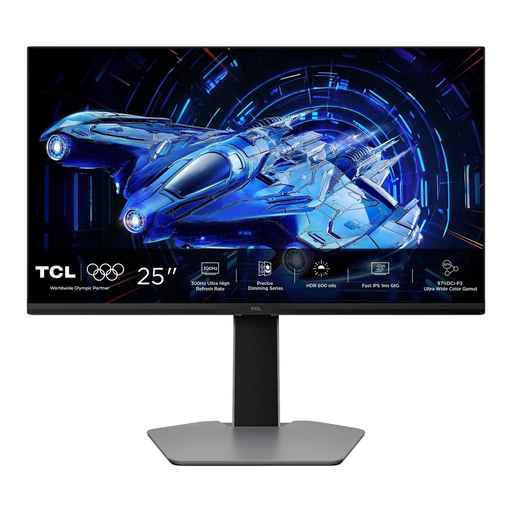
Why It Stands Out This monitor is purely focused on speed. With a 300Hz refresh rate and a 1ms GTG response time, this model is designed for the most demanding esports titles. According to TCL, the combination of a Fast IPS panel and QD-Mini LED backlighting delivers high brightness and contrast, improving visibility in dark and bright scenes.
Pros
Who Is It For? For the serious and competitive gamer specialising in fast-paced FPS and MOBA games. If every fraction of a second counts and you want to leverage the highest possible frame rate, this is a strong contender.
View the TCL 25G64 on Joybuy.nl
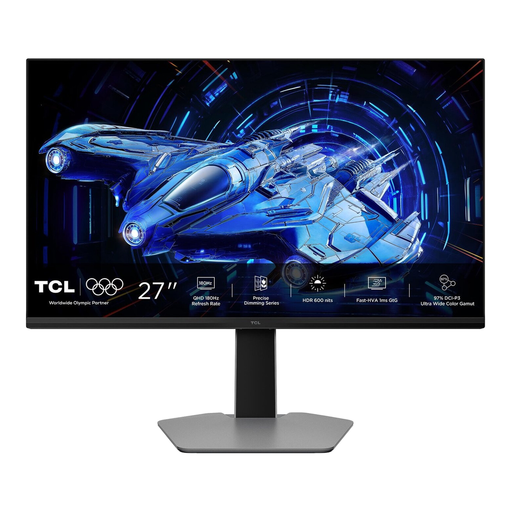
Why It Stands Out The TCL 27G64 offers an excellent balance between visual sharpness and speed. The QHD (2560x1440) resolution on a 27-inch screen provides detailed visuals, while the 180Hz refresh rate still delivers a very smooth gaming experience. According to the manufacturer, its HVA panel with Mini-LED backlighting delivers a high 5000:1 static contrast ratio, resulting in deep black levels.
Pros
Who Is It For? For the all-around gamer who plays competitive multiplayer titles and also enjoys visually rich single-player adventures. This monitor combines the sharpness of QHD with a high refresh rate that is more than sufficient for most gamers.
View the TCL 27G64 on Joybuy.nl
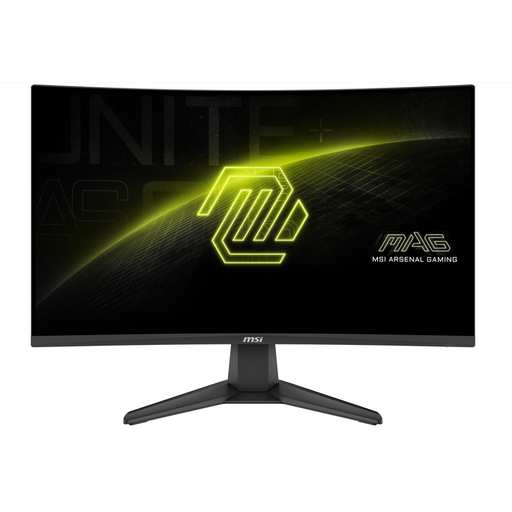
Why It Stands Out This model from MSI combines a high refresh rate with an immersive curved screen. The 200Hz refresh rate and MSI's claimed 0.5ms response time make it highly suitable for fast-paced action. The 1500R curved VA panel draws you deeper into the game, an effect that is especially pronounced in racing and simulation games. The Full HD resolution ensures you can achieve these high frame rates even with a less powerful graphics card.
Pros
Who Is It For? For gamers looking for an immersive experience with a very high refresh rate without paying a premium price. Ideal for racing games, simulations, and FPS players who prefer a curved screen.
View the MSI MAG 276CF E20 on Joybuy.nl
These recommendations are tailored to the specific needs of competitive gamers. If your ideal match isn't here, or if you're looking for different specifications like another screen size or resolution, there's more to explore.
Browse all monitors in the Display Panel category.
For most gamers, the difference between 180Hz and 300Hz is subtle. However, for professional or highly serious esports athletes playing games where every millisecond counts (like CS:GO or Valorant), the extra fluidity and lower input lag of a 300Hz monitor can offer a small, but potentially decisive, advantage.
GTG (Gray-to-Gray) measures how quickly a pixel can transition from one shade of grey to another. This is a direct measurement of panel speed. MPRT (Moving Picture Response Time) measures perceived motion blur. A low MPRT value is often achieved through techniques like backlight strobing, which can reduce brightness. GTG is generally considered a more standardised specification for comparing panels.
Yes. To fully leverage a high refresh rate gaming monitor, your graphics card (GPU) must be capable of producing a frame rate (FPS) equal to or higher than the monitor's refresh rate. For a 200Hz monitor, you'll ideally want to achieve 200 FPS or more in your favourite games. Check your GPU's performance for the games you play at your desired resolution.
