
Vandaag of morgen in huis

Kwaliteit gegarandeerd

Welkomstaanbiedingen ontgrendelen: GRATIS bezorging | Tot 80% korting | Gratis 30 dagen JoyPlus-proefperiode
Download de app
A height-adjustable desk can make your workspace more flexible, but not every model suits every room or working situation. An electric sit-stand desk should do more than simply move smoothly up and down. Its dimensions, stability, cable management and controls also determine how comfortable it is to use every day.
Pay particular attention to these common pitfalls:
First, measure the space where the desk will be placed. A home office desk measuring 120 x 60 cm takes up little room and will often fit in a bedroom or student room. For two screens, a laptop and accessories, a larger desktop is more practical.
A large 160 x 70 cm desk offers more space, but also requires sufficient clear floor area. Also check the distance from radiators, cupboards and power sockets. In a corner arrangement, an L-shaped desk or corner desk with drawers may be more efficient than a straight model.
According to the product descriptions, the three JOYFURNOS desks in this selection have an adjustment range of 72 to 120 cm and a maximum static load capacity of 70 kg. These figures only relate to the stated specifications. Distribute heavy equipment evenly across the desktop and take the weight of monitor arms or speakers into account.
An electric motor makes adjustment easier than a manual system. According to the product description, the motors are designed for smooth height adjustment. If the desk is adjusted continuously for two minutes, the overheating protection may activate; according to the instructions, you should then wait 18 minutes.
A desk with a memory function can save several preferred heights. This is useful when different people use the same desk or when you regularly switch between sitting and standing.
Also check:
According to the product information, the 160 x 70 cm version has two cable holes, a fabric organiser, a hook and a controller with a USB-C connection. The USB-C port is described as a fast-charging function. Before buying, check which devices and charging capacities are actually supported.
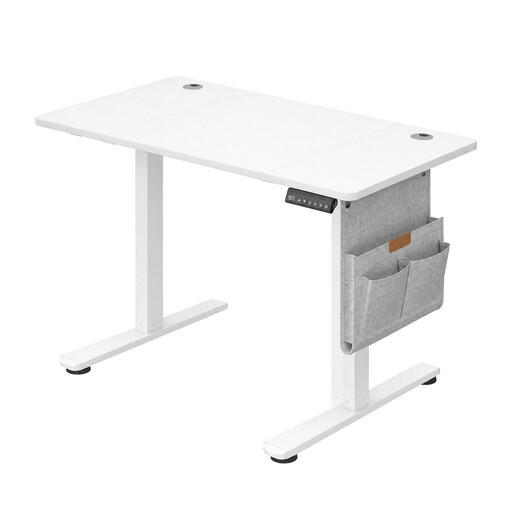
Why it suits this profile: The compact size is suitable for a smaller home workspace, student room or bedroom. The control panel offers four saved heights.
The product description mentions cable holes, a fabric storage pocket and a hook. This helps keep small accessories and cables better organised than on a completely bare desktop.
120 x 60 cm; adjustable from 72 to 120 cm; four memory settings; stated static load capacity of 70 kg.
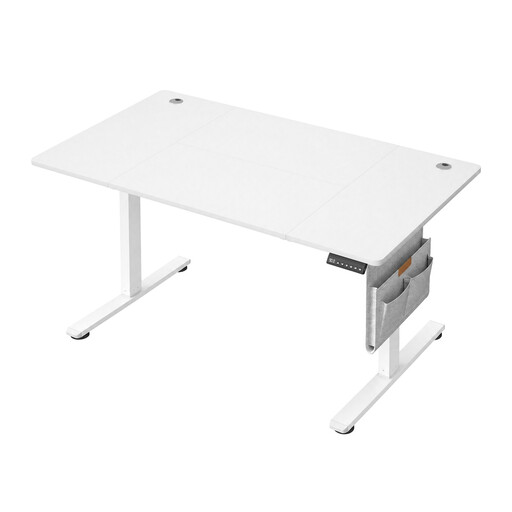
Why it suits this profile: The spacious desktop provides room for several screens, a laptop and paperwork. The neutral white finish complements a light office interior.
The dimensions help avoid the common mistake of choosing a desktop that is too small. Cable holes and an organiser help reduce loose cables and accessories on the desk.
160 x 70 cm; four memory settings; USB-C connection according to the product description; adjustable feet; stated load capacity of 70 kg.

Why it suits this profile: This model is designed for corner arrangements, multiple devices and users who need a desk with storage space for documents or accessories.
The reversible layout allows the drawers to be positioned on the left or right. This is helpful when doors, windows or other furniture restrict the corner space.
Dimensions of 150 x 110 x 75 cm; two open shelves; four drawers; reversible L-shape; adjustable feet.
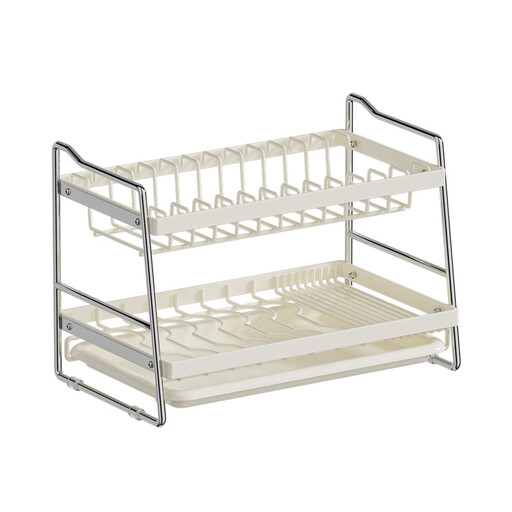
Why it suits this profile: A practical addition for households that want to make the most of worktop space without leaving crockery directly on the worktop.
According to the product description, the integrated drip trays direct water towards the sink or a collection point. After assembly, check that the drainage is correctly aligned.
Approximately 40 x 23.6 x 28.7 cm; two levels; freestanding design; suitable for plates, cups and cutlery.
We have compiled a complete, up-to-date list of products that fully meet these strict selection criteria and the applicable European safety regulations.
Allow sufficient space around the frame during assembly. Do not place the desk directly against a wall if the desktop could scrape against it while being adjusted. Keep electrical components away from liquids and only use the desk indoors if this is stated in the product information.
A practical set-up includes:
For a gamer or professional, the combination of desktop space, monitor positioning and cable management is particularly important. Students often benefit more from a compact model that does not take up too much walking space when not in use.
Power consumption depends on the motor type, the number of adjustments and the duration of use. The motor mainly uses energy while moving up or down. A controller with an energy-saving mode, as mentioned for the 160 x 70 cm version, can help limit consumption when the desk is not in use. Check the technical specifications and do not place a power strip where it could come into contact with liquids.
Its lifespan is affected by assembly, load, frequency of use and maintenance. Stay within the stated load capacity of 70 kg, distribute equipment evenly and prevent the frame from moving against obstacles. Allow the motor to cool down if the overheating protection is activated, and follow the manual.
For one laptop and a compact monitor, 120 x 60 cm may be sufficient. If you work with two monitors, a laptop and paperwork, 160 x 70 cm is generally more suitable. Always measure the available space and take the frame’s movement zone into account. If you have lots of documents or equipment, consider a corner desk with drawers or a desk with storage space.
