
Vandaag of morgen in huis

Kwaliteit gegarandeerd

Welkomstaanbiedingen ontgrendelen: GRATIS bezorging | Tot 80% korting | Gratis 30 dagen JoyPlus-proefperiode
Download de app
A height-adjustable desk can make your workspace more flexible for working from home, studying or gaming. Even so, an electric desk isn’t automatically right for every room or user. You often only notice a desktop that’s too small, a wobbly frame or limited cable space after you’ve put it together.
That’s why the Joybuy Product Recommendation Officer filters the key product specifications and common marketing pitfalls. It helps you compare models by size, load capacity, controls and daily use.
A range of, say, 72 to 120 cm sounds generous, but the right working height depends on your height, chair and equipment. Also check whether the desk will slide under your armrests at its lowest setting, and whether the desktop still feels comfortable for standing at its highest.
A stated maximum static load capacity tells you how much weight the desk can carry according to the product specification. It doesn’t fully reflect how stable the desk feels while moving. Also pay attention to:
Don’t automatically load a desk rated at 70 kg with 70 kg. Leave headroom for movement, cables and day-to-day changes.
An adjustable desk with memory function, a USB-C port or cable management can be useful, but check how these features are implemented. A USB-C port may be intended for charging, not video. Also see how many memory presets are available and whether the cable grommets are large enough for your plugs.
For a monitor, keyboard and laptop, a 120 x 60 cm desktop is often neat and manageable. A 160 x 70 cm worktop provides more space for dual screens, documents or a gaming setup. Measure the available space in your home office, bedroom or student room beforehand.
A compact desk of 80 x 50 cm can fit in a small room, but check whether it suits your needs. The mentioned computer desk of 80 x 50 x 76 cm is a fixed desk made of particleboard and steel, with a static load capacity of 50 kg. It’s suitable for studying, working from home or gaming when you don’t need electric height adjustment.
An electric sit-stand desk uses a motor to raise and lower the desktop. Check:
For the JOYFURNOS models described, a height range of 72 to 120 cm is specified. For the JoySelect model it’s 72 to 118 cm. According to the product information, the overheating protection activates if height adjustment is used for longer than two minutes continuously. You then need to wait 18 minutes, as per the instructions.
A desk with cable management won’t make cables disappear, but it does help route them neatly. Two cable holes, a fabric organiser or hooks can be enough for a simple setup. For a gaming desk with multiple devices, it’s wise to check cable thicknesses and connections in advance.
A separate desk organiser can also make use of vertical space. The Vida Desk Organiser measuring 44.5 x 24 x 25 cm has six compartments and a stated load capacity of 15 kg per shelf. It keeps documents, pens and small accessories off the desktop.

Why this suits the profile: This size provides a clear, tidy workspace for a laptop, monitor, keyboard and documents. It fits well in a home office, bedroom or study area.
The specifications list a 72 to 118 cm height range, two memory presets, a digital display and a 70 kg load capacity. That means the key purchase details are clear upfront.
120 x 60 cm desktop, two memory presets, two hooks and a stated 70 kg load capacity.

Why this suits the profile: The generous desktop is ideal for professionals and home workers with multiple screens or plenty of paperwork. The memory function makes switching between set heights easier.
The product information lists a steel frame, a 72 to 120 cm height range, a lock function, two cable holes and a maximum static load of 70 kg.
160 x 70 cm workspace, memory function, USB-C port, two cable grommets and an organiser with hook.
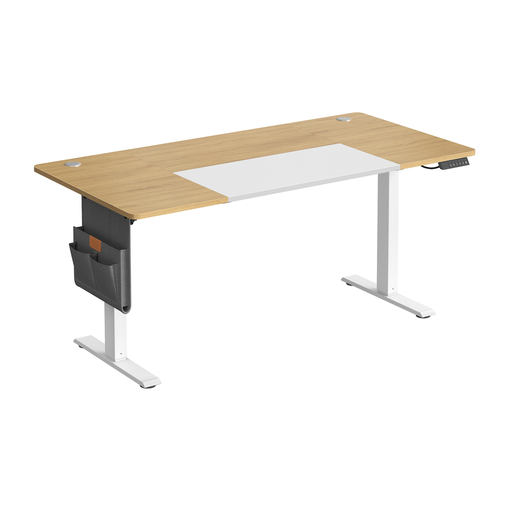
Why this suits the profile: This variant is aimed at users who want a fixed workstation with plenty of ports and storage, for example for an extensive office or gaming setup.
The specifications mention cable management, a USB-C port, three hooks, a storage bag and a maximum load of 70 kg. Do check whether the available ports suit your own devices.
160 x 70 cm, memory presets, sensor setting, cable management and a steel frame with an electrically adjustable motor.
Why this suits the profile: The smaller desktop takes up less room yet still offers electric height adjustment for study, laptop work or a simple home workspace.
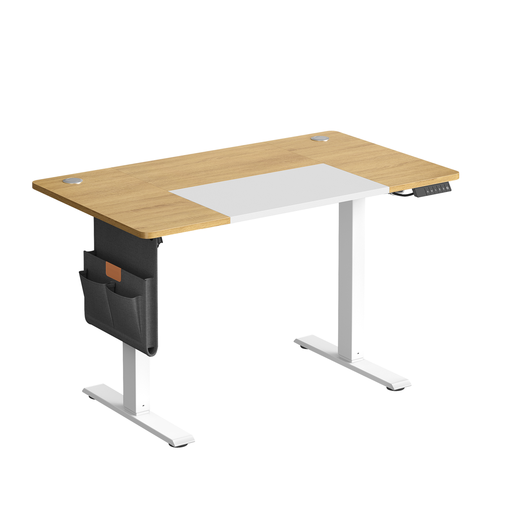
The dimensions, the 72 to 120 cm range and the maximum static load of 70 kg are specified. This lets you check in advance whether the top and load capacity suit your equipment.
120 x 60 cm, memory function, USB-C port, cable management, organiser and three hooks.
We’ve put together a complete, up-to-date list of products that fully meet these strict selection criteria and the applicable European safety regulations.
Place an electric desk on a flat, stable surface and keep enough clearance from a wall, windowsill or cabinet while it moves. Before assembly, check that the socket and cables are within easy reach. According to the product information, electrical components must not come into contact with liquids.
First set the seated height with your feet on the floor and your forearms resting comfortably on the desktop. Then choose a suitable standing height. An ergonomic desk mainly supports a flexible working posture; it doesn’t replace a good chair, the correct screen height or regular breaks.
There’s no universal height. When sitting, set the desk so your shoulders stay relaxed and your forearms are roughly horizontal. When standing, the screen should be directly in front of you without you having to look down for long periods. Use the stated height range as a starting point and adjust it to your height and equipment.
Lifespan depends on the motor, frame, load, assembly and how often it’s used. Don’t exceed the stated static load capacity and follow the instructions regarding overheating protection. Also periodically check that screws and electrical connections are still tight.
Power consumption varies by motor and usage pattern. A desk mainly uses energy while adjusting; some models mention an energy-saving mode. For a reliable comparison, check the technical information and the adapter’s wattage. Keep the plug and adapter dry and don’t use an adapter with the wrong voltage.
