
Practising pronunciation and listening back
You mainly record your own voice at a small desk. An adjustable microphone boom lets you set the distance from your mouth without putting a microphone on the desk.


To record your own pronunciation, choose a wired headset with an adjustable microphone boom. You can position the microphone close to your mouth without needing a desk stand. If you also want to record the person sitting opposite you clearly, don’t rely on the headset microphone by your mouth alone. First decide how you want to capture both voices. With a wired headset, check the connection; with Bluetooth, test recording and playback in the app you use.
You mainly record your own voice at a small desk. An adjustable microphone boom lets you set the distance from your mouth without putting a microphone on the desk.
You want to hear both your own voice and your conversation partner’s. A headset worn by one person won’t automatically bring the microphone closer to the other speaker.
For longer recording sessions, consider the fit, controls and listening comfort as well as the connection.
Shure recommends placing a microphone close to your mouth, but not directly in the airflow. A microphone positioned near one speaker won’t automatically pick up the voice of someone further away in the room clearly. So first decide whether you want to record one voice or both.
| What to consider | What should you check? | Who is this important for? |
|---|---|---|
| Recording your own pronunciation | Check whether the microphone boom is adjustable. Make a test recording with the microphone beside your mouth, not directly in the airflow. | If I mainly listen back to my own Dutch pronunciation, I want to position the microphone close to my mouth without a desk stand. Around 31% of consumers give clear recordings of their own voice top priority. |
| Recording both speakers | Test the voices from both seats. Decide whether you need a shared or dual-microphone setup. | When I practise with someone sitting opposite me, I want to be able to assess both voices in the recording. Around 25% of consumers prioritise being able to hear both conversation partners. |
| Desk space and connection | Check whether USB-A, USB-C or 3.5 mm matches the port on your recording device, and consider where the cable will run. | With limited desk space, I don’t want a separate microphone stand, and the plug needs to fit my computer. Around 31% of consumers prioritise a compact setup and a compatible connection. |
| Comfort and controls | Check whether the headband is adjustable and where the mute and volume controls are. Try them in your recording app too. | For longer practice sessions, I want a comfortable headset with easy-to-use mute and volume controls. Around 13% of consumers prioritise wearing comfort and easy access to the controls. |
The microphone sits by your mouth. This means the voice of someone on the other side of the table may be recorded differently, partly because of the distance and the room’s acoustics.
Decide in advance whether the recording needs to include one or two voices, and test both seats in the room where you’ll be practising.
Headsets and product ranges may have different connections. A USB-A plug won’t necessarily fit every recording device.
Check the connection on the exact version you’re buying and compare it with the available port. Also check whether an adapter mentioned in the description is included with that version.
A claim about a microphone doesn’t guarantee how your recording will sound in your room, and a microphone can’t fix poor room acoustics.
Make a short test recording and assess your voice, plosive sounds and background noise separately.
The H390 is a personal USB headset with an adjustable microphone boom and in-line controls. Check which connection the version you choose has.
The Ayda USB-ENC is an on-ear PC headset with a microphone that, according to Trust, can be flipped up to mute it.
According to HP Poly, the Blackwire 3200 series offers mono and stereo wearing options. Mono may suit you if you want to keep one ear free.
The Evolve2 30 SE is a personal office headset to consider if the microphone system and fit are important to you.
These Joybuy products are wired headsets with a microphone, suitable for practising and recording at a desk. Check that the connection on each version is compatible with your recording device.
 No image available
A wired USB headset with an adjustable microphone boom, for anyone who wants to record their own voice without a desk microphone stand.
The description lists volume and mute controls, soft ear cushions and a lightweight design for use with a computer.
 No image available
A wired USB headset to consider if you want to be able to adjust and control the microphone while practising.
The description lists an adjustable microphone and in-line volume and mute controls, as well as a lightweight, flexible design.
 No image available
A wired headset for anyone who wants to be able to flip up the microphone to mute it while practising.
The product information lists USB-A with a USB-C adapter cable, volume controls on the earcup and an adjustable headband. Check which connection is compatible with your device.
 No image available
A wired headset to consider if you want an adjustable microphone and don’t need a USB headset plug.
The description lists a rotatable microphone and a 3.5 mm connection. A splitter cable for devices with separate audio and microphone ports isn’t included.
 No image available
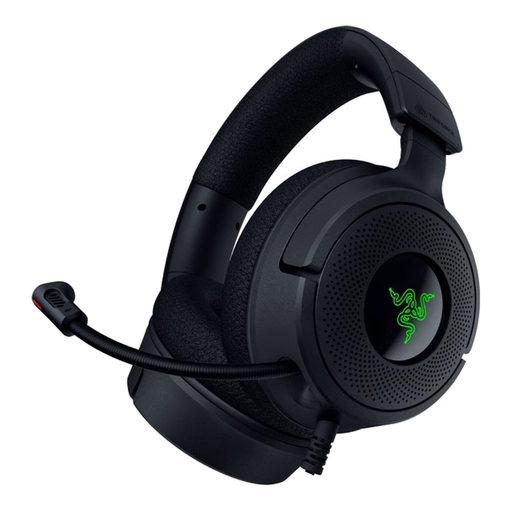
A wired headset with a positionable microphone to consider if you want to use one headset for recording and listening back while practising.
The description lists USB-A and USB-C connection options, a foldable cardioid microphone, memory foam ear cushions and a weight of 300 g.
Don’t assume that you can. The microphone is by your mouth, so test both voices from the seats you’ll normally use. If the other voice isn’t clear enough, consider a shared or dual-microphone setup.
Position the microphone boom by your mouth, but not directly in the airflow. Record a short sentence with hard consonants, listen back and, if necessary, adjust the position and recording level in your software.
Test the headset with the microphone switched on in the recording app you use. Microsoft Support says that stereo playback while using the microphone at the same time on Windows 11 requires specific LE Audio support from the PC, driver and headset. Without that support, playback may be in mono.
ACM ConsuWijzer says that online purchases generally come with a 14-day cooling-off period from delivery, subject to exceptions. Your statutory guarantee is separate from any manufacturer’s warranty. If a product doesn’t perform as you could reasonably expect under normal use, the seller must resolve the issue in line with the applicable terms.
Don’t assume that every recording or publication is allowed. The GDPR exemption for purely personal or household activities doesn’t in itself mean that every recording or type of sharing is permitted. Tell your conversation partner in advance that you want to record, and consider sharing or professional use separately.