
Someone who moves around during training
You want to be able to stand up, change position or step away from your desk without taking off your headset.


If you want to be able to move away from your desk during a training session, a wireless headset gives you more freedom of movement. If you’ll stay within reach of a suitable cable, a wired USB headset won’t need charging. Before buying, check the connection, the exact model variant and how to control the microphone. Then test that your voice and audio work properly in the meeting app you use.
You want to be able to stand up, change position or step away from your desk without taking off your headset.
You want to be able to mute your microphone quickly. Check the microphone separately from the noise isolation you hear yourself.
You wear your headset for extended periods and want to adjust the fit, while considering how much of the surrounding noise you want to hear.
First, decide whether you want to move away from your desk during training. Then check the connection, fit and microphone controls.
Choose this if: you’ll be following the training at your desk and don’t want to manage a battery or Bluetooth pairing. Logitech lists USB-A and a 180 cm cable for the H340.
Trade-off: the cable limits how far you can move and needs to run alongside your adjustable workstation without being stretched. Logitech lists a 1.9 m cable and USB-C with a USB-A adapter for the Zone Wired 2 for Business.
Choose this if: you want to move around while listening or switch between your computer and phone. EPOS lists Bluetooth, a BTD 800 USB dongle and a two-device connection for the ADAPT 260.
Trade-off: you’ll need to charge the headset and check that the dongle fits your computer. EPOS quotes up to 27 hours of use; this is the manufacturer’s figure, not a guarantee for every usage setting.
| What to consider | What to look for | Who it matters to |
|---|---|---|
| Freedom of movement | Decide whether you’ll just stand up at your desk or move further away. For a wired headset, check the cable length and route; for a wireless one, check the dongle and charging requirements. | If I want to stand up or step away during training, I don’t want a cable to hold me back. Around 31% of consumers put freedom of movement first. |
| Speaking and muting | Check where the microphone boom is and how to mute the microphone on the exact model variant. Test your voice with a recording or a call. | When I ask questions, I want to be able to mute my microphone quickly and take part clearly. Around 25% of consumers put speaking and muting first. |
| Connection and meeting app | Check that USB-A, USB-C or the dongle is compatible with your computer, and confirm the full model variant. Test the speaker, microphone and call controls in the app. | I want the headset to connect and its audio and controls to work in my meeting app. Around 25% of consumers give the right connection and app controls top priority. |
| Fit and surrounding noise | Compare mono and stereo models, adjustability and ear cushions. Try the fit if possible. | If I wear a headset for a long time, I want it to feel comfortable for me and let in the amount of surrounding noise that suits my training. Around 19% of consumers start with wearing comfort and awareness of their surroundings. |
ANC for noise you hear is different from microphone noise cancellation for other participants.
Check both features on the exact model variant and test your voice in the room where you’ll be taking the training.
The Jabra Evolve2 40 SE comes in different connection, mono or stereo, and UC or Teams variants.
Compare the full model variant with your computer’s port, how you want to wear it and the meeting app you use.
EPOS quotes up to 27 hours of use for the ADAPT 260. This is the manufacturer’s figure and doesn’t mean the headset will be charged for every training session.
Charge a wireless headset beforehand, and test the connection and microphone before training starts.
The Dutch government explains that the Netherlands has no fixed statutory warranty period. A manufacturer’s warranty is separate from your statutory rights if a product is faulty.
Keep your proof of purchase and check what the manufacturer’s warranty covers, without confusing it with your statutory rights.
The wired H340 is an option if you’ll be staying at your computer. The Zone Wired 2 for Business also offers ANC and a USB-C connection with a USB-A adapter.
The wired Evolve2 40 SE is worth considering if you want to choose between mono or stereo, USB variants, and UC or Teams versions.
The wireless ADAPT 260 is an option if you want to move around during training or switch between your computer and phone.
The Modern USB Headset is a wired option if you mainly use the supported Teams desktop environment.
This selection includes wired and wireless headsets, as well as wireless earbuds for online training at a sit-stand desk.
 No image available
A wired option for training at a computer with a compatible USB-A connection.
The description lists stereo sound, an adjustable headband, two integrated microphones and microphone mute controls.
 No image available
A wireless headset that lets you move around while using it, with an adapter for connecting to a computer.
The product description lists Bluetooth 5.2, a two-device connection and a Link380a adapter. ANC is also mentioned; consider this separately from what the microphone transmits to other participants.
 No image available
A wireless version for anyone who wants to move around during training and is looking for a Teams model variant.
The product description lists Bluetooth and a two-device connection. The title specifies USB-A and MS Teams.
 No image available
A wireless mono version for computer use, with one ear free so you can stay aware of what’s happening around you.
The product description lists Bluetooth 5.0, a USB-A adapter, a microphone system for calls and a Teams button. The quoted usage time of up to 37 hours is for music playback.
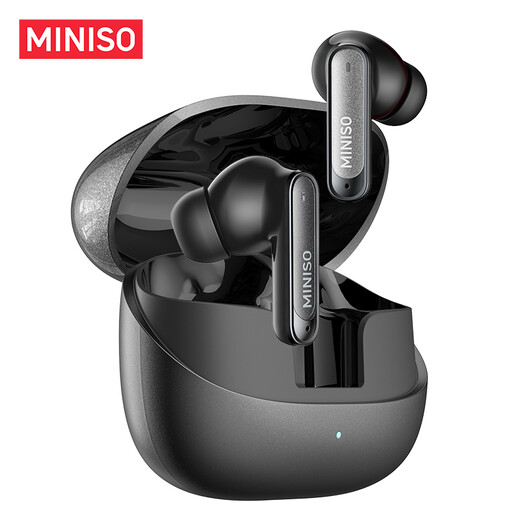 No image available
An alternative for anyone who’d rather wear wireless earbuds than a headband headset during online training.
The product title lists Bluetooth 6.0, a built-in microphone and IPX5.
Connect the right USB version or dongle, select the headset as both the speaker and microphone in your meeting app, then make a test call. Microsoft explains how to select these separately in Teams; the connection for the Jabra Evolve2 40 SE depends on the model variant.
No. ANC for what you hear is not the same as microphone noise cancellation. Logitech lists both ANC and separate noise-cancelling microphones for the Zone Wired 2 for Business. Test what the other participants can actually hear on a call.
No, choosing a headset doesn’t mean you have to take the training standing up. Arboportaal warns that standing still for long periods can cause physical complaints. According to Arboportaal, employees should regularly alternate screen work with other tasks or a break. This guidance isn’t a requirement for using a headset and doesn’t necessarily apply to every private learner.
When you buy as a consumer from a business, the seller must put faulty products right. The Netherlands has no fixed statutory warranty period, according to the Dutch government. For many distance purchases, a 14-day cancellation period applies, subject to conditions and exceptions that depend on the order. A manufacturer’s warranty is separate from your statutory rights.