What should you look for when choosing?
Start with what matters most to you while dictating: voice capture, comfort, connection or freedom of movement. Then test the headset in your own space with your dictation software.
Wired USB headset
A good fit if: you usually dictate at the same computer and want a boom microphone or easy-to-reach mute controls.
Keep in mind: a cable limits how far you can move; check whether the exact version supports USB-A, USB-C or both.
Wireless headset
A good fit if: you move around your home studio while dictating or regularly switch workspaces.
Keep in mind: charging and connections or accessories that vary by version; wireless use alone doesn’t prove better dictation quality.
Gaming headset with boom microphone
A good fit if: you also use the headset for gaming and need connection options such as 3.5 mm, USB-A or USB-C.
Keep in mind: check that the microphone works through the connection you use on your computer.
| What to consider |
What should you check? |
Who is this important for? |
| Voice capture |
Check the microphone’s position and type; Logitech describes the H390 as having an adjustable boom microphone. Record a test note with your usual background noise. |
If I dictate at home with background noise, I want to position the microphone well and test the transcription myself. Around 36% of consumers give top priority to voice capture in the presence of background noise. |
| Comfort |
EPOS lists the IMPACT 100 at 51 g for mono and 76 g for stereo; Jabra lists the Evolve2 30 SE at 92 g for mono and 125 g for stereo. Fit is a personal matter. |
For long dictation sessions, I want a style and weight that feel comfortable to me. Around 29% of consumers put comfort at the top of their list. |
| Connection and software |
Check the USB version; Jabra offers several versions of the Evolve2 30 SE. For Voice Typing in Windows, Microsoft Support lists an internet connection, a working microphone and a cursor in a text box as requirements. |
If I want to use my headset with a particular computer and dictation software, the connection needs to be compatible and the microphone must work as an input device. Around 21% of consumers give compatibility top priority. |
| Freedom of movement |
Consider whether you really walk away from your desk while dictating. Jabra describes the Evolve2 65 Flex as wireless and offers USB-A and USB-C versions; also check charging and included accessories. |
If I move around while dictating, I don’t want to be tied to my desk. Around 14% of consumers prioritise freedom of movement. |
Headsets and earbuds on Joybuy
This selection includes wired and wireless headsets, as well as earbuds with a microphone. Check that each model’s connection and microphone work with your computer and dictation software.
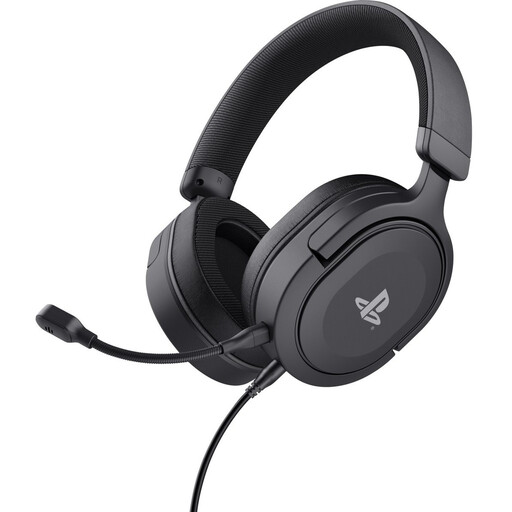 Image unavailable
Trust GXT 498 Forta wired over-ear gaming headset
The product information lists a flexible, detachable microphone that you can position and mute; test how it works with your own dictation software.
Connection: 3.5 mm. Cable: 1.2 m. The microphone is detachable.
View on Joybuy
 Image unavailable
Sennheiser MOMENTUM 4 Wireless over-ear headset
This wireless over-ear headset has microphones for calls; record a test note to see how it works with your dictation software.
The product information lists Bluetooth, four beamforming microphones and a 3.5 mm audio cable. Wireless use requires charging.
View on Joybuy
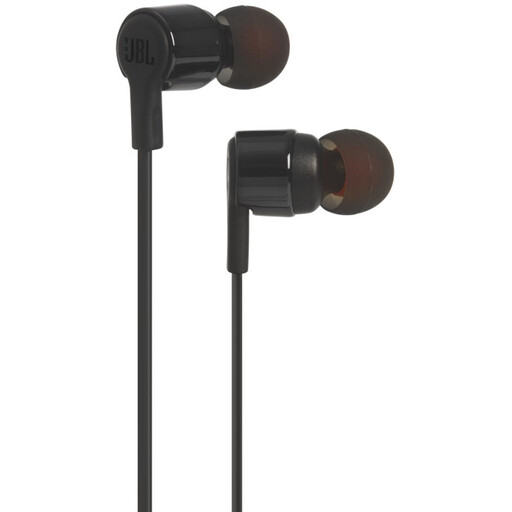 Image unavailable
JBL Tune 210 wired in-ear earbuds with microphone
A wired option with an integrated microphone; record a test note to check whether the microphone suits your needs.
Connection: 3.5 mm.
View on Joybuy
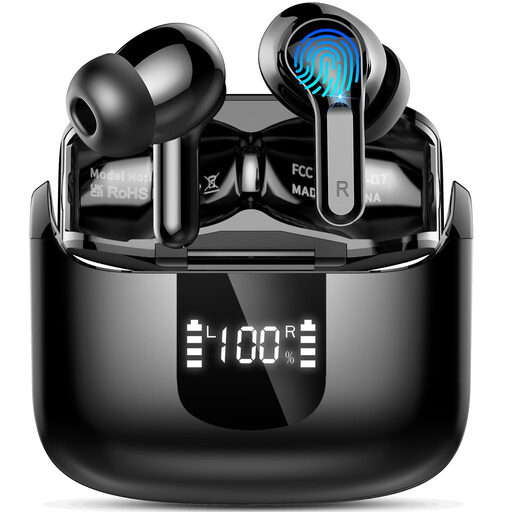 Image unavailable
Bluetooth in-ear earbuds with four ENC microphones
The product title says these wireless earbuds have microphones; test voice input with your computer and dictation software.
Bluetooth 5.4. The title lists four ENC microphones.
View on Joybuy
 Image unavailable
Sonos Ace over-ear Bluetooth headset
This wireless over-ear headset is an option if you switch workspaces while dictating; check how the microphone works with your own dictation software.
The product information lists Bluetooth, multipoint connectivity and beamforming microphones for calls. Wireless use requires charging.
View on Joybuy
Frequently asked questions
How can I test whether a headset is suitable for my notes?
Select the headset as your microphone input and dictate a short note in your own software. For Voice Typing in Windows, Microsoft Support lists a working microphone, an internet connection and a cursor in a text box as requirements; these apply specifically to this Windows feature.
Does dictation work on a Mac without an internet connection?
It depends on your settings and the dictation feature you use. Apple Support recommends checking your keyboard settings to see whether standard dictation is processed on your device or requires an internet connection.
How can I stop the microphone being left on by mistake?
Use your model’s mute controls and check which microphone is selected in the software. Trust says the Ayda USB-ENC microphone mutes when folded upwards; the Logitech H390 has in-line controls. Follow the instructions for your chosen version when cleaning it.
What if a headset I bought online is uncomfortable or faulty?
For online consumer purchases, you generally have a 14-day cooling-off period after delivery; ACM ConsuWijzer notes that exceptions and conditions for trying out a product are important. A faulty product is covered by your statutory rights; according to the Dutch government, the retailer is your point of contact for a solution.
Can I record my own spoken notes in the Netherlands?
According to the Dutch Data Protection Authority, the GDPR’s personal or household use exemption applies to personal data that you process solely for personal or household purposes. Don’t assume this exemption also applies if you process identifiable information about others for business purposes or share notes more widely; the applicable legal basis then depends on the circumstances.


