
Job applicant practising their introduction
Wants to listen back to their pronunciation and how clearly they speak. An adjustable microphone boom and a test recording are more useful here than a general promise about sound quality.


For recording your own introduction, a wired headset with an adjustable microphone boom and a connector that matches your computer is usually a good choice. If you also want to hear your online conversation partner in the recording, first check that your recording software can capture both the microphone and computer audio. A wireless headset is worth considering if freedom of movement matters more to you than charging it and testing the Bluetooth connection beforehand.
Wants to listen back to their pronunciation and how clearly they speak. An adjustable microphone boom and a test recording are more useful here than a general promise about sound quality.
Wants to keep a recording of both voices, so checks the recording settings in the app and on the computer too.
Prioritises freedom of movement and remembers to test the Bluetooth connection and battery charge.
First decide whether you want to record only your own introduction or your conversation partner’s voice as well. Then check the connection and recording settings.
| What to consider | What should you look for? | Who is it important to? |
|---|---|---|
| How clearly your introduction comes through | If needed, choose an adjustable microphone boom and make a short test recording in the room where you practise. Listen back to check that quiet words and consonants come through clearly too. | If I want to hear my pronunciation clearly, I need to be able to position the microphone properly and listen to the result first. Around 36% of consumers prioritise how clearly their introduction comes through. |
| Recording both voices and choosing the right connection | Check whether your device uses USB-A, USB-C or Bluetooth. Before the conversation, test that your recording includes both your own microphone and the computer audio. | If I want to listen back to an online practice conversation, the recording needs to include the other person’s voice as well as my own. Around 29% of consumers prioritise recording the whole conversation. |
| Comfort during repeated practice sessions | Pay attention to the fit of the headband and ear cushions. Also check the returns policy if you plan to use the headset for longer practice sessions. | When practising repeatedly, I want a comfortable headset so I can listen back to recordings and practise again. Around 21% of consumers prioritise fit and comfort. |
| Freedom of movement while practising | Check that the headset pairs with your recording device and try a full practice session before relying on a wireless connection. Remember that it will need charging. | If I want to practise standing up or walking around, a cable could get in the way, so I want to know beforehand that the wireless connection works. Around 14% of consumers prioritise freedom of movement. |
A manufacturer’s claim about noise cancellation doesn’t automatically tell you how your voice will sound in your room.
Record a short introduction and listen back to check that your pronunciation and quieter words are still clear.
The headset microphone and the voice played through your computer are separate audio sources.
Before your practice conversation, test whether the app or recording settings you’re using capture both voices.
According to Logitech, the H340 has USB-A; versions of the other product ranges mentioned may differ.
Compare the full model name and connection with your computer’s ports before ordering.
The H340 and H390 are wired computer headsets, while the Zone 300 is a wireless Bluetooth option for anyone who wants to move around while practising.
The Ayda USB-ENC is an on-ear PC headset for anyone looking for a wired option with on-ear controls.
The Evolve2 30 SE is designed for calls. Check the connection for each version and whether it is the UC or Teams variant.
The Blackwire 3220 Stereo USB-A is a wired on-ear work headset with an adjustable microphone boom and call controls.
This selection includes wired and wireless headsets for recording and listening back to spoken practice material. Check the connection for each model and make sure your recording software can capture the audio sources you need.
 No image available
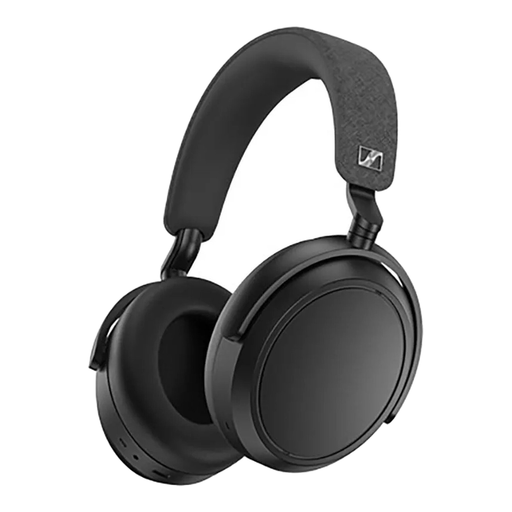
A wireless over-ear option for anyone who wants freedom of movement while practising.
Listed features include 60-hour battery life, fast charging and four microphones.
 No image available
A headset option for practising with a computer or phone. Test whether your recording app can capture both voices.
 No image available
A wired USB headset for anyone who wants to record an introduction on a computer.
 No image available
A wired headset for practising on a computer. Logitech lists USB-A for the H340, so check that it’s compatible with your device.
 No image available
A wired headset for speaking on a computer; the product name specifies USB Type-A.
No, that isn’t guaranteed by the headset alone. Audacity describes Windows WASAPI loopback for audio played by the computer; check separately how your app captures the headset microphone too. Make a test recording with both voices before practising a whole conversation.
Select the headset as the input device in your recording software, position an adjustable microphone boom near your mouth and listen back to a short test recording. For the Evolve2 30, Jabra recommends keeping the microphone close to your mouth.
If a product is faulty, the seller is responsible under the statutory guarantee. According to ACM ConsuWijzer, there is no fixed, general two-year period for this in the Netherlands. For online purchases, ACM ConsuWijzer gives you 14 days from delivery to change your mind; exceptions may apply. Check the terms that apply to your purchase.
It depends on who is speaking and what you do with the recording. The Dutch Data Protection Authority describes an exception for use that is exclusively personal or domestic, and says that processing personal data under the GDPR requires a legal basis; consent is one possible basis. Discuss the recording and how it will be used with your conversation partner beforehand, and check the rules again before using or publishing a recording for business purposes.