What should you look for when choosing?
Start with a microphone position you can repeat and a connection that works with your recording device. Then consider the sound in your room and how much freedom of movement you need while practising.
| What to consider |
What should you look for? |
Who is this important for? |
| Clear speech |
Choose an adjustable boom microphone. Position it beside your mouth, not against it, and listen back to a short recording. |
If you record passages repeatedly, you’ll want to position the microphone in roughly the same place each time and hear your voice clearly when you listen back. Around 36% of consumers prioritise clear speech when making repeated recordings. |
| Connection to your device |
Compare the USB-A, USB-C or 3.5 mm connection with your device’s ports and input settings. If your PC has separate audio ports, check whether you need a splitter. |
You don’t want to discover mid-recording that your device can’t recognise the microphone. For around 29% of consumers, the connection is the most important factor in their choice. |
| Recording with background noise |
Check that the boom stays in position beside your mouth, and test the headset in your room. A claim about noise cancellation during calls doesn’t prove how a spoken presentation will sound when recorded. |
In a shared space, you’ll want to hear whether background noise is drowning out your words. This is the top priority for around 21% of consumers. |
| Comfort and freedom of movement |
Consider the fit and how a cable might affect your movement. A wireless headset lets you move further from your desk, but you’ll need to charge it. |
If you practise for longer or want to walk around while presenting, you’ll want to avoid a fit or cable that gets in your way. Comfort or freedom of movement comes first for around 14% of consumers. |
Joybuy products for this practice session
This Joybuy selection focuses on wired headsets with USB or 3.5 mm connections and an adjustable or foldable microphone.
 No image available
Logitech PC 960 USB headset
A wired USB option if you want to position the microphone while practising.
Wired USB connection; check that your device has the right USB port.
View at Joybuy
 No image available
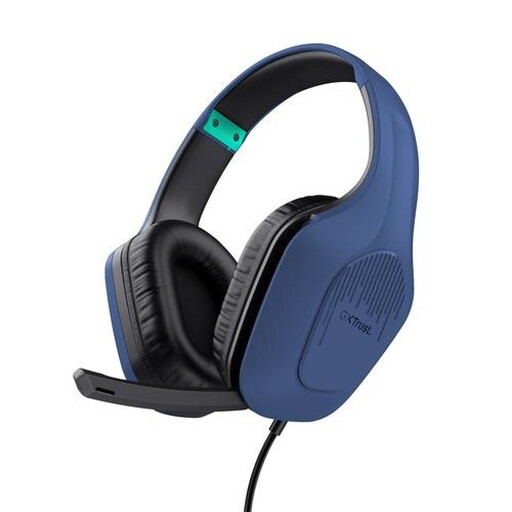
Trust GXT 415B Zirox wired gaming headset
A wired 3.5 mm option if your device supports a microphone through this connection; the microphone can be folded up.
Over-ear design. Check whether you’re using a combined audio input or have separate microphone and headphone ports.
View at Joybuy
 No image available
Logitech H150, white, 981-000350
A 3.5 mm option to consider if your device has a suitable analogue microphone input and you want to position the microphone.
If your device has separate headphone and microphone ports, check whether you need a splitter; one isn’t included.
View at Joybuy
 No image available
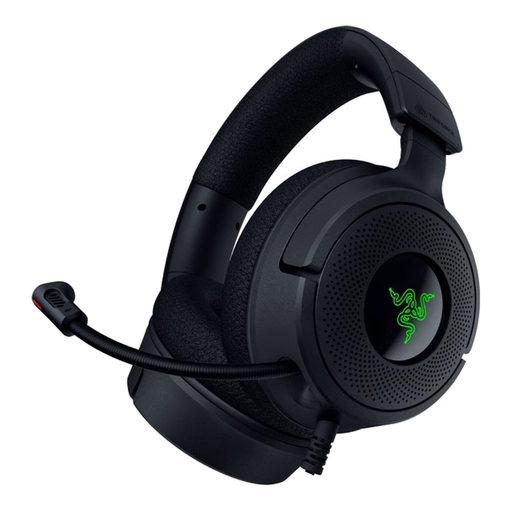
Razer Kraken V4 X wired gaming headset
A wired USB option if you want an adjustable microphone while practising.
This is a wired headset; check which connection and port your recording device uses.
View at Joybuy
 No image available
Razer BlackShark V2 X 7.1 wired gaming headset
A wired 3.5 mm option if your device has a compatible microphone input; test how the recording sounds with the microphone beside your mouth.
For a PC with separate audio and microphone ports, the included splitter cable is designed for the connection.
View at Joybuy
Frequently asked questions
Where should you position the microphone when recording your book presentation?
Position the microphone beside your mouth without letting it touch you, and point it towards your mouth. Nuance recommends positioning it to the side to avoid breath noise. Sennheiser specifies 2–3 cm from the corner of the mouth for a particular head-worn microphone; that distance won’t necessarily suit every headset.
Why does a headset with a 3.5 mm plug sometimes fail to record your voice on a desktop computer?
The plug needs to match the computer’s audio input. If it has separate headphone and microphone ports, you may need a splitter; according to SteelSeries, one is included with the PC edition of the Arctis Nova 1, but not with the console editions. Also check which microphone input is selected in your sound settings.
How do you prepare a wireless headset for a practice session?
Check the connection, the microphone selected in your recording app and the battery level. Jabra says the Evolve2 65 can be charged using the supplied USB cable or an optional charging stand. Jabra quotes a battery life of up to 37 hours, but this isn’t guaranteed for every session.
Are you legally entitled to just a two-year guarantee on a headset in the Netherlands?
No. According to the Dutch government, the Netherlands has no fixed statutory guarantee period: a product should last as long as you can reasonably expect it to. If there’s a problem, contact the seller. A manufacturer’s guarantee or extended warranty is in addition to your statutory rights.
Do the same privacy rules apply to a private practice recording and sharing it?
The information available doesn’t provide a general legal judgement for every audio recording. The Dutch Data Protection Authority distinguishes, in relation to photographs and video recordings, between keeping material private and publishing it more widely; don’t assume this gives a definitive answer about an audio recording that includes other people’s voices.


