What should you consider when choosing?
First decide whether you need your own headset and which audio connections will remain active in the room. Then choose based on wearing style, connection type and whether you’ll actually be moving around during the workshop.
| What to consider |
What to look for when buying |
Who is this important for? |
| Hearing the conversation at the table |
Compare mono and stereo, and check the wearing style of the exact model. |
If you want to follow both online participants and people at the table, leaving one ear free may be helpful. Around 40% of consumers prioritise hearing the conversation at the table when making this choice. |
| Speaking clearly |
Look for an adjustable microphone boom and easily accessible mute controls. If possible, test both sides of the conversation. |
If you’ll be speaking and want to avoid people constantly asking you to repeat yourself, focus on the microphone position and mute function. Around 30% of consumers prioritise speaking clearly. |
| Connection and controls |
Check whether it uses USB-A or USB-C, whether an adapter is included and whether your meeting app supports that model. |
If you want to join from your own computer, make sure the headset connects and can be selected as both the microphone and speaker. Around 20% of consumers give connection and controls top priority. |
| Freedom of movement |
Compare a wired connection with wireless use, and check the model and charging method if you choose wireless. |
If you move between spots during the workshop, a cable may restrict your movement. Around 10% of consumers prioritise freedom of movement. |
Joybuy products
This Joybuy selection includes wireless earbuds and headsets for personal use with a microphone. Check the connection for each model and make sure it’s compatible with your device and meeting app.
 No image available
Samsung Galaxy Buds4 Pro True Wireless ANC, black
A wireless in-ear option for anyone looking for a personal audio connection. The product name specifies True Wireless and Active Noise Cancelling.
View at Joybuy
 No image available
Jabra Evolve2 75 USB-A MS Teams, black
For joining from a computer: the product name specifies USB-A and MS Teams. Check that this connection is compatible with your device.
View at Joybuy
 No image available
Jabra Evolve2 65 USB-A MS Mono, black
The mono version may suit you if you also want to hear the conversation at the table while taking part online. The product name specifies USB-A and MS; check that the connection is compatible with your device.
View at Joybuy
 No image available
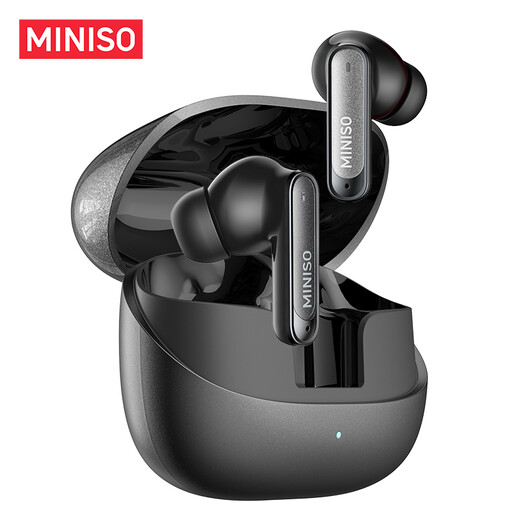
MINISO MS106 Bluetooth 6.0 earbuds, black
A wireless in-ear option for personal use. The product name specifies Bluetooth 6.0 and a built-in microphone.
View at Joybuy
 No image available
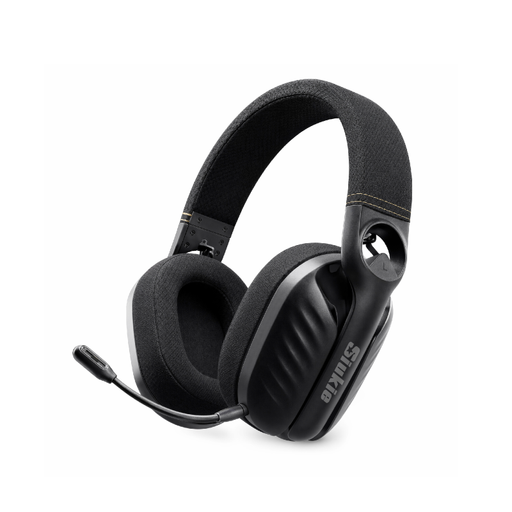
Siukie I600 Wireless 3MODE headset
The product name specifies a wireless headset with three connection modes. Check which mode and connection are compatible with your device and workshop setup.
View at Joybuy
Frequently asked questions
Does everyone in the same small room need to connect their own headset?
No, the size of the room doesn’t determine that. First agree which devices will handle the meeting audio: Zoom lists multiple computers with active audio in the same room as a possible cause of echo. According to Zoom, muting only the microphones isn’t enough if speakers remain active.
How do I test my headset before an online Teams session?
In the Teams device settings, select your preferred speaker and microphone, then make a test call. Adjust the microphone boom according to the model’s instructions; for the Evolve2 40 SE, Jabra recommends positioning the microphone close to your mouth.
Will a USB-C headset automatically work with my phone?
No, that isn’t guaranteed. Jabra warns that not all USB-C devices or apps support the audio connection for the Evolve2 40 SE. Check that your device, app and headset model are compatible.
What warranty and cancellation period apply to an online purchase in the Netherlands?
According to the Dutch government, consumer products must be fit for purpose. There is no fixed statutory warranty period in the Netherlands, and if a product is faulty, the seller must provide a solution. For eligible distance purchases, a 14-day cancellation period usually applies; check the terms and any exceptions for your purchase.


