Joybuy products
This selection includes personal headsets for individual participation and conference speakerphones for meetings around a shared table.
 No image available
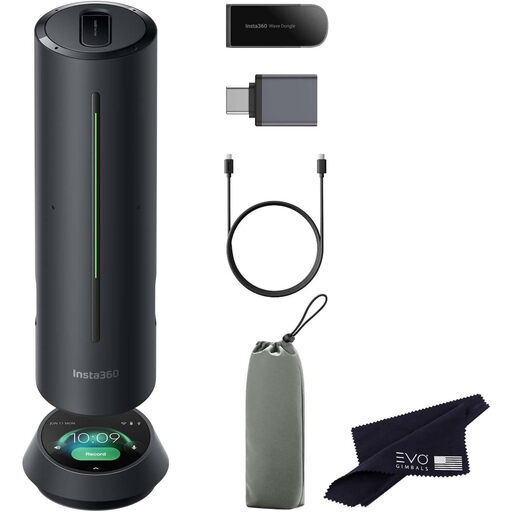
Insta360 Wave AI Conference Speakerphone, Black
A speakerphone for a shared meeting table with multiple speakers.
The product description lists an 8-microphone array and voice pickup up to 16 ft.
AI noise reduction and five pickup patterns are also listed.
View at Joybuy
 No image available
Jabra Evolve2 75, USB-A MS Teams, Black
A personal wireless headset for individual meetings from a device.
The product description lists Bluetooth, connection to two devices and adjustable ANC.
Also listed are 8 beamforming microphones for calls; check the connection and bundle for this variant.
View at Joybuy
 No image available
Logitech PC 960 USB Wired Headset
A personal wired headset for individual meetings on a computer with USB.
The product description lists a USB connection and adjustable microphone boom.
Microphone noise reduction, an in-line mute control and a mute indicator are also listed.
View at Joybuy
 No image available
Jabra Speak2 55 MS Teams, Dark Grey
A conference speakerphone for several participants around one table using one connection.
The product description lists four beamforming microphones and full-duplex audio.
USB and Bluetooth are listed as connection options; the stated battery life is up to 12 hours.
View at Joybuy
 No image available
Trust Ayda Noise-Cancelling Wired Headset, USB Type-A, Black
A personal wired headset for calls from a device with USB Type-A.
The product description lists a noise-cancelling microphone and flip-to-mute controls.
On-headset volume controls, an adjustable headband and ear cushions are also listed.
View at Joybuy
Frequently asked questions
How can you check which microphone is active before a Teams meeting?
In Teams’ audio settings, select the connected microphone and speaker separately, then check your choices with a test call. The available settings may depend on the organiser’s or IT administrator’s policies.
Can one personal headset make everyone around the table easy to hear?
Don’t assume so: first decide whether participants will join individually. A conference speakerphone is a separate option for one shared connection; check the stated pickup range and where it will be positioned in the room.
What can you do if the microphone doesn’t work after connecting it?
First check that the meeting app has permission to use the microphone and that the correct input is selected. Microsoft Support recommends checking the audio settings and making a test call; for further setup guidance, consult the manual for the exact model.
What are your rights if a product is faulty or you buy online in the Netherlands?
When you buy as a consumer, you’re entitled to a product that conforms to the sales agreement. According to the Dutch government, there’s no fixed statutory warranty period, and the retailer is your point of contact if there’s a problem. When you buy remotely from a business, you generally have a 14-day cooling-off period, subject to applicable conditions and exceptions.
What product marking is required in the Netherlands?
According to the Dutch Authority for Digital Infrastructure, electrical and electronic equipment must carry the correct CE marking. Check the marking on the specific device; the model name alone doesn’t confirm this.


